EasyManua.ls Logo

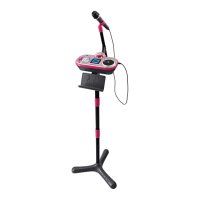
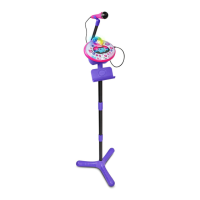
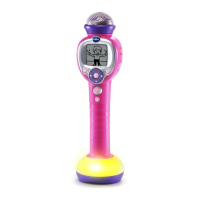
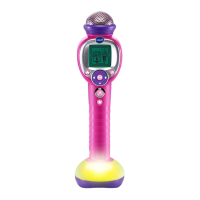
VTech Kidi Super Star - User Manual

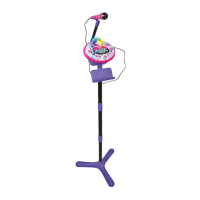
VTech Kidi Super Star
25 pages
Print Icon
To Next Page IconTo Next Page
Loading...
91-003251-011
UK
®
Parents Guide

Questions and Answers

  • S
    Stephen WilliamsJul 27, 2025
    How to increase the microphone volume on the VTech Karaoke System?
    • S
      Sonya SuttonJul 27, 2025
      To increase the microphone volume on your VTech Karaoke System, turn up the microphone volume on the unit using the Microphone Volume Dial.
  • E
    Emily PittsAug 3, 2025
    What to do if the VTech Karaoke System microphone output cannot be heard?
    • R
      Robert GarciaAug 3, 2025
      If you cannot hear the microphone output on your VTech Karaoke System, there might be several reasons. First, check that the microphone is firmly and correctly plugged into the unit. Next, ensure the microphone is switched on by setting the On/Off Switch to the On position. Also, verify that the microphone volume and the master volume are turned up using the Microphone Volume Dial and the Master Volume Dial, respectively.
  • R
    Regina McdonaldAug 9, 2025
    How to fix a VTech Karaoke System that has stopped working?
    • G
      Gary FletcherAug 9, 2025
      If your VTech Kidi Super Star Karaoke System has stopped working, there are a few things you can check. Make sure the batteries are installed with the correct polarity. If the batteries are depleted, replace them with new ones. Also, ensure that the power adapter is connected correctly.
  • R
    robertdunnAug 14, 2025
    Why is the Music Magic mode not working on my VTech Karaoke System?
    • R
      roger94Aug 14, 2025
      The Music Magic mode on your VTech Karaoke System may not function correctly for a couple of reasons. Ensure that your MP3 player or external music player is properly connected to the Kidi Super Star with the provided 3.5mm jack audio cable; if your player is in a case, removing it can help establish a firm connection. Also, the Music Magic feature's effectiveness varies from song to song, working best with studio-recorded songs and not recommended for mono recordings or live performances.
  • R
    Russell CruzAug 21, 2025
    What causes harsh sounds from the VTech Karaoke System speaker?
    • C
      charles22Aug 21, 2025
      Harsh sounds from the VTech Karaoke System speaker may occur if the microphone is too close to the speaker. Keep the microphone away from the speaker and switch it off when not in use.

Summary

Introduction and Features

Main Unit Controls

Button Functions

Details the function of ON/OFF, Master Volume, and Microphone Volume controls on the main unit.

Ports and Microphone Controls

Ports and Power Connections

Details the AC/DC jack and audio input/output jacks for connectivity.

Microphone Controls

Details the ON/OFF switch and effects available on the microphone accessory.

Stand Assembly

Getting Started

Battery Installation

Instructions for installing AA batteries into the unit for power.

Power Adaptor and Disposal

Using the Kidi Super Star

Activities and Modes

Games & Tools Details

Details the 'Funky Monkey', 'Beat Catcher', and 'Silly Beat' games.

Talent Show Modes

More Talent Show Modes

Troubleshooting

VTech Kidi Super Star Specifications

General IconGeneral
MicrophoneYes
Music Magic ModeYes
Voice ChangerYes
Light EffectsYes
Built-in SongsYes
Line-in JackYes
TypeKaraoke Machine
Power SourceBattery
ManufacturerVTech
Battery Cell CompositionAlkaline
ColorPink
Number of Pieces1
Country of OriginChina
FeaturesVoice Changer, Light Effects
Batteries4 AA batteries required
Domestic ShippingAvailable
International ShippingAvailable

Related product manuals