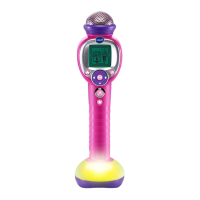
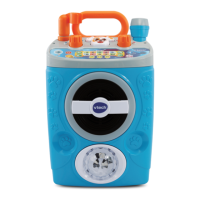
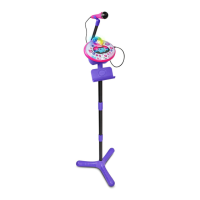
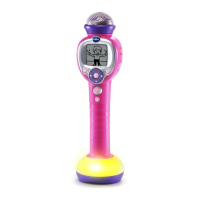
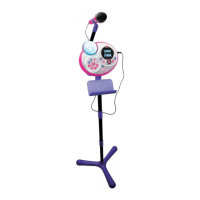
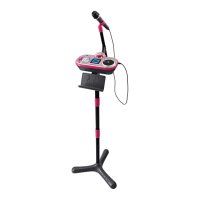
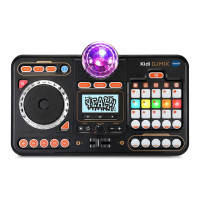
The VTech Kidi Super Star Light Show is an interactive toy designed to encourage children to sing, communicate, perform, and create. It offers a variety of features that combine music, learning, and imaginative play, making it suitable for children aged 3-10 years.
Function Description
The core function of the Kidi Super Star Light Show is to provide a karaoke-like experience with additional interactive elements. It includes 8 built-in sing-along songs and various games and tools to enhance musical and learning fun.
- Singing Fun Mode: This mode allows children to sing along to the 8 built-in songs. The Music Magic feature can reduce or remove the main vocal track from these songs, enabling children to sing as the lead.
- Free Play Mode: In this mode, children can use their imagination to create their own concerts, talk shows, or simply play around with the microphone. It's an open-ended mode for creative expression.
- External Music Connection Mode: The unit can be connected to an external music player (not included) via a supplied 3.5mm jack audio cable. This allows children to listen to and sing along to their own music. The Music Magic feature can also be applied to external music to reduce or remove the main vocal track. An auto-off timer can be set in this mode (60, 90, 120, or 180 minutes).
- Games & Tools: This menu offers 6 different activities:
- Music Pop: A rhythm game where players pop music bubbles by pressing the OK button when they reach a target area.
- Funky Monkey: A party game where children dance along with a monkey and freeze when the monkey freezes.
- Balloon Tunes: A musical adventure where children blow into the microphone to raise a hot air balloon and turn the selection dial to collect music notes.
- Beat Boxer: A tool for creating beatbox rhythms. Children can create, sing, and beatbox along to preferred beats and record their performance.
- Note Catcher: A game where music notes fall, and players must turn the selection dial to move a paddle to catch them before time runs out.
- Tongue Twisters: A challenge where children select and repeat various tongue twisters.
- Recording Function: During a song, children can record their performance into one of two available recording slots. Each slot can store up to 4 minutes of audio.
- Playback Function: Recorded performances can be played back using the Selection Dial to choose a recording and the OK button to listen.
- Light Effects: The unit features a motorised colour-changing disco light that creates a concert-like atmosphere. The light can be turned on or off, and different light effects can be selected using the Selection Dial. The light motor can also be turned on or off independently.
- Microphone Effects: Various voice-changing effects can be applied to the microphone, such as a squeaky effect, to alter the child's voice during performances.
- Instant Sound Effects: Five dedicated buttons trigger instant sound effects like Intro Drum, Laughter, Applause, Cheering, and Game Show, which can be added over a performance.
Usage Features
The Kidi Super Star Light Show is designed for ease of use with intuitive controls.
- On/Off Button: A dedicated button to power the unit on and off.
- Master Volume Control Switch: A rotary switch to adjust the overall volume of the unit, including the microphone output.
- Microphone Volume Control Switch: A separate rotary switch to adjust the microphone's volume independently.
- Music Magic Button: Toggles between Music Magic mode (reducing/removing main vocals) and Normal mode (standard music playback).
- Record Button: Initiates and stops recording of performances.
- Playback Button: Accesses and plays back recorded performances.
- Light Effects Button: Controls the disco light, turning it on/off and allowing selection of different effects.
- Light Motor Control Button: Turns the motor for the disco light on or off.
- Microphone Effects Button: Cycles through different voice-changing effects for the microphone.
- Instant Sound Effects Buttons: Five individual buttons for quick access to sound effects.
- Singing Fun Button: Enters the Singing Fun mode.
- Free Play Button: Enters the Free Play mode.
- External Music Connection Button: Enters External Music Connection Mode.
- Games & Tools Button: Accesses the Games & Tools menu.
- Selection Dial: Used to navigate menus and select options.
- OK Button: Confirms selections.
- Microphone-in Jack: For plugging in the microphone.
- Audio-in Jack: For connecting an external music player using the 3.5mm jack audio cable.
- 3.5mm DC Jack: For connecting a VTech 3.5mm DC 6V power adaptor (sold separately).
- Microphone ON/OFF Switch: A slide switch on the microphone itself to turn it on or off.
- Microphone Instant Sound Effects Button: A button on the microphone to add a sound effect during performance.
- Adjustable Stand: The stand includes three poles, allowing for height adjustment to suit the child's height.
- Battery Operation: The unit can be powered by 4 AA batteries.
- Power Adaptor Option: An optional VTech 3.5mm DC 6V power adaptor can be used for continuous play.
- Auto Power Off: To conserve battery life, the unit automatically powers off after a period of inactivity.
- Low Battery Indicator: A low battery icon appears on the screen when batteries are exhausted, and the unit will automatically shut off.
Maintenance Features
Proper care and maintenance ensure the longevity and optimal performance of the Kidi Super Star Light Show.
- Cleaning: The unit should be kept clean by wiping it with a slightly damp cloth.
- Handling: Handle the device carefully to prevent damage.
- Storage: Keep the device away from dusty or dirty areas and avoid exposure to moisture or extreme temperatures.
- Disassembly: Do not disassemble the device. If issues arise, removing and replacing batteries or trying new ones can often reset the device.
- Water Exposure: Do not drop the device on hard surfaces, expose it to, or immerse it in water.
- Battery Management:
- Use new alkaline or fully charged NI-MH rechargeable batteries for best performance.
- Do not mix different types of batteries (alkaline, standard, rechargeable, new, used).
- Do not use damaged batteries.
- Insert batteries with correct polarity.
- Do not short-circuit battery terminals.
- Remove exhausted batteries from the toy.
- Remove batteries during long periods of non-use.
- Do not dispose of batteries in fire.
- Do not charge non-rechargeable batteries.
- Remove rechargeable batteries from the toy before charging (if removable).
- Rechargeable batteries should only be charged under adult supervision.
- Power Adaptor Care (if used):
- Ensure the unit is OFF and no batteries are inside when connecting the adaptor.
- Regularly examine the transformer for damage to the cord, plug, transformer, or other parts. Do not use if damaged.
- If the unit stops working or sound becomes weak with the adaptor, unplug it for 15 seconds, then plug it back in and turn the unit ON. If the problem persists, the adaptor may be faulty.
- Microphone Placement: To avoid harsh sounds, keep the microphone away from the speaker and switch it OFF when not in use.
- External Music Player Connection: Ensure the external music player is well connected to the Kidi Super Star Light Show. If the music player is in a case, remove it to ensure a firm connection with the audio cable. Disconnect the external music player and audio cable when not in use.
- Packaging Disposal: All packaging materials (tape, plastic sheets, packaging locks, removable tags, cable ties, packaging screws) should be discarded for child safety.
- Adult Assembly: Adult assembly is required for the stand. Do not let children play with the product until it is fully assembled.
- Hearing Protection: The unit complies with maximum volume output standards to protect children's hearing.
- Epilepsy Warning: If flashing lights cause discomfort or if a child has an epileptic condition, turn off the Disco Light.


 To Next Page
 General