EasyManua.ls Logo

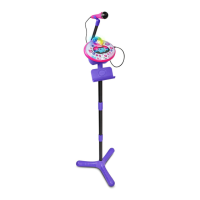
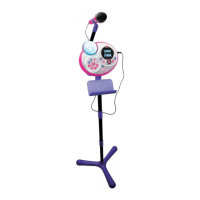
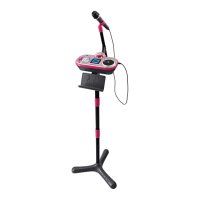
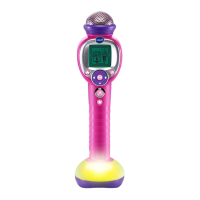
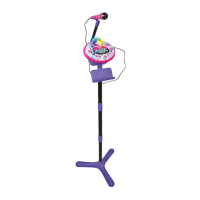
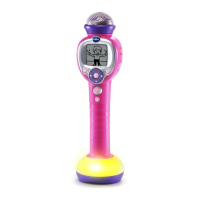
VTech Kidi Star Music Magic Microphone - User Manual

VTech Kidi Star Music Magic Microphone
17 pages
Print Icon
To Next Page IconTo Next Page
Loading...
91-003446-003
US
Parents Guide

Questions and Answers

  • J
    jwestJul 27, 2025
    How to fix VTech Kidi Star Music Magic Microphone[TM] that has stopped working?
    • C
      Claudia LucasJul 27, 2025
      If your VTech Kidi Star Music Magic Microphone[TM] has stopped working, first, replace the old batteries with a brand new set. If that doesn't work, ensure that the batteries are installed correctly, paying close attention to the correct polarities.
  • M
    Mrs. Sheri WatkinsAug 3, 2025
    Why Music Magic may not work for all songs on VTech Toy?
    • Z
      zgutierrezAug 3, 2025
      For optimal results with the VTech Toy, it's recommended to use studio-recorded songs in stereo rather than mono. However, it's important to note that Music Magic functionality cannot be guaranteed to work perfectly with every song due to unsuitable song source.
  • K
    Karen HunterAug 11, 2025
    What to do if noise can be heard when VTech Toy connected to mobile device to play music?
    • P
      parnoldAug 11, 2025
      If you hear noise when your VTech Toy is connected to a mobile device while playing music, it may be due to interference from Wi-Fi or mobile data. To resolve this, download the music to an external music player to ensure higher quality playback.
  • A
    Ashley SalazarAug 19, 2025
    What to do if microphone output cannot be heard or volume is low on VTech Toy?
    • H
      hunterbensonAug 19, 2025
      If the microphone output on your VTech Toy cannot be heard or the volume is too low, use the Volume Control Switch to increase the volume on the unit.

Summary

Introduction

Product Layout and Buttons

Details the physical components and buttons of the Kidi Star Music Magic Microphone.

Package Contents

Getting Started

Battery Installation

Step-by-step guide for installing batteries in the unit.

Battery Notice

Important information and precautions regarding battery usage and maintenance.

Using the Microphone

Activating Normal Play

Instructions on how to turn on and start using the microphone.

Low Battery Icon

Explains the low battery indicator and what to do when it appears.

Automatic Shut Off

Details the power-saving automatic shut-off feature and its behavior.

Activities

Free Play Mode

Describes the open-ended play mode for creative singing and performance.

Singing Fun

Guide to using the built-in songs and Music Magic feature for singing along.

Your Music

Instructions for connecting external music players and using the microphone with personal music.

Games & Tools

Overview of the interactive games and creative tools available on the microphone.

Settings

Light Brightness

How to adjust the screen's brightness level.

Auto-Off Timer

Setting the duration for the automatic shut-off feature for external music.

Contrast

Adjusting the contrast of the screen display.

Care & Maintenance

Troubleshooting

Appendix

Tongue Twisters List

A list of tongue twisters for practice with the microphone's game.

VTech Kidi Star Music Magic Microphone Specifications

General IconGeneral
ManufacturerVTech
Country of OriginChina
Product TypeMicrophone
FeaturesVoice changer, built-in songs
Power SourceBattery

Related product manuals