7
PRODUCT FEATURES
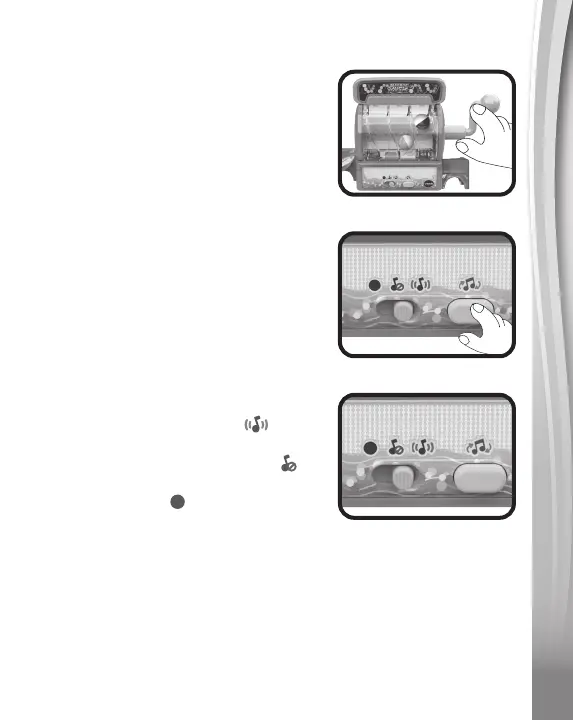
1. Corkscrew Tumbler
When a marble passes through the
Corkscrew Tumbler, lights will flash
and the unit will play sound effects.
2. Corkscrew Tumbler Button
Press this button to change the music.
3. Off/Sound Switch
Slide the switch to the right to turn
on both music and sound effects. Slide
the switch to the middle position
to play only sound effects. Slide the
switch to the left to turn the unit off.
4. Automatic Shut-Off
To preserve battery life, the Marble Rush™ Corkscrew
Challenge will automatically turn off after several minutes without
input. The unit can be turned on again by sliding the Off/Sound
Switch to a Sound position. The unit will also automatically turn
off when the batteries are very low. If the unit powers down while
playing, install a new set of batteries.


 To Next Page