6
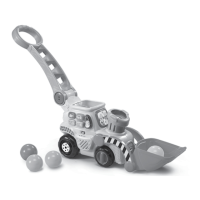
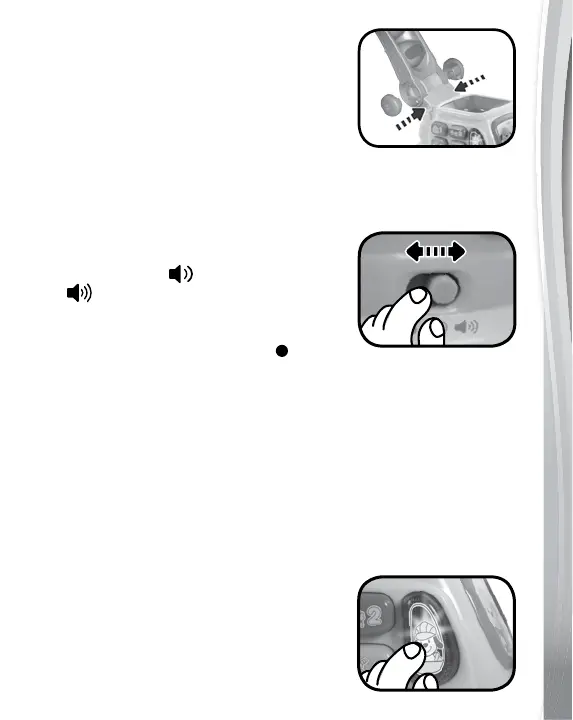
1. Place the handle over the slot on the
digger, making sure that the storage
slots on the handle are facing up. Place
the two large plugs into the holes on
either side of the handle. Then, using a
screwdriver, secure two small screws
into each of the two large plugs.
PRODUCT FEATURES
1. On/Off/Volume Control Switch
To turn the digger ON, slide the On/
Off/Volume Control Switch to the
Low Volume ( ) or High Volume
( ) position. You will hear a song
and a welcoming phrase. To turn the
digger OFF, slide the On/Off/Volume
Control Switch to the OFF ( )
position.
2. Automatic Shut Off
To preserve battery life, the Pop & Drop Digger will
automatically shut off after approximately 30 seconds without
input. The digger can be turned on again by pressing any button
or twisting the tyre gear.
NOTE: If the digger repeatedly shuts off, we suggest changing the
batteries.
ACTIVITIES
1. Light Up Driver Button
Press the Light Up Driver Button to
hear a variety of playful phrases, songs,
sounds and short tunes. The light will
flash with the sounds.


 To Next Page
 Loading...