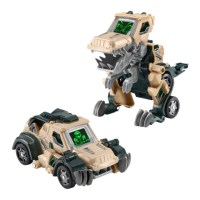
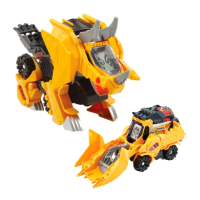
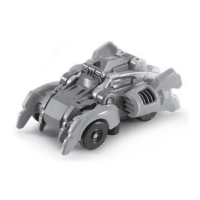
The VTech Switch & Go Striker the Scorpion is an interactive toy designed to engage children in imaginative play and support their developmental stages. This unique toy transforms between a tough car and a scorpion, offering versatile play experiences.
Function Description:
The Striker the Scorpion toy is part of VTech's Pre-School range, catering to children aged 3-6 years, though its engaging features can appeal to a broader age range. Its primary function is to provide interactive play through transformation and sound effects. In its car mode, it functions as a vehicle that children can push and play with, featuring vehicle-related sounds and phrases. When transformed into a scorpion, it offers a different play experience with scorpion sounds and phrases, accompanied by light effects. The transformation mechanism is designed to be simple and intuitive, allowing children to switch between modes in a few easy steps. The toy aims to stimulate children's interest through different textures, sounds, and colours, fostering an understanding of cause and effect, and encouraging the development of fine motor skills such as touching, reaching, grasping, and toddling. For pre-schoolers, it helps develop imagination and language through interactive play.
Usage Features:
The Striker the Scorpion offers several user-friendly features to enhance the play experience:
- Off/Low/High Volume Switch: Located on the unit, this switch allows users to turn the toy On or Off and adjust the volume to Low or High settings. This feature provides control over the sound output, making it suitable for various play environments and preferences.
- Sounds Button: Pressing the Sounds Button activates fun phrases and cool sound effects. In scorpion mode, it produces scorpion sounds with light effects, while in vehicle mode, it generates vehicle sounds and phrases. This button encourages interaction and provides auditory feedback, enriching the play experience.
- Car Roof Lock (Transformation Trigger): In vehicle mode, pushing the Car Roof Lock initiates an automatic transformation from car mode to scorpion mode. This intuitive mechanism simplifies the switching process, making it easy for children to transform the toy and explore different play scenarios.
- Manual Transformation: Beyond the automatic trigger, the toy can also be manually transformed. To switch from scorpion mode to vehicle mode, the user needs to follow a sequence of steps:
- Start in scorpion mode.
- Flip the tail down towards the scorpion's body.
- Pull the front claw down and towards the scorpion's body.
- Rotate the rear legs as illustrated in the manual.
This manual transformation process helps develop problem-solving skills and hand-eye coordination.
- Automatic Shut-Off: To conserve battery life, the Striker the Scorpion is equipped with an automatic shut-off feature. If there is no input for approximately 30 seconds, the toy will automatically turn off. It can be reactivated by pressing the Sounds Button or by switching between scorpion and vehicle modes. This feature ensures that the toy's batteries last longer, providing more play time. The toy also automatically shuts off when battery power is very low, indicating it's time for a battery change.
- Light Effects: The toy incorporates light effects, particularly in scorpion mode, which add to the visual appeal and engagement during play. These flashes are designed to be part of the interactive experience.
Maintenance Features:
To ensure the longevity and safe operation of the Striker the Scorpion, several maintenance guidelines are provided:
- Cleaning: The unit should be kept clean by wiping it with a slightly damp cloth. This helps maintain hygiene and the toy's appearance.
- Environmental Care: It is important to keep the unit out of direct sunlight and away from any direct heat sources to prevent damage to the materials and electronic components.
- Moisture Protection: The toy should not be dropped on hard surfaces or exposed to moisture or water, as this can cause damage to its internal mechanisms and electronics.
- Battery Management:
- Batteries should be removed if the unit will not be in use for an extended period to prevent leakage and potential damage.
- Exhausted batteries should be removed from the toy promptly.
- Batteries must be disposed of safely and not in fire.
- When installing new batteries, ensure they are inserted with the correct polarity (+ and -).
- Do not mix old and new batteries, or different types of batteries (alkaline, standard carbon-zinc, or rechargeable).
- Only batteries of the same or equivalent type as recommended should be used.
- The supply terminals should not be short-circuited.
- For rechargeable batteries, they must be removed from the toy before charging and charged under adult supervision. Non-rechargeable batteries should not be charged.
- Troubleshooting: In case the unit stops working or malfunctions, a troubleshooting process is outlined:
- Turn the unit Off.
- Interrupt the power supply by removing the batteries.
- Allow the unit to stand for a few minutes.
- Replace the batteries.
- Turn the unit On.
If the issue persists, installing a new set of batteries is recommended. If the problem still continues, contacting customer services is advised for further assistance.
- Packaging Lock Removal: Before initial use, the packaging locks must be removed. This involves turning the packaging lock anticlockwise several times and then pulling it out and discarding it. This ensures the toy is ready for play and that packaging materials are safely removed from the child's environment.

 Need help?
 General

 To Next Page