
 Need help?
Do you have a question about the VTech Toddler Tech Laptop and is the answer not in the manual?
Instructions on how to remove packaging locks safely.
Step-by-step guide for installing and removing batteries.
Key guidelines for battery usage, care, and safety.
Guidelines for using and charging rechargeable batteries.
Proper methods for disposing of the toy and its batteries responsibly.
Controls the power state of the unit.
Adjusts volume and screen contrast settings.
Provides hints or repeats instructions and questions.
Manages the brightness of the LCD screen.
Accesses language games focusing on letters and words.
Accesses games related to numbers and shapes.
Accesses games focused on animals and food.
Accesses games designed for logic and reasoning.
Allows personalization of food, wallpaper, and tunes.
Interactive learning for letters, phonics, and words.
Interactive learning for numbers.
Select and enjoy various music styles.
Learn French letters and words.
Learn instrument names and sounds.
Navigates selections and confirms choices on the unit.
Used for learning numbers and answering questions.
Automatically adjusts game difficulty based on performance.
Powers down the unit to conserve battery life.
Games focusing on letter order, letter quiz, missing letters, and spatial skills.
Games for learning shapes, counting shapes, and skip counting.
Games for learning animal sounds, footprints, and identifying animals.
Games involving fixing walls, fishing, and river crossing puzzles.
Personalize avatar, favorite food, wallpaper, and opening tune.
Interactive learning of letters, phonics, and words through play.
Interactive learning of numbers through play.
Select and enjoy music, watch the cat dance to melodies.
Learn French letters and words through interactive play.
Learn instrument names and their corresponding sounds.
Guidelines for cleaning and storing the unit properly.
Instruction to remove batteries for extended periods of non-use.
Advice against dropping the unit or exposing it to moisture.
Steps to resolve common malfunctions, including power cycling and battery replacement.
Phone numbers and websites for customer support by region.
Information on warranty policies and consumer guarantees.
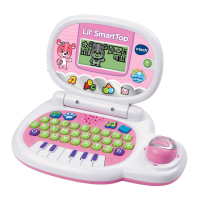
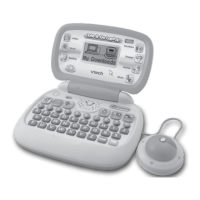
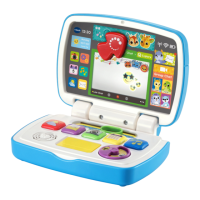
The VTech® Toddler Tech Laptop is an interactive electronic learning toy designed to offer progressive, age-appropriate curriculum through 20 engaging activities. This laptop aims to entertain and educate children, helping them develop essential skills in a fun and interactive way. A friendly cat character guides children through various learning adventures, providing encouragement and positive reinforcement.
The Toddler Tech Laptop focuses on a wide range of educational content, including lowercase and uppercase letters, phonics, words, maths, shapes, animals, food, logic, and music. It is designed to cater to the developmental needs of toddlers, offering activities that stimulate their cognitive and creative growth.
The device features several dedicated buttons to access different learning modes:
The Toddler Tech Laptop is designed for ease of use and customisation, enhancing the child's learning experience:
Proper care and maintenance ensure the longevity and optimal performance of the Toddler Tech Laptop:
The VTech® Toddler Tech Laptop is designed to be a durable and engaging learning tool, providing a rich educational experience while being easy to use and maintain.
 General
| Battery Type | AA |
|---|---|
| Language | English |
| Product Type | Laptop |
| Educational Focus | Letters, numbers, shapes, animals |
| Power Source | Battery |
| Screen | LCD |


 To Next Page