EasyManua.ls Logo

VTech VM5271 - User Manual

VTech VM5271
2 pages
Print Icon
To Next Page IconTo Next Page
Loading...
What’s in the box
Dim mode
With dim mode preset to on, your parent unit display will dim after 10 minutes of inactivity to conserve energy.
10 min inactivity
Press any buttons
Once you power on your baby monitor, your parent unit displays image from the baby unit, and the LINK LED light
turns on. The ON/OFF LED light of the baby unit also turns on.
Status checkConnect and power on - Baby unit Install the battery
THIS SIDE UP
Connect and power on - Parent unit
CAUTION
The default volume of your parent unit
is level 4. If you experience high-pitched
screeching noise from your baby monitor
while positioning:
- Make sure your baby unit and parent unit
are more than 1 meter (3 feet) apart, OR
- Turn down the volume of your parent unit.
1m (3ft)
1m (3ft)
> 1m (3ft)
< 1m (3ft)
VM5271-2 baby monitor system
Baby’s room Living room
Go to www.vtechphones.com
to register your product for
enhanced warranty support
and latest VTech product news.
VM5271
Quick start guide
2s
Night vision
The baby unit has infrared LEDs that allow you to
see your baby at night or in a dark room. When the
baby unit detects low light levels, the infrared LEDs
turn on automatically. The images from this baby
unit is in black and white, and appears on screen.
NOTES
It is normal if you see a short white glare on your parent
unit screen as the baby unit is adapting to the dark
environment.
When the infrared LEDs are on, the image is in black
and white. This is normal due to external light sources.
TIP
Depending on the surroundings and other interfering
factors, like lightings, objects, colors and backgrounds,
the display resolution may vary. Adjust the baby unit’s
angle, or place the baby unit at a higher level to prevent
glare and blurry display.
Sound activation
Automatically turns on the parent unit screen when the baby
unit being viewed detects a sound after the screen is turned
off. When no sound is detected within 50 seconds, the
screen is automatically turned off to save power.
Sound-activated Screen
On
O
> 1m (3ft)
CAUTION
This baby monitoring system includes a special lens which is capable of optical zoom and requires
delicate treatment. Please avoid disassembling, dropping, or any other rough handling.
Question and Answer IconNeed help?

Do you have a question about the VTech VM5271 and is the answer not in the manual?

Summary

Product Overview and Package Contents

Whats in the Box

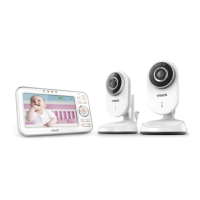
Lists all items included in the VM5271-2 baby monitor system package.

System Diagram

Illustrates the baby monitor system components in the baby's room and living room.

Initial Setup and Power On

Connect and Power On - Baby Unit

Instructions for connecting and powering the baby unit for the first time.

Install Battery - Parent Unit

Guide on how to install the battery into the parent unit.

Connect and Power On - Parent Unit

Steps for connecting and powering on the parent unit.

Basic Operations and Features

Status Check

Verifies parent unit display and indicator lights after power on for proper function.

Dim Mode

Explains automatic screen dimming after inactivity to conserve energy.

Night Vision

Details infrared LEDs for dark room viewing and image appearance.

Sound Activation

Describes automatic screen activation upon sound detection by the baby unit.

Parent and Baby Unit Details

Parent Unit Overview

Identifies buttons, microphone, speaker, and indicators on the parent unit.

Basic Operation - Parent Unit

Covers adjusting volume, zoom, talk function, and powering off the parent unit.

Baby Unit Overview

Details the motorized lens, sensors, microphone, speaker, and power jack.

Basic Operation - Baby Unit

Explains adjusting volume, playing lullabies, and powering off the baby unit.

Advanced Features and Mounting

Change Different Views

Instructions on switching between multiple baby units for viewing.

Mount the Baby Monitor (Optional)

Step-by-step guide for securely mounting the baby unit on a wall.

Overview

The VTech VM5271-2 is a comprehensive baby monitor system designed to provide parents with peace of mind through continuous monitoring of their baby. The system includes a parent unit and one or more baby units, offering both visual and auditory surveillance of the baby's room.

Function Description

The core function of the VM5271-2 is to allow parents to monitor their baby remotely. The baby unit, equipped with a motorized lens offering 6x optical zoom, captures video and audio from the baby's room. This feed is then transmitted wirelessly to the parent unit, which features an LCD screen for video display and a speaker for audio output.

Key monitoring features include:

  • Real-time Video and Audio Monitoring: The system provides live video and audio from the baby's room to the parent unit.
  • Night Vision: The baby unit incorporates infrared LEDs that automatically activate in low-light conditions, enabling clear black and white video monitoring even in a completely dark room.
  • Two-Way Talk: Parents can speak to their baby remotely through the parent unit, and their voice will be transmitted to the baby unit's speaker, allowing them to soothe their baby from another room.
  • Temperature Sensor: The baby unit includes a temperature sensor that displays the room temperature on the parent unit, helping parents ensure the baby's comfort.
  • Lullaby Feature: The system can play pre-programmed lullabies through the baby unit's speaker to help soothe the baby to sleep.
  • Sound Activation (VOX Mode): To conserve power, the parent unit's screen can be set to turn off automatically and only activate when the baby unit detects sound above a certain threshold. If no sound is detected for 50 seconds, the screen turns off again.
  • Multiple Baby Unit Support: The system is expandable and can support multiple baby units (VM5231, purchased separately), allowing parents to monitor different rooms or multiple children simultaneously. The parent unit can cycle through views from different baby units, display them in a split-screen view, or patrol between them.
  • Zoom Functionality: The parent unit allows users to zoom in and out of the video feed for a closer look at their baby.

Usage Features

The VM5271-2 is designed for user-friendly operation with intuitive controls and flexible placement options.

Parent Unit Usage:

  • Power On/Off: The parent unit is powered on by connecting it to an electrical outlet. It can be powered off by pressing and holding the POWER button.
  • Volume Control: Dedicated VOL/VOL+ buttons allow for easy adjustment of the parent unit's speaker volume.
  • Screen On/Off: The LCD ON/OFF button allows users to switch off the screen while still hearing audio from the baby unit, conserving battery life.
  • Menu Navigation: A MENU/SELECT button provides access to various settings and features. Arrow keys (up, down, left, right) are used for navigation within the menu.
  • Talk Button: A dedicated TALK button enables two-way communication with the baby unit.
  • View Options: With multiple baby units, the parent unit offers VIEW, PATROL, and SPLIT buttons to switch between different camera feeds, cycle through them, or display them simultaneously.
  • Dim Mode: The parent unit has a dim mode that automatically dims the display after 10 minutes of inactivity to conserve energy. Pressing any button will reactivate the full display.
  • Status Indicators: LED lights on the parent unit indicate power status, link status with the baby unit, and other operational information.

Baby Unit Usage:

  • Power On/Off: The baby unit is powered on by sliding the ON/OFF switch.
  • Placement: The baby unit should be placed more than 1 meter (3 feet) away from the parent unit to avoid high-pitched screeching noise. It can be placed on a flat surface or mounted on a wall.
  • Motorized Lens: The motorized lens allows for remote adjustment of the camera's viewing angle from the parent unit.
  • Lullaby Control: The -VOLUME+ buttons on the baby unit can be used to adjust the lullaby volume. The PLAY/STOP/SKIP button controls lullaby playback.
  • Wall Mounting (Optional): The baby unit comes with a wall mount bracket, allowing for secure installation on a wall. The bracket's angle can be adjusted to maximize the viewing area. Installation involves marking and drilling holes, inserting wall anchors (if not drilling into a stud), and then securing the bracket and baby unit with screws. The default angle of the wall mount bracket is 90 degrees, and it can be tilted to adjust the viewing angle.

Maintenance Features

The VM5271-2 is designed for general ease of maintenance, primarily focusing on proper handling and battery care.

  • Delicate Lens Treatment: The baby unit's special lens, capable of optical zoom, requires delicate handling. Users are advised to avoid disassembling, dropping, or any rough handling to prevent damage.
  • Battery Installation and Care: The parent unit requires battery installation. It is important to install the battery correctly, ensuring proper polarity. The manual provides instructions for battery installation.
  • Cleaning: While not explicitly detailed as a maintenance feature, general cleaning of the devices with a soft, dry cloth is implied for optimal performance and longevity.
  • Troubleshooting: The manual provides guidance on common issues, such as high-pitched screeching noise (suggesting to increase distance between units or lower volume) and screen dimming (explaining the dim mode feature). It also addresses visual phenomena like short white glare or black and white images in night vision mode as normal occurrences.
  • Firmware Updates: Although not directly user-initiated, the product registration process on the VTech website suggests access to "latest VTech product news," which could include information on potential firmware updates or product enhancements.

Overall, the VTech VM5271-2 baby monitor system offers a robust and versatile solution for monitoring a baby, combining advanced features like optical zoom and night vision with user-friendly controls and expandable capabilities.

VTech VM5271 Specifications

General IconGeneral
CameraYes
Night VisionYes
Two-Way CommunicationYes
Two-Way TalkYes
Range1000 feet
Temperature SensorYes
Sound ActivationYes
ZoomYes
Belt ClipYes
Parent Unit PowerRechargeable battery
Baby Unit PowerAC adapter
Low Battery IndicatorYes
Out of Range IndicatorYes
Night LightYes
DisplayLCD
Screen Size5 inch
Expandable CamerasUp to 4

Related product manuals