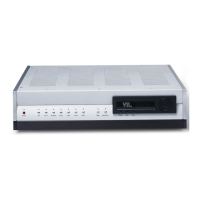
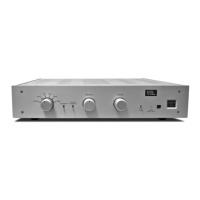
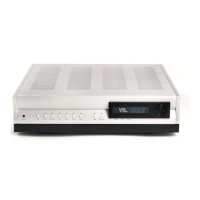
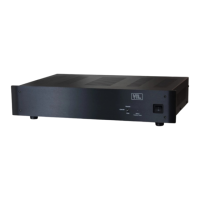
You
can operate
the
various
controls and
switches
from
the
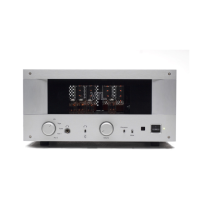
front
panel
to
access the full
functronaliw of the urut.
The
status
indrcation
I.trD
shorvs the various operating
modes
of
the urut.
l. The Pouvr
On/Of xvitch can be
used
to turn the preamplifier
on
and off.
Press
the
svzitch up to tum the preamplifier ON and press the switch down to tum the
r-nit
OFF.
Tlne
Status
LED
should be on
and off
respectively,
accordrng to
the
setting of
the
Poaer
Oa switch.
Galk
about
flashing LED)
2.
The
Renote
Rereiw window
allorvs the transmission of srgnal
from
the
remote hand-
heid
unit
to be
received
by the preamplifier.
Keep
tkus
window
clear
from
any
obstruction to allow
maximum
srgnal
transmission.
3.
The
Status
LED indicates
the
operating mode
of the
preamplifier. The modes
are:
Pwerqr ildoft
o
\X{ren
the
unit
is
powered
on, the
LED
light
will be
lit.
W}ren
the unit
is
powered off the
LED lght is
ott.
tub
ild openatirlg:
.
When
the unit
is in mute
the
LtrD hgfrt
is
blinkrng. When the r-urit
is
in
normal
operaung
mode,
the LED hght will
stay
lit
constandy.
Inrertcd
plmcand
nqr.fowerted
phGe
.
When
the unit
is
operatrng
out of phase, the
LED
vill
change to amber color.
If
the phase
is
normal,
then the
LEI)'s
color
is
green.
4.
The
Phase/Mutc
switch
is
a
momentary
togle
swrtch to allow
you to
switch the svstem
into
the mute
state or the phase reversed
state.
.
If
the preamplifier
is
currently in
the operabng state
-
press the switch down.
The
preamplifier
will
go
into
rnute
state as
indrcated
by the
flashing
Status
LtrD. If
the preamplifier is
currently
in
mute
state, clicking this switch
down
^g
tnwill
change the system
back
mto
the operating
state. Clicking the switch
in
the downward position
togles the system between
the
mute
and operating
state.
.
Clicking the switch
upward toggles the system
between the phase
reversed
and
phase normal
state.
Tl;.e
Status
LED
will
tum amber when the
system
is
in
pha^se reversed
state.
5.
The
Volume
Control
knob
changes
the
loudness
level of
the output
from
your
speaker
system. Tumrng
the knob
clockwise will
urcrease
the
volume level. Alternatively,
tuming the
knob
counter-clockwise will
decrease the
volume level.
6.
The
Sunuund
Pmnssor This
switch can be used
to change the
control of your
audro/video
system to the surround processor when
the swrtch
is
tumed to the
Prccessor Ia
position.
In
this
mode,
the surround system will
only control
all
of the
Tt5.5
Preampllfier Owney's Hanual
4
VTL


 To Next Page
 Loading...