12
Mat and springs
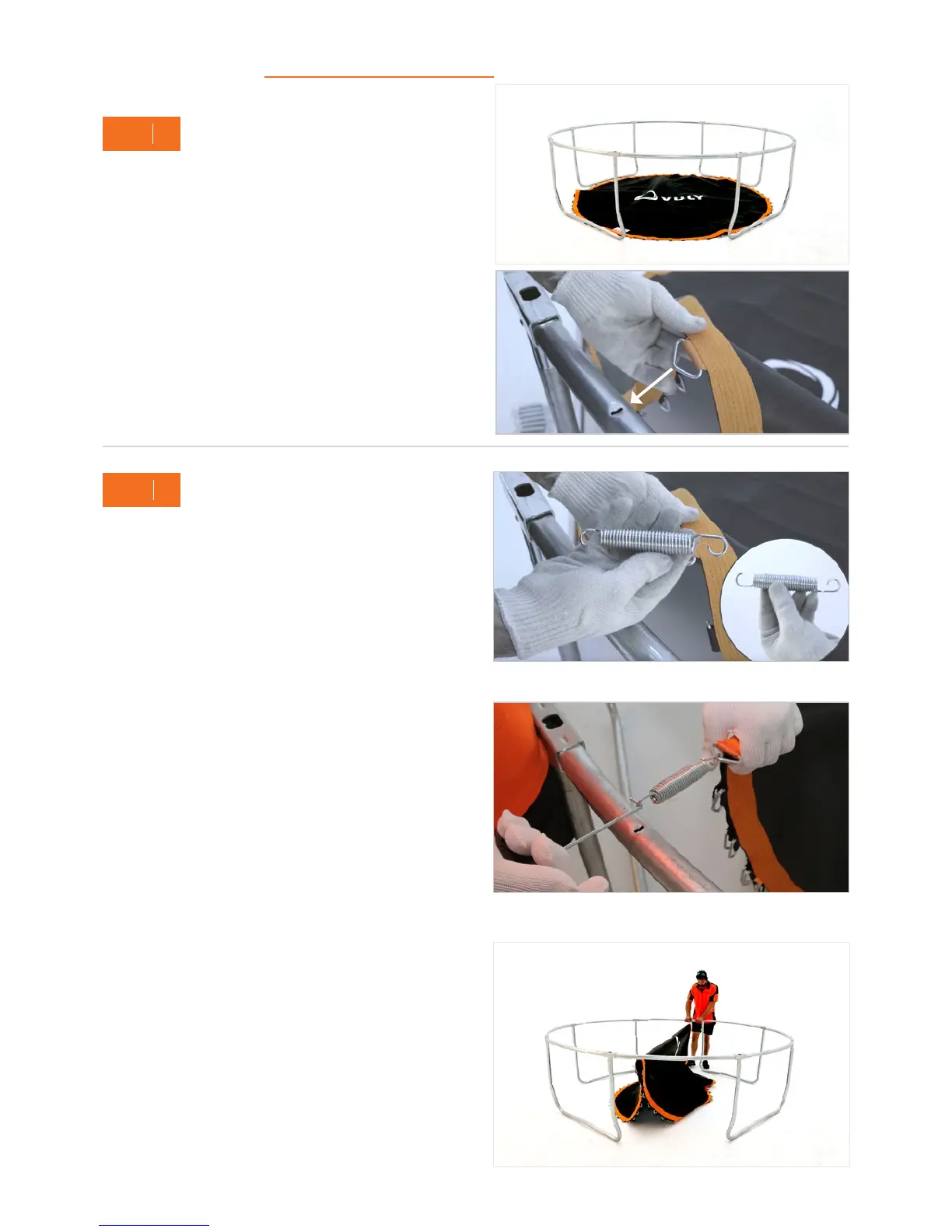
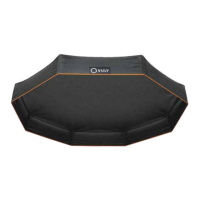
A. Unravel and lay your Jump Mat inside the frame, ensuring
that it is flat, with the print facing upwards.
B. Stand between any two W-Poles. Rotate the Jump Mat,
so that the Batch Tag is to the left of the left T-Joiner.
Remember: Check that the Vuly logo is horizontal when
looking from between two W-Poles and that only orange
D-shackles are connected.
5
STEP
A. Attach a Spring into this orange D-shackle, and connect it
to the second Spring hole that is to the right of the chosen
T-Joiner.
Note: You must hook the short ends of the Spring hooks
into the D-shackles on the Jump Mat, and hook the long
ends into the Frame.
B. Go to the opposite T-Joiner on the frame, and find the
corresponding orange D-shackle. Attach a Spring to this
D-shackle and connect it to the second Spring hole that
is to the right of this T-Joiner.
Tip: Hooking the Spring to the Jump Mat and pulling
back to the Frame is the easiest connection method.
Alternatively, use the Spring Tool to pull and connect the
Springs from the Jump Mat to the frame.
C. Repeat for each Spring, orange D-shackle and second
Spring hole that is to the right of every T-Joiner.
4
STEP
Ensure that the logo on the Jump Mat faces you – between
two W-Poles.
A
A
B
B


 To Next Page