Page 2
The FLEX portable satellite antenna is easily confi gured to lock onto the appropriate satellites
necessary to receive your favorite SD programming from DIRECTV
®
, or SD and HD programming
from DISH
®
or Bell TV
2
.
The FLEX system includes: You will also need the following (sold separately):
• Antenna Unit • TV
• Controller • Satellite Receiver
1
• 3’ Coax Cable • Cable(s) to connect receiver to TV
• 50’ Coax Cable • Satellite TV Subscription Service
• 15 Watt Power Supply
• Owner’s Manual
• Quick Reference Guide
CONNECTIONS
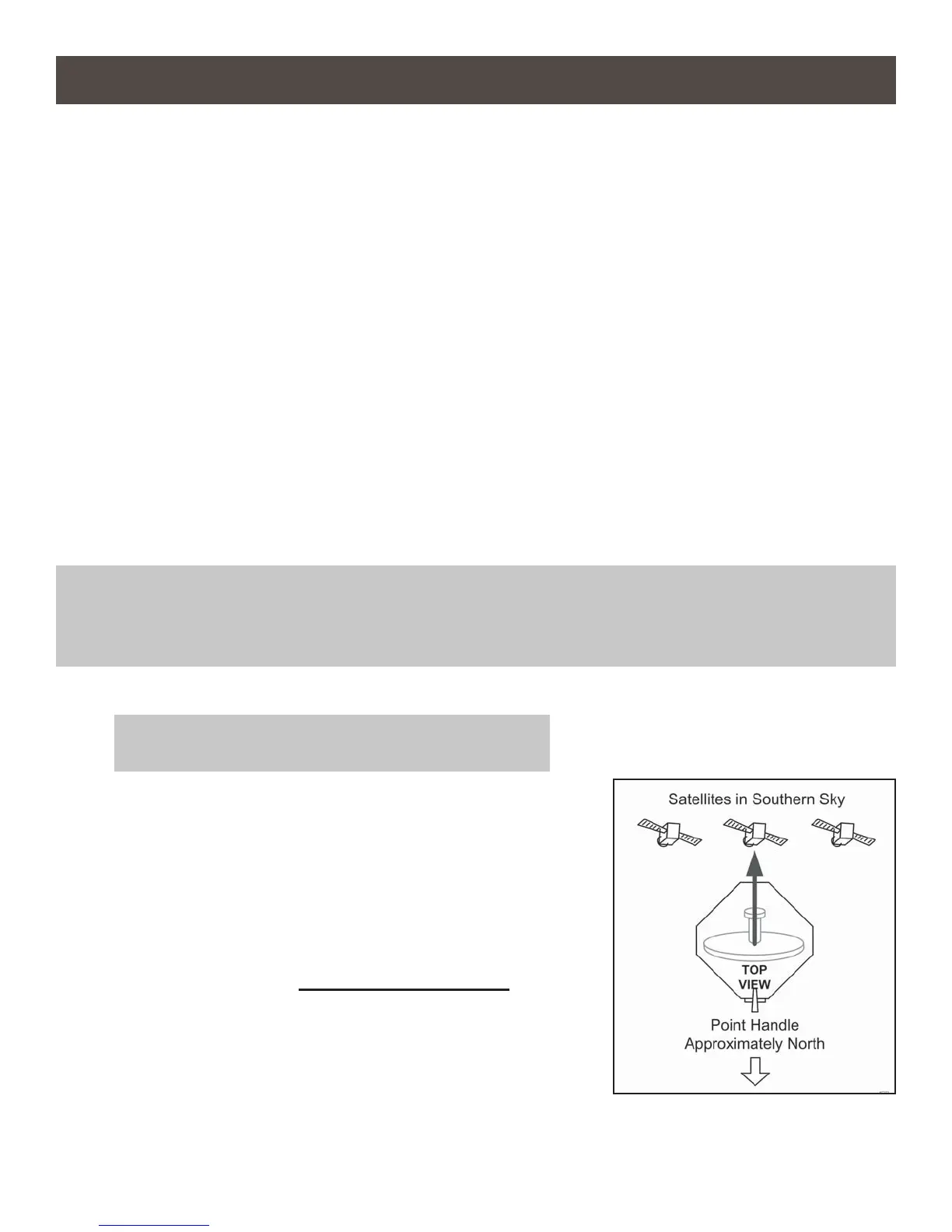
1. Place the antenna unit on a stable surface with a clear
view of the southern sky. (With its built-in leveling feature,
the FLEX does not need to be level, but make sure it is
stable to prevent movement during operation.)
Point the handle approximately to the north (this will speed
up search time).
2. Make the connections IN THE ORDER SHOWN on page 3.
NOTE TO DISH AND BELL TV SUBSCRIBERS:
If using a second receiver, do not connect it until
instructed to do so in the SECOND RECEIVER
OPERATION section.
3. Go to ANTENNA CONFIGURATION on page 4.
Section 1 SETUP
IMPORTANT! HAND TIGHTEN COAX CONNECTIONS. DO NOT USE A WRENCH.
Do not allow the coax cable to become bent or kinked.
Do not leave the coax cable where it can be tripped on or run over by a vehicle.
IMPORTANT! Do not block the antenna’s line of sight to
satellites in the southern sky at any time.
1
The FLEX will not work with DIRECTV SWM only receivers.
1
Do not use dual tuner receivers or receivers with
built-in recorders if your programming is broadcast from more
than one satellite.
2
Bell TV: You may experience diffi culty receiving your
programming more than approximately 100 miles south of the
Canadian/US border.


 To Next Page