Page 3
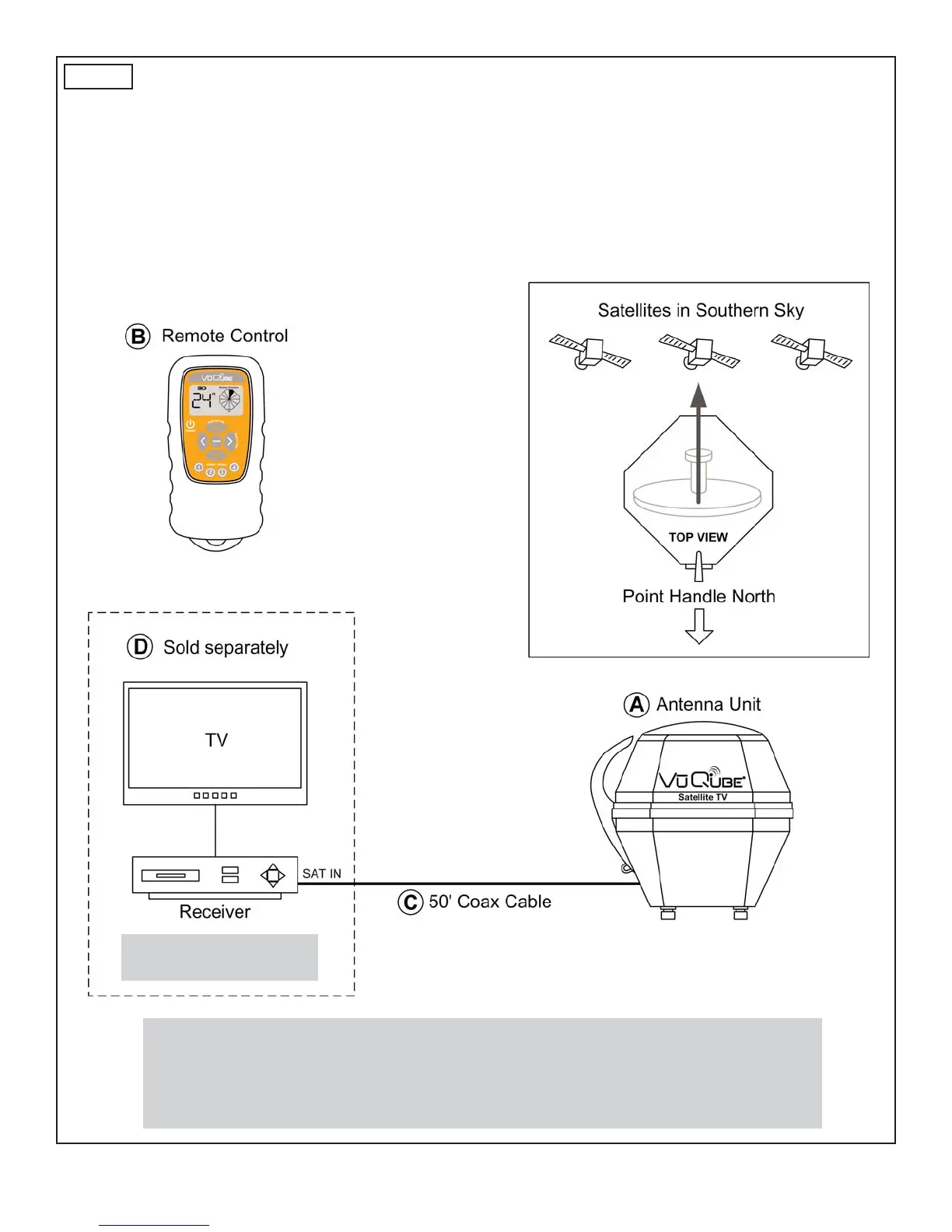
Fig. 2
1. Place the VuQube on a stable surface with a clear view of the southern sky. (With its built-in
leveling feature, the VuQube does not need to be level, but make sure it is stable to prevent
movement during operation.) Point the handle to the north (this will speed up search time).
2. Connect coax cable from the VuQube to the SATELLITE IN port on the receiver.
3. Go to OPERATION on page 4.
POSITION AND CONNECT THE VUQUBE
Note: Hand tighten coax connections. DO NOT USE A WRENCH.
Make sure to connect coax to SATELLITE IN on the receiver.
Do not allow the coax cable to become bent or kinked.
Do not leave the coax cable where it can be tripped on or run over by a vehicle.
Satellite TV subscription
service also required.


 To Next Page