Page 13
The unit will perform a check switch test, and the dish will periodically move back and
forth. (This process will take several minutes.)
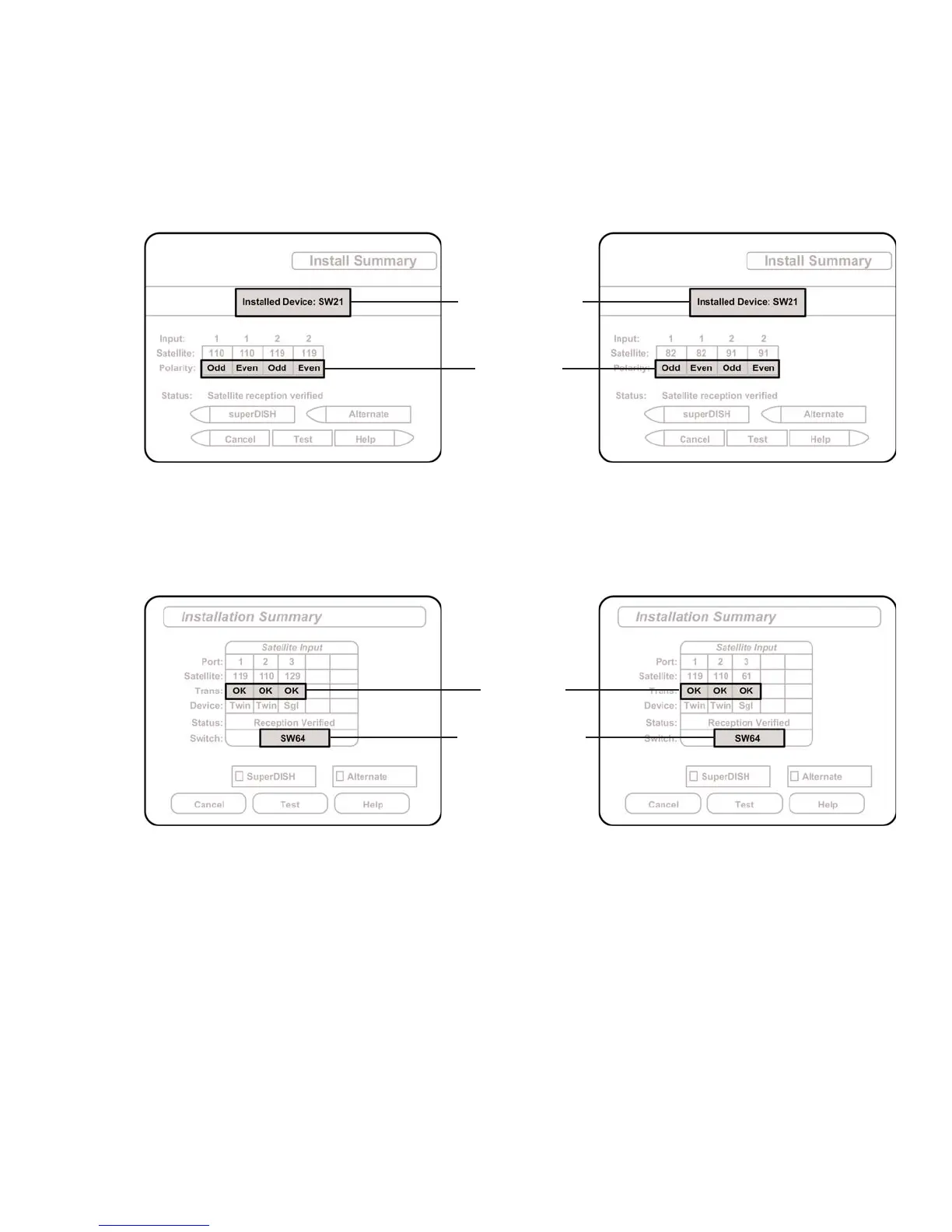
7. When test is complete, a screen similar to one of the following should appear:
If indicated results are not obtained, go back to Step 3 and run test again. Contact King
Controls if the check switch fails to load after 4 attempts.
8. Save the settings, exit to the main menu screen and wait for your programming to
download.
9. DISH 1000/1000a ONLY: Verify your saved settings show your desired satellite trio
(110, 119, 129 or 110, 119, 61). To switch trios, see page 16.
Configuration is complete.
MUST SHOW
“SW21”
NO “X”s
MUST SHOW
“SW64”
NO “X”s
DISH 500
DISH 1000aDISH 1000
BELL EXPRESSVU



 To Next Page