Page 6
DIRECTV ANTENNA CONFIGURATION
DIRECTV Plus (satellites 101, 119)
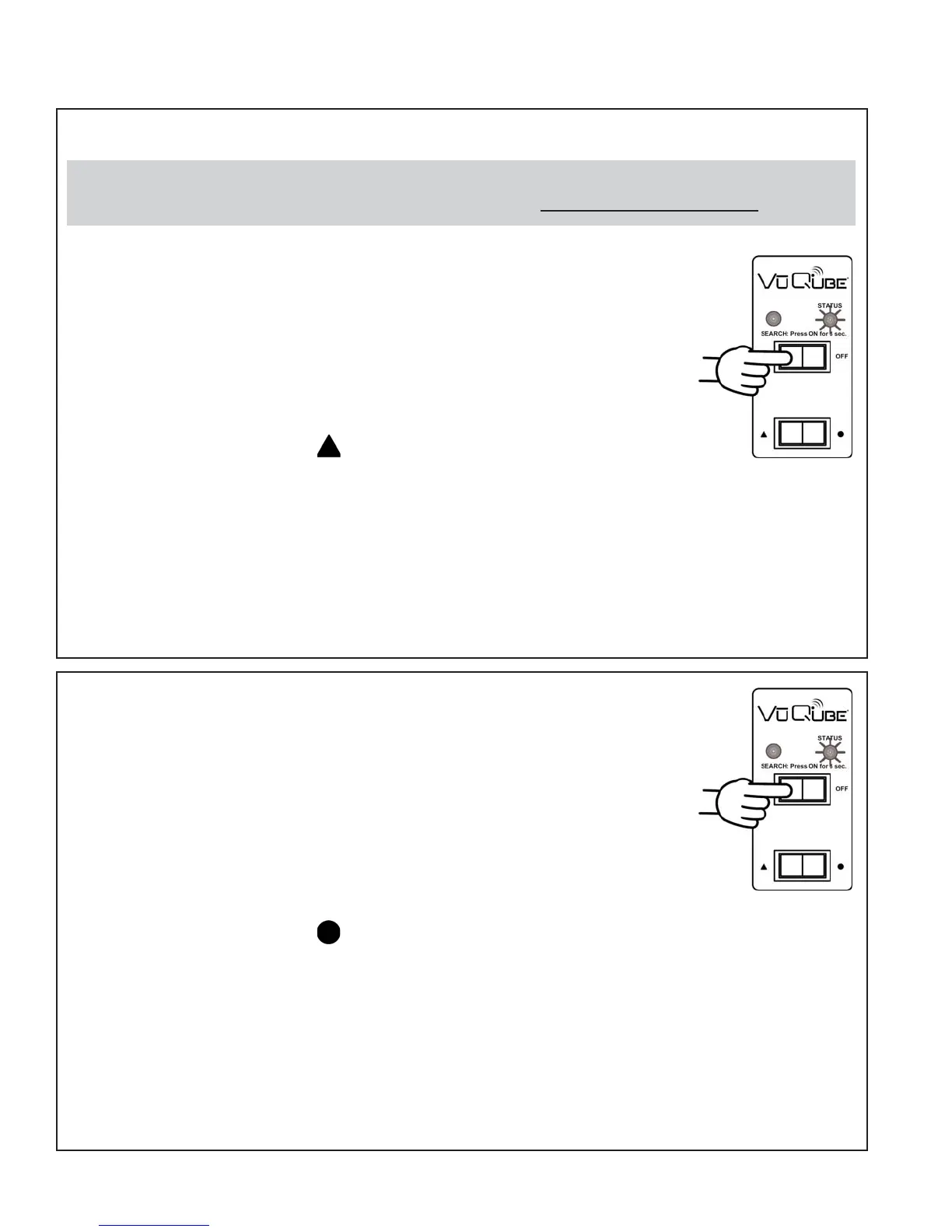
1. On the VuQube controller, press and release the ON button.
Wait for the status light to flash orange, and then flash
green or red.
2. Press and release the ON button 8 times.
The status light starts rapidly flashing green and red.
3. Press and hold the button for 4 seconds.
The status light will turn orange for 1 second, and then start
flashing green or red.
4. Press OFF.
5. Set your receiver for oval dish-2 satellites (do this through the receiver’s
satellite set-up menu screens). Configuration is complete.
Single Satellite 101
1. On the VuQube controller, press and release the ON button.
Wait for the status light to flash orange, and then flash
green or red.
2. Press and release the ON button 16 times.
The status light starts rapidly flashing green and red.
3. Press and hold the button for 4 seconds.
The status light will turn orange for 1 second, and then start
flashing green or red.
4. Press OFF.
5. Set your receiver for round dish-1 satellite (do this through the receiver’s
satellite set-up menu screens). Configuration is complete.
The VuQube is factory pre-set for the DIRECTV 101 satellite. Unless the antenna has been
configured for another option since leaving the factory, PERFORM STEP 5 ONLY.


 To Next Page