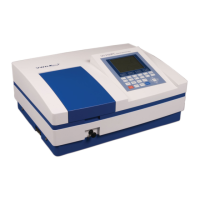
What to do if my VWR International Measuring Instruments don't power on?
A
Austin JonesAug 16, 2025
If your VWR International Measuring Instruments are not responding when you power them on, the issue might be with the power cord connection or a blown fuse. First, ensure the power cord is securely connected to improve connectivity. If the problem persists, the fuse may have burned out and needs replacing.
C
Cynthia JacksonAug 19, 2025
Why are the measurements inaccurate on my VWR International Measuring Instruments?
K
Karen LeonardAug 19, 2025
Inaccurate measurements on your VWR International Measuring Instruments can stem from several causes:
* Contaminated cuvettes: Clean the cuvettes thoroughly.
* Contaminated samples: Improve the quality of your samples.
* Poorly matched cuvettes: Ensure better matching of the cuvettes.
* Dark current error: Resample the dark current.
D
Desiree CurtisAug 22, 2025
What to do if I get a dark current error on my VWR International Measuring Instruments during self-check?
A
abakerAug 22, 2025
If you encounter a dark current error during the self-check of your VWR International Measuring Instruments, it might be because the compartment lid was open. Close the lid and restart the self-check process.
S
Sharon DavisAug 26, 2025
How to fix lamp issues in VWR International Measuring Instruments?
D
Daniel DayAug 26, 2025
If you suspect lamp damage or that the lamp has reached the end of its life in your VWR International Measuring Instruments, replace the lamp.
C
Christina JacksonAug 28, 2025
Why does system calibration fail on VWR International Measuring Instruments?
R
Regina HendersonAug 28, 2025
If the system calibration fails on your VWR International Measuring Instruments, something might be obstructing the light path. Remove the obstruction and try calibrating again.
S
Sherry OrtizAug 31, 2025
What to do if the power supply voltage is unstable for VWR International Measuring Instruments?
U
uwilliamsAug 31, 2025
If the power supply voltage is low or unstable for your VWR International Measuring Instruments, improve the power supply.
H
Hannah Vazquez DDSSep 3, 2025
How to fix a dim display on VWR International Measuring Instruments?
M
mackenziecalderonSep 3, 2025
If your VWR International Measuring Instruments power on with the backlight working, but the screen display is unclear or shows nothing, the display contrast may need adjustment. Adjust the contrast potentiometer to correct this.
T
tolsonSep 6, 2025
What to do if the sample concentration is too high in VWR International Measuring Instruments?
L
larsonelizabethSep 6, 2025
If the sample concentration is too high in your VWR International Measuring Instruments, dilute the sample.
J
Jeremiah HawkinsSep 9, 2025
Why is there measurement uncertainty with my VWR International Measuring Instruments?
G
Gina SanchezSep 9, 2025
Measurement uncertainty in your VWR International Measuring Instruments could be due to an insufficient warm-up period. Continue the warm-up for a longer duration.
J
Jamie CampbellSep 12, 2025
What to do if the sample is not stable when using VWR International Measuring Instruments?
J
Jessica FergusonSep 12, 2025
If your sample is not stable when using VWR International Measuring Instruments, improve the sample.


 To Next Page
 General