MAINTAINING THE VACUUM
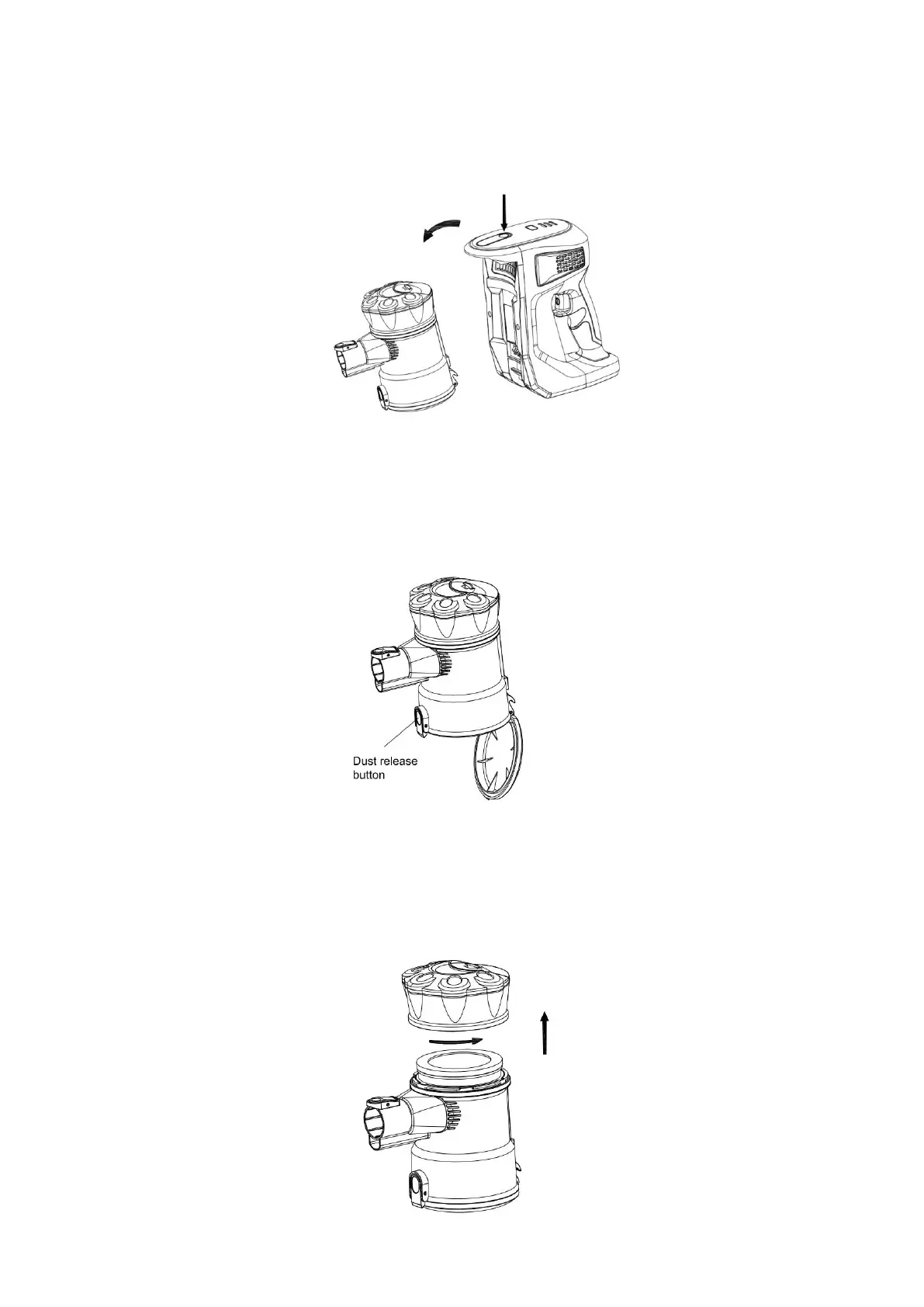
Cleaning the dust container:
1. Press the dust container release button to take the dust container out.
2. Press the dust release button to open the bottom cover and expel trash. Wipe to clean the
dust container, do not immerse in water.
Cleaning the filter:
1. Remove the dust container from the main body.
2. Twist counterclockwise to remove the filter cover.


 To Next Page