PLEASE NOTE
If you experience low or intermittent steam emission from this appliance then
please note the following instructions to resolve this issue -
1. Remove the water tank.
2. Looking at the underside of the tank you will see a hole near the top edge.
3. Using the green pin, supplied with the accessory pack, push the pin in and
out of the hole a out of the hole a few time to ensure the hole is clear.
4. Rell the tank with clean water and retry.
5. Keep the green pin in a safe place in case it is required in the future.
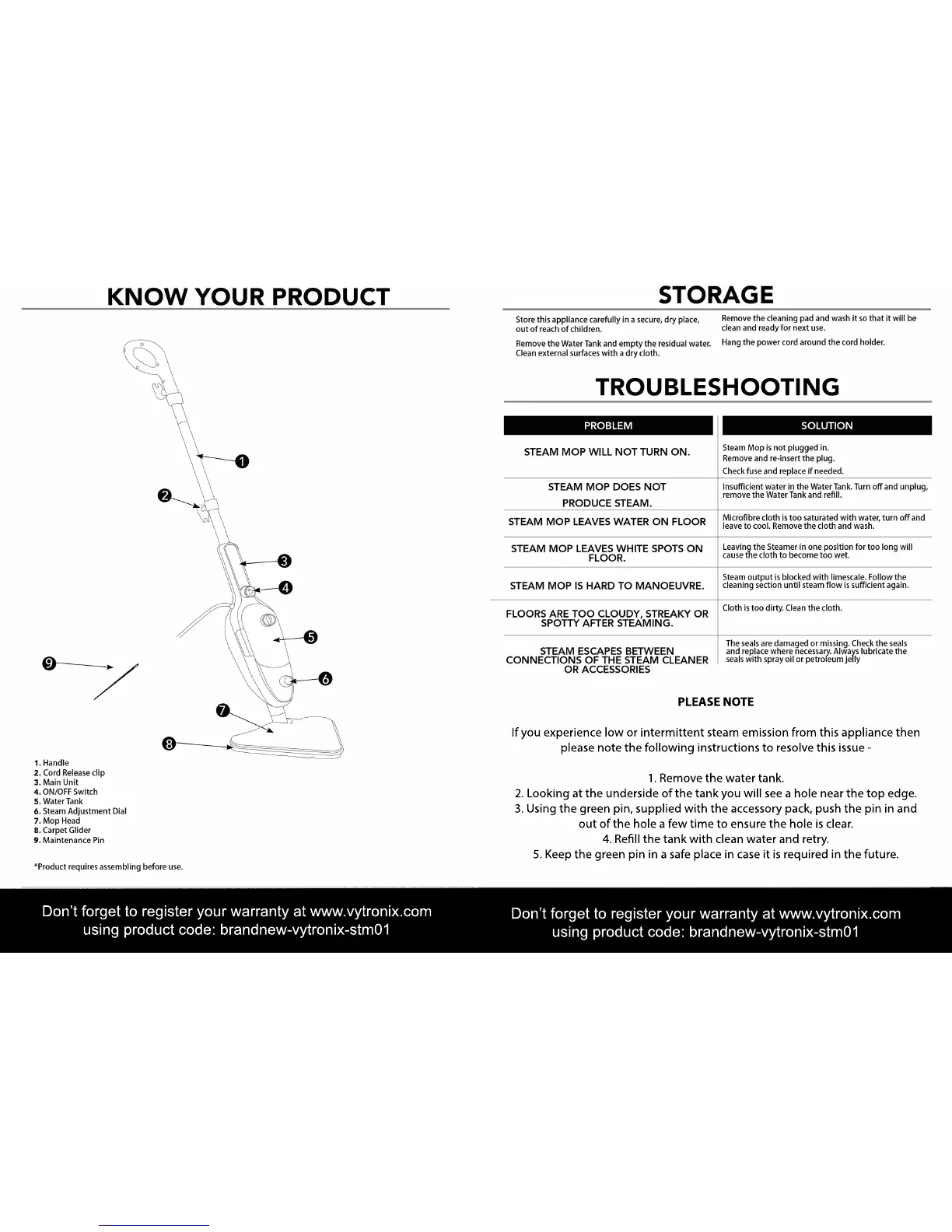
9. Maintenance Pin
Don’t forget to register your warranty at www.vytronix.com
using product code: brandnew-vytronix-stm01
Don’t forget to register your warranty at www.vytronix.com
using product code: brandnew-vytronix-stm01
9


 To Next Page