5
Installation Instructions
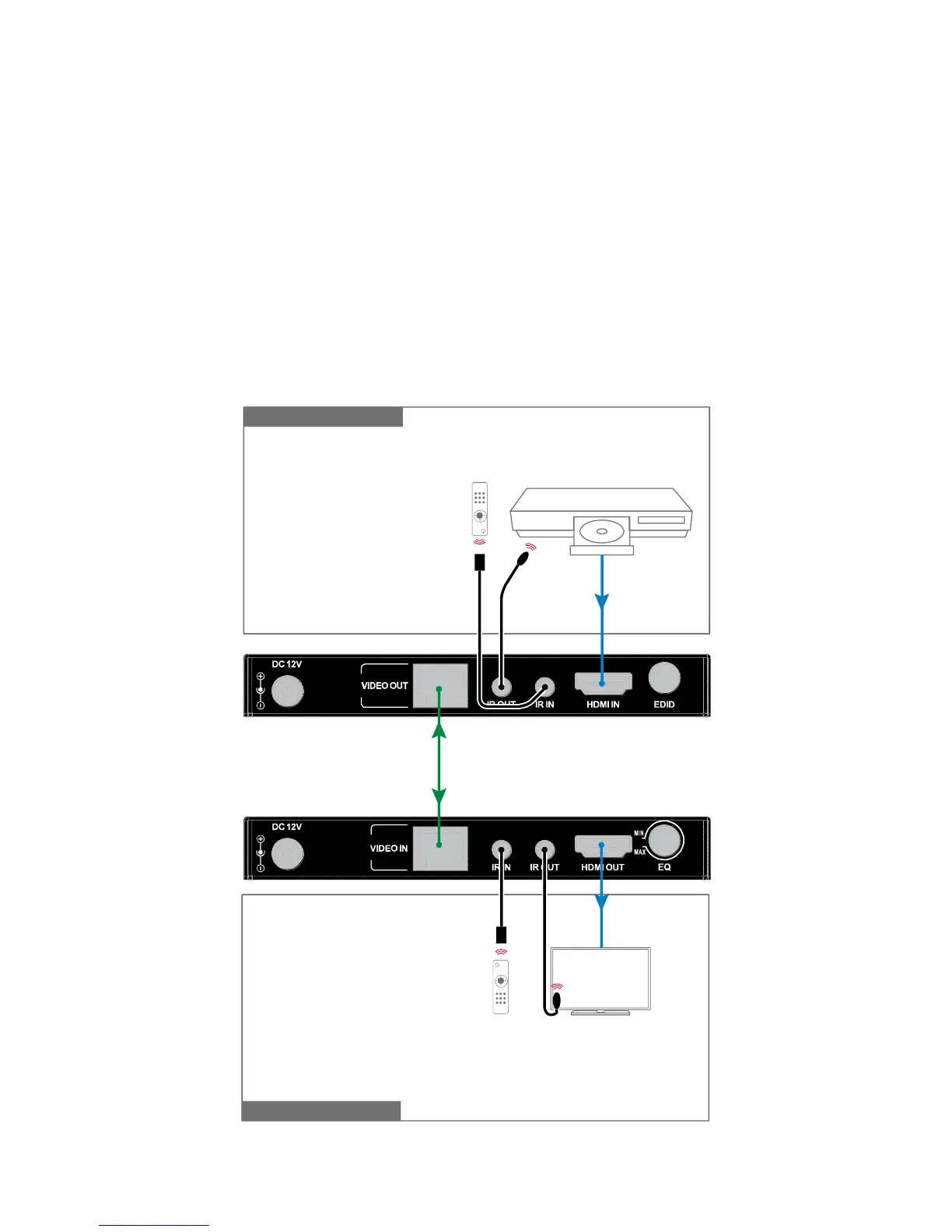
1. Connect HDMI source (such as a DVD player) to
transmitter.
2. Connect transmitter and receiver with a Cat5e cable.
3. Connect HDMI display (such as HD-LCD) to receiver.
4. Connect the IR receiver unit into transmitter IR IN, connect
the IR emitter unit into receiver IR OUT.
5. Power on all the devices.


 To Next Page