EasyManua.ls Logo

W.E.S.T. Elektronik POS-123-P - User Manual

W.E.S.T. Elektronik POS-123-P
57 pages
Print Icon
To Next Page IconTo Next Page
Loading...
Technical Documentation
POS-123-U
POS-123-P
POS-123-U-SSI
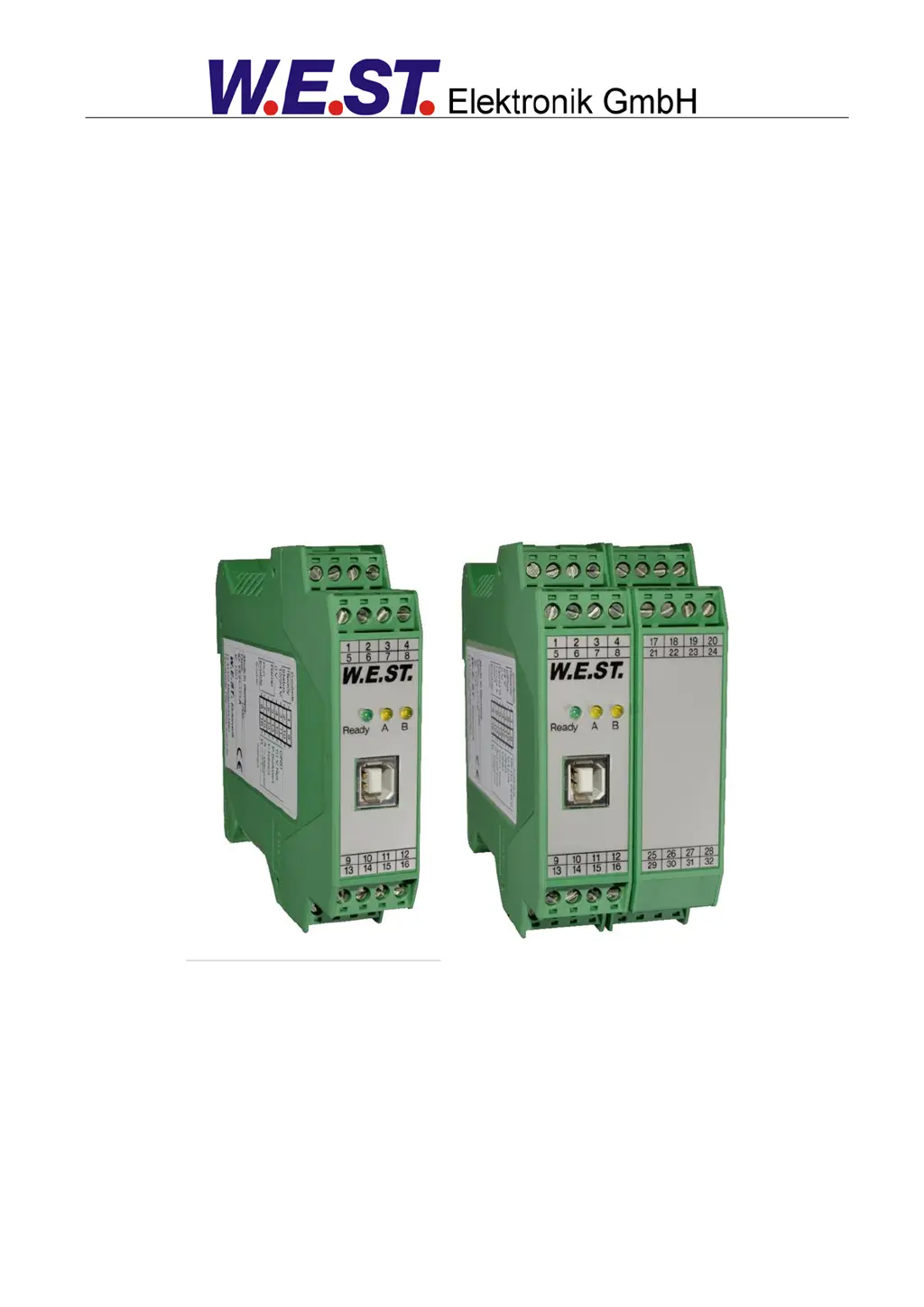
Universal positioning module, alternatively with power output stage or SSI interface

Table of Contents

Questions and Answers

  • C
    Connie PerryAug 2, 2025
    What to do if W.E.S.T. Elektronik POS-123-P have positioning error?
    • V
      Veronica MartinAug 2, 2025
      Serious positioning errors with W.E.S.T. Elektronik Control Systems can stem from incorrect parameterization or system design. Verify the cylinder position is correctly specified. Ensure deceleration strokes are correct, ideally around 20-25% of the cylinder position for system startup. Determine if the valve is a zero lapped control valve or a standard proportional valve; for proportional valves, compensate for any valve overlap using the MIN parameters, referring to the valve data sheet for typical values.
  • A
    Anthony TravisAug 7, 2025
    Why W.E.S.T. Elektronik POS-123-P Control Systems oscillate on the target?
    • A
      Andrea KlineAug 8, 2025
      If your W.E.S.T. Elektronik Control System oscillates on the target, it could be due to the parameterization not being adjusted to the system (gain too high). To resolve this, reduce the gain by increasing deceleration distances for D:A and D:B. If you have overlapped valves, reduce the MIN parameter as well.
  • C
    Chad PaulAug 13, 2025
    What to do if speed is too high in W.E.S.T. Elektronik POS-123-P?
    • P
      pmurphyAug 13, 2025
      If the drive in your W.E.S.T. Elektronik Control System moves too fast, resulting in uncontrolled behavior, it could be due to an over-sized hydraulic system. In this case, the parameterization of the movement cycle (overlap and deceleration distance settings) cannot be reproduced. Reducing the speed (MAX or VELO parameter) will likely have little to no effect.
  • L
    Luis TorresAug 17, 2025
    Why is READY LED flashing in W.E.S.T. Elektronik POS-123-P?
    • C
      Collin SimpsonAug 17, 2025
      If the READY LED is flashing on your W.E.S.T. Elektronik Control System, it indicates a detected fault. This could be due to a broken cable or no signal at the input (PIN 13 or PIN 14) if 4…20 mA signals are parameterized, a broken cable or incorrect cabling to the solenoids (in the P version only), an issue with the SSI sensor, or an internal data error. To resolve a data error, press the command/SAVE button to reload the DEFAULT data. You can localize the fault directly via the monitor using the WPC-300 operating program.
  • J
    Jamie PerezAug 22, 2025
    How to troubleshoot low speed in W.E.S.T. Elektronik POS-123-P Control Systems?
    • N
      Nancy MaysAug 22, 2025
      If the drive in your W.E.S.T. Elektronik Control System moves to position too slowly, check the control signal to the valve using the integrated oscilloscope (U variable) or an external oscilloscope/voltmeter. If the control is within ± 100 % (± 10 V), the issue is likely in the hydraulics. If the control signal is low, check if the internal/external speed signal is limiting the speed and verify the deceleration distance setting relative to the POSITION.
  • A
    Andre PotterAug 27, 2025
    What to do if W.E.S.T. Elektronik POS-123-P Control Systems move to end position?
    • L
      Laura FloresAug 28, 2025
      If your W.E.S.T. Elektronik Control System moves to an end position when ENABLE is active, it indicates that the control circuit polarity is incorrect. You can correct this by using the POL command or by reversing the connections to PIN 15 and PIN 16.

Summary

General Information

Order Number

Details on product order codes and versions.

Safety Instructions

Critical safety precautions for device operation.

Use and Application

Installation Instructions

Guidelines for proper module installation and wiring.

Method of Operation

Explanation of the module's positioning control principles.

Commissioning

Step-by-step guide for initial setup and configuration.

Technical Description

Input and Output Signals

Detailed pin assignments and signal functions.

Technical Data

Specifications, ratings, and operating limits of the module.

Parameters

Control Parameters

Parameters for acceleration, deceleration, and loop gain.

Appendix

Troubleshooting

Guidance for diagnosing and resolving common faults.

ADDITIONAL INFORMATION: Power Output Stage

ADDITIONAL INFORMATION: SSI Interface

Parameter Overview

List of parameters for the SSI interface.

Parameter Description

Detailed explanations of SSI interface parameters.

W.E.S.T. Elektronik POS-123-P Specifications

General IconGeneral
BrandW.E.S.T. Elektronik
ModelPOS-123-P
CategoryControl Systems
LanguageEnglish

Related product manuals