
 Need help?
Do you have a question about the WAC Lighting ORB F-004 and is the answer not in the manual?
Provides phone numbers and email for general inquiries and fan support.
Lists required information for fast fan support service.
Essential safety rules covering electrical shock, wiring, mounting, clearance, and blade placement.
Important warnings about damaged parts, tool use, blade handling, and child supervision.
Highlights Wet/Damp location listing, DC motor, Wi-Fi/Bluetooth, and app compatibility.
Details on synchronizing with smart devices like Alexa, Google Assistant, and SmartThings.
Information on included and optional wall/remote controls and their features.
Lists essential tools like screwdrivers, ladders, wire cutters, and tape.
Instructions to note and safely store the fan's MAC ID.
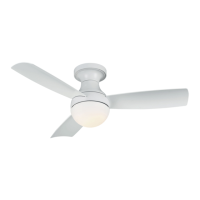
Identification of primary fan parts like mounting bracket, motor housing, and blades.
Lists receiver, remote control, and various fasteners included in the package.
Visual guide for mounting the fan on a standard ceiling.
Step-by-step instructions for securely attaching the mounting bracket.
Detailed steps for placing, aligning, and securing fan blades to the motor.
Instructions for hanging the motor assembly onto the mounting plate.
Guidance on attaching the safety cable to the building structure.
Steps for connecting fan wires to the receiver unit.
Steps for connecting house wiring from the outlet box to the receiver.
Illustrates wiring between house, wall control, and fan.
Detailed sequence for connecting wires for the wall control.
Steps for securing wire connectors, motor, and canopy.
Procedure for installing the adapter plate onto the mounting bracket.
Instructions for installing the metal light cover correctly.
Steps for running LED wires and making electrical connections.
Procedure for installing the luminaire plate and securing the LED module.
Instructions for installing the glass shade without over-tightening.
Explanation of button functions (Light, Fan, Season) and Air-Gap Switch.
Details on fan speeds, audible tones, and speed limit feedback.
Key notes regarding pairing completion time and the 3-minute window.
Description of Summer (CCW) and Winter (CW) fan rotation modes.
How Breeze Mode simulates natural wind by varying fan speed.
Capability to control multiple fans and Bluetooth range considerations.
Steps to ensure multiple fans operate in sync.
Command to turn fans on/off and synchronize all controlled fans.
Command to turn lights on/off and synchronize all controlled lights.
Command to set fan direction and synchronize all controlled fans.
Steps to reset the fan's Wi-Fi connection via remote buttons.
Procedure for resetting remote or wall controls to factory defaults.
Instructions for performing a factory reset on the fan's receiver.
Information on what factory reset affects, including loss of pairing.
Introduction to operating the fan using the dedicated mobile application.
Guide to scanning QR codes for smart feature integration.
Steps for obtaining the app and creating a user account.
Requirements for connecting the fan to a Wi-Fi network.
Details on schedules, speed control, light settings, and mode changes within the app.
Accessing additional instructions and frequently asked questions.
Details of the WC20 wall control, its functions and compatibility.
Details of the RC20 remote control, its functions and compatibility.
Troubleshooting steps for power and connection issues preventing fan startup.
Steps to diagnose and resolve common fan noise problems.
Guidance on how to fix fan wobbling by checking blade alignment.
Steps to resolve problems with remote or wall control responsiveness.
Troubleshooting for the fan not appearing in the app's Wi-Fi network list.
Solutions for the fan failing to join the Wi-Fi network.
Definition and methods for power cycling the fan.
Explanation of the fan's adaptive learning capability.
Definition of Breeze Mode and its function.
Definition and purpose of the pairing process.
Explanation of factory reset and its implications.
Information on warranty periods for different fan components and finishes.
Conditions that void the warranty or are not covered.
Acknowledgement of registered trademarks used in the manual.
 General
| Brand | WAC Lighting |
|---|---|
| Model | ORB F-004 |
| Category | Fan |
| Language | English |

 To Next Page
