9
EN
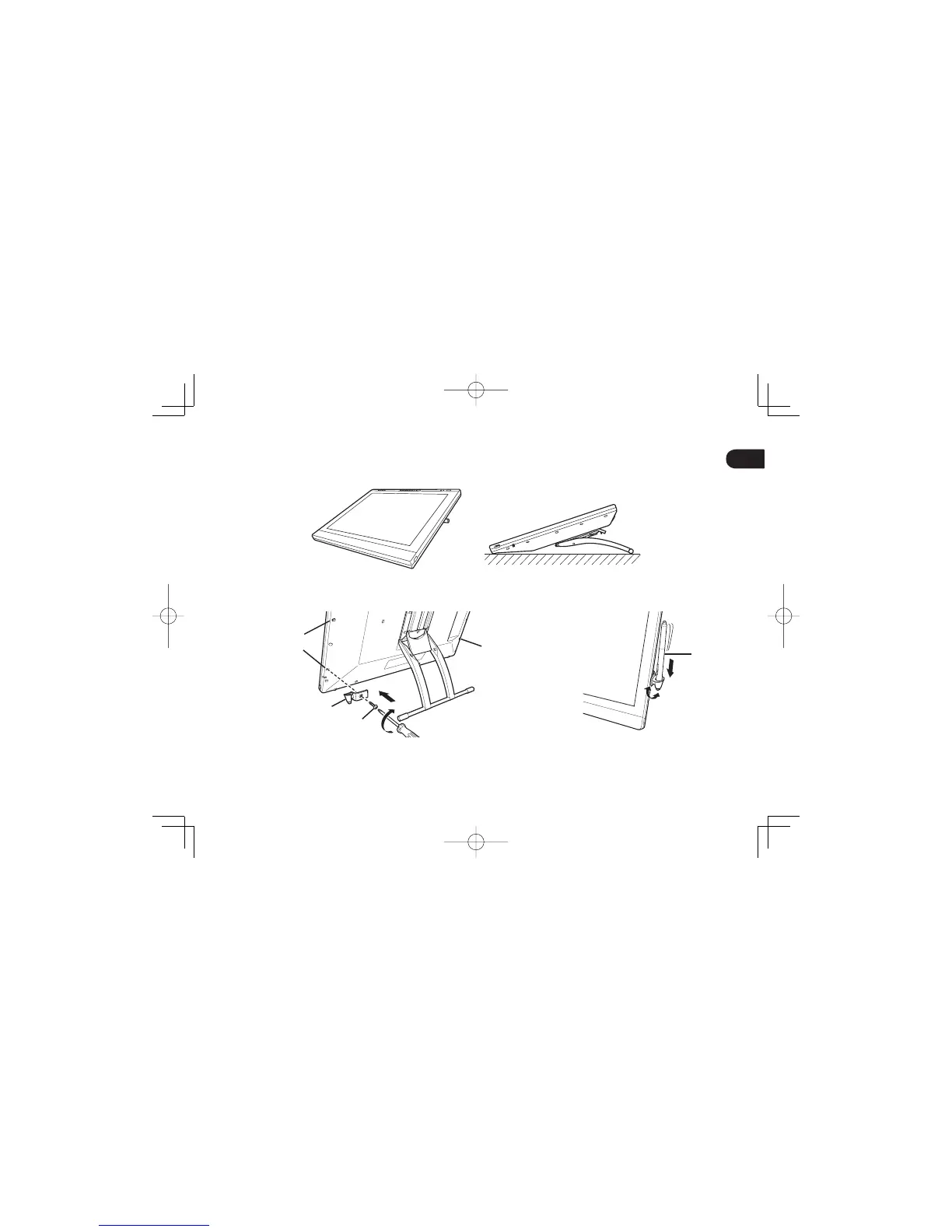
Adjusting the pen display to a horizontal position
You can lay the pen display fl at on your work surface with the display stand closed.
Attaching the pen holder
Pen
Installation hole
Installation hole
Pen holder
Screw
You can turn the pen holder; however,
do not turn it more than 180 degrees.
DTH2242DTK2241QSGE.indb9DTH2242DTK2241QSGE.indb9 2012/11/2114:47:182012/11/2114:47:18



 To Next Page