10
EN
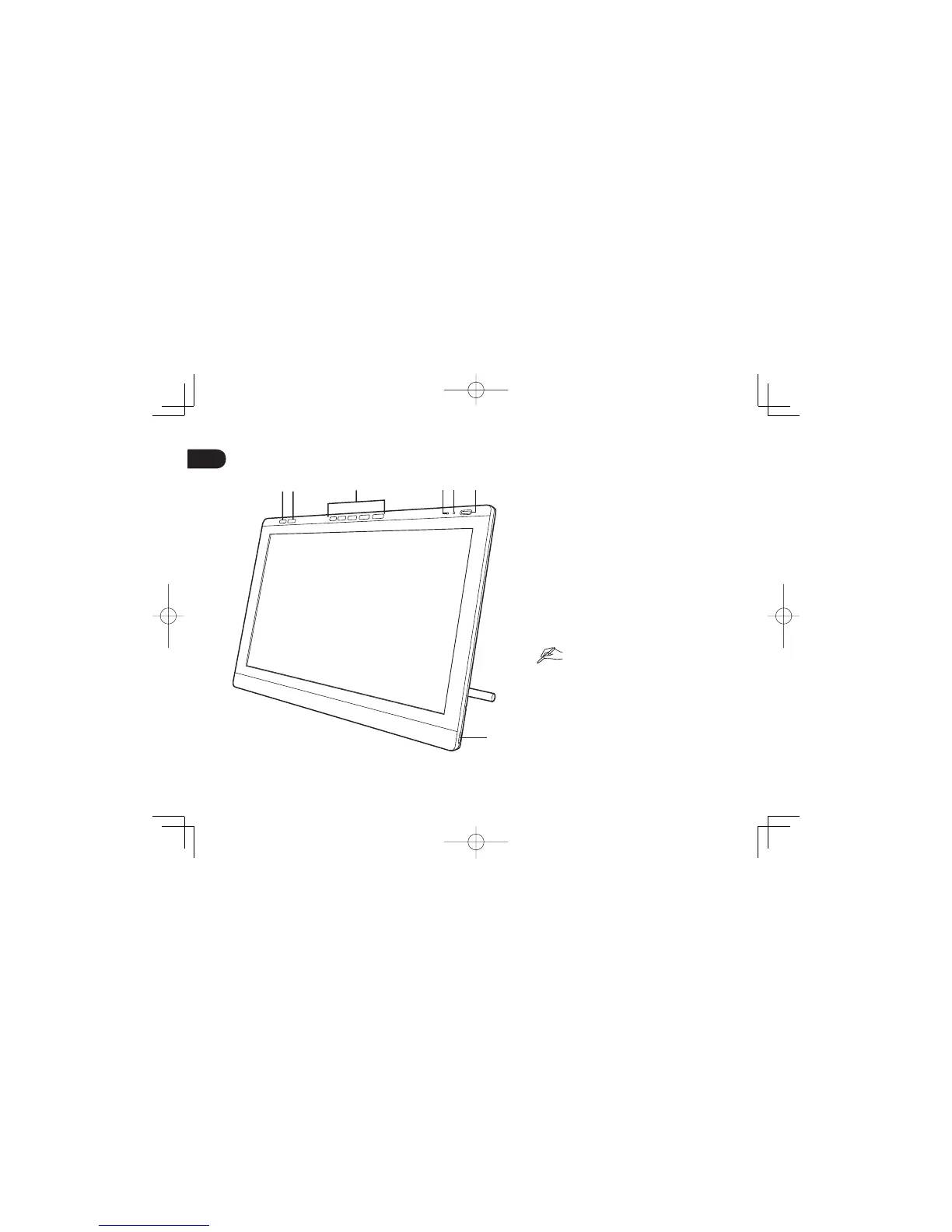
Getting to know the pen display
1. Control panel button
Pressing the button brings up the control panel.
2. OSD button
Pressing this button switches the 5 ExpressKeys
on the right to OSD buttons.
3. ExpressKeys
In ExpressKey mode, these buttons allow you to
set various shortcut functions.
In OSD mode, these buttons allow you to adjust
a variety of display settings.
4. Status LED
5. Power LED
6. Power button
7. USB ports (one on each side of the unit)
See the User's Manual for details about these
and other features.
•
•
12 3 4 5 6
7
DTH2242DTK2241QSGE.indb10DTH2242DTK2241QSGE.indb10 2012/11/2114:47:192012/11/2114:47:19



 To Next Page