DISPLAY ON/OFF
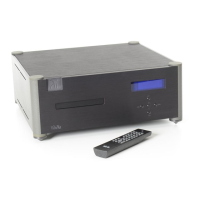
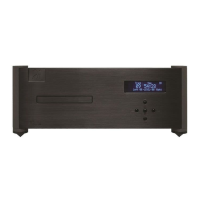
By pressing the Display On or Off key, the Wadia 270 display can be turned off completely.
If the display is turned off, it will reappear for a few seconds whenever a Wadia 270 function
key on the remote control is pressed.
RESOLUTION ENHANCEMENT MODE SELECT
The Mode button is used to select the Resolution Enhancement Mode. This is a scrolling
feature; pressing the button repeatedly will step through the possible choices to find the one
that sounds best with your system:
l
Resolution Enhanced Mode A
This setting produces a
24-bit output with triangular probability-distribution
with a high-Pass dither filter.
l
Resolution Enhanced Mode
B
This setting produces a 24-bit output with triangular probability-distribution
with a low-pass dither filter.
l
Resolution Enhancement Off
This setting disables the Resolution Enhancement function.
dither
dither
v
Resolution Enhancement Modes A and B will disable
HDCD
decoding on an HDCD equipped
D-to-A converter; however, listeners may find
that
the
improvement from Resolution
Enhancement will more
than
offset any presumed benefits of HDCD.
NAVIGATION BUTTONS
The following commands are used to navigate within
a disc:
PLAY After a Compact Disc has been loaded into the drawer, pressing this button plays the disc
beginning with the first track on the disc or in a sequenced program. Pressing this button while
the drawer is open, closes the drawer and begins play with the first track on the disc or in a
sequenced program.
TRACK FORWARD/BACK: Pressing these buttons skips to the previous or next track on a disc.
SEARCH: Pressing these buttons scans fast reverse or fast forward through a track.
INDEX:
Pressing these buttons allows access to the previous or next index point within a track
that has such indexed sections.
PAUSE: Pressing this button, while a Compact Disc is playing, suspends PLAY. Pressing the PLAY
button will resume play at the point where the pause button was pressed.
STOP: Pressing this button while a Compact Disc is playing stops PLAY. Pressing this button
twice clears any previously programmed sequence of tracks from the transport’s memory.



 To Next Page