EasyManua.ls Logo

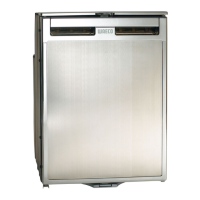
Waeco CR50 - User Manual

Waeco CR50
340 pages
Go to English
Print Icon
To Next Page IconTo Next Page
Loading...
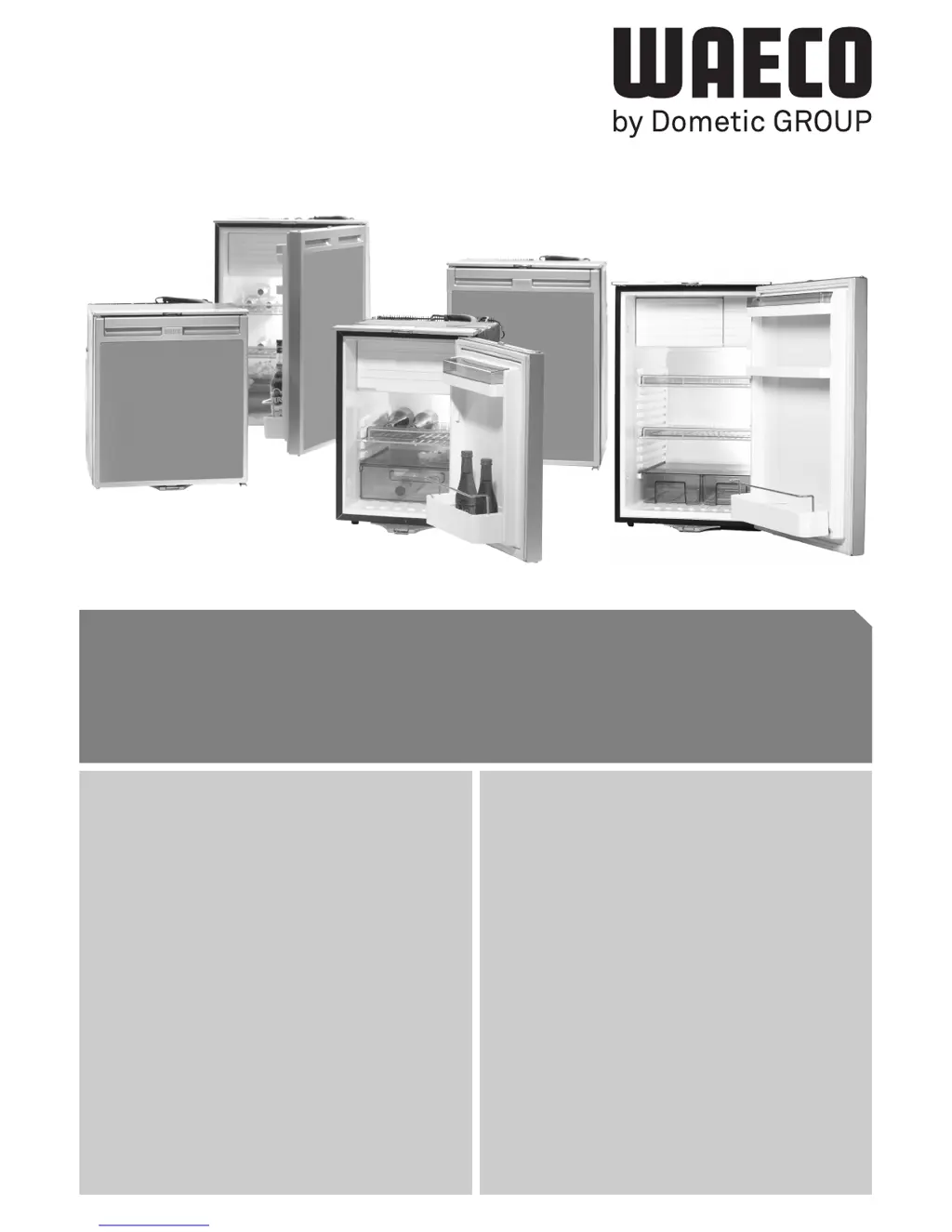
CR65
CR80
CR50
CR110
CR140
DE 13 Kühlschrank
Bedienungsanleitung
EN 35 Refrigerator
Operating Manual
FR 56 Réfrigérateur
Notice d'utilisation
ES 79 Nevera
Instrucciones de uso
IT 101 Frigorifero
Istruzioni per l'uso
NL 123 Koelkast
Gebruiksaanwijzing
DA 144 Køleskab
Betjeningsvejledning
SV 165 Kylskåp
Bruksanvisning
NO 185 Kjøleskap
Bruksanvisning
FI 205 Jääkaapp
Käyttöohje
PT 226 Geleira
Manual de instruções
RU 248 Холодильник
Инструкцияm по эксплуатации
PL 272 Lodówko-zamrażarka
sprężarkowa
Instrukcja obsługi
CS 295 Lednička
Návod k obsluze
SK 316 Chladnička
Návod na obsluhu
CR50, CR65, CR80, CR110,
CR140

Table of Contents

Questions and Answers

  • D
    David ButlerAug 12, 2025
    How to fix a Waeco CR50 Refrigerator that is making a loud humming noise?
    • J
      Joshua HerringAug 12, 2025
      A loud humming noise in your Waeco Refrigerator could be caused by: * A component of the refrigerant circuit not moving freely because it's touching the wall - bend the component carefully away from the obstruction. * A foreign body jammed between the cooling unit and the wall - remove the foreign body.
  • M
    mmcgeeAug 16, 2025
    What to do if the Waeco CR50 compressor does not run due to battery connection issues?
    • S
      Spencer MaldonadoAug 16, 2025
      If the compressor of your Waeco Refrigerator isn't running and it's related to the battery connection, it could be due to several reasons: * There may be an interruption in the connection between the battery and the electronics - in this case, establish a connection. * A faulty main switch (if installed) - replace the main switch. * A blown additional supply line fuse (if installed) - replace the supply line fuse. * Low battery voltage - charge the battery. * Loose cables or poor contact due to corrosion - establish a connection. * Low battery capacity - replace the battery. * Cable cross-section too small - replace the cable. * Interrupted electric circuit between the pins in the compressor - replace the compressor.
  • C
    Cindy PowellAug 19, 2025
    What to do if there is no voltage in my Waeco Refrigerator?
    • M
      Michelle ArmstrongAug 19, 2025
      If there is no voltage in your Waeco Refrigerator, the issue could be: * An interruption in the supply cable - in this case, establish a connection. * A faulty main switch (if installed) - replace the main switch. * A blown additional supply line fuse (if installed) - replace the supply line fuse.
  • L
    lisa11Aug 23, 2025
    Why does the compressor in my Waeco CR50 run constantly?
    • J
      Jacqueline WatsonAug 23, 2025
      The compressor in your Waeco Refrigerator might be running constantly due to a faulty thermostat. To resolve this, change the thermostat.
  • M
    Melissa McbrideAug 27, 2025
    What causes the compressor in my Waeco CR50 Refrigerator to run intermittently?
    • A
      Andrew Evans DDSAug 27, 2025
      If the compressor in your Waeco Refrigerator runs intermittently, it may be because the battery capacity is exhausted. Try charging the battery.
  • M
    Mark VargasAug 31, 2025
    Why is my Waeco Refrigerator not working and the problem is supply voltage?
    • M
      Melissa TranAug 31, 2025
      Your Waeco Refrigerator might not be working because the supply voltage is outside of the set range.
  • H
    hochoaSep 3, 2025
    Why is the speed of my Waeco CR50 Refrigerator too low?
    • B
      browncrystalSep 3, 2025
      If the cooling system is overloaded, the minimum speed of the motor of 1850 RPM cannot be maintained.
  • T
    Tyler LindseySep 7, 2025
    What causes excessive fan current in a Waeco Refrigerator?
    • S
      Sarah McmahonSep 7, 2025
      Excessive fan current in your Waeco Refrigerator occurs when the fan loads the electronics unit with more than 1 A.

Summary

Explanation of Symbols

Symbol Definitions

Danger, Warning, and Caution Symbols

Explains symbols indicating hazard levels and potential injury.

Notice and Note Symbols

Explains symbols for material damage and supplementary information.

Action and Result Symbols

Describes symbols indicating required actions and their outcomes.

Safety Instructions

General Safety Precautions

Covers general safety points for operation and installation.

Operating the Appliance Safely

Safe Handling and Electrical Safety

Covers safe handling, electrical safety, and child safety.

Scope of Delivery

Included Components

Lists the items included in the product package.

Accessories

Rectifier MPS-35 Function

Details the function of the MPS-35 rectifier for AC power conversion.

Intended Use

Product Application and Power Sources

Describes the refrigerator's suitability for cooling/freezing and various power source options.

Technical Description

Core Features and Materials

Explains cooling capabilities, materials compatibility, and refrigerant circuit maintenance.

Fridge Interior and Control Elements

Internal Components Description

Details internal parts like shelves, compartments, and bottle restraints.

External Control Element Overview

Lists the temperature controller, LEDs, and interior lighting functions.

Installing and Connecting the Refrigerator

Safety for Boat Installation

Specific safety advice for installing on boats, including tilt limits and power supply.

Installation Environment and Ventilation

Placement and Airflow Requirements

Guidance on placement, heat sources, and ensuring adequate airflow for cooling.

Condensation Drainage System

Explains using internal outlets and piercing caps for condensation drainage.

Mounting, Lock, and Hinge Adjustments

Securing and Locking Mechanism Operation

Covers securing the unit in a recess and using the door locking mechanism.

Door Hinge Reversal

Instructions for changing the door hinge to open from the opposite side.

DC Power Connection Guide

Cable Specifications and Polarity

Instructions for connecting to 12V or 24V DC power, including cable length and cross-section.

Fuse Rating and Cable Connections

Details the required fuse rating and color-coded cable connections.

Electrical Safety and AC Connection

Polarity Protection and Electrocution Hazards

Covers polarity protection, AC connection via rectifier, and electrocution hazards.

Initial Setup and Energy Saving

Initial Cleaning and Connection Procedures

Includes initial cleaning instructions and AC/DC connection procedures.

Energy Saving Tips

Provides practical tips for maximizing energy efficiency during operation.

Operation and Temperature Setting

General Usage Precautions

Covers general usage precautions, food storage, and setting the temperature control.

Food Conservation and Defrosting

Storing Foodstuffs and Temperature Zones

Advice on storing food, understanding temperature zones, and food packaging.

Defrosting Methods Explained

Explains methods for condensation removal via direct drainage or drip-tray.

Freezer Defrosting and Storage

Freezer Defrosting Procedure

Details the procedure for defrosting the freezer compartment.

Switching Off and Long-Term Storage

Describes steps for switching off the appliance and preparing it for long-term storage.

Replacing the Interior Light

Explains how to safely replace the interior LED lamp.

Cleaning and Care

Cleaning Procedures and Precautions

Instructions for cleaning the appliance and important precautions to avoid damage.

Rectifier Fuse Replacement

Step-by-step guide for replacing the fuse in the rectifier unit.

Guarantee Information

Warranty Period and Claim Process

Outlines the statutory warranty period and required documentation for claims.

Disposal Guidelines

Child Safety and Recycling

Warns about child entrapment risks and provides guidance on product recycling.

Troubleshooting Guide

Red LED Fault Indicator Meanings

Explains the significance of different red LED flash sequences for fault diagnosis.

Troubleshooting: Temperature Issues

Low Interior Temperature Causes

Lists possible causes and remedies for the interior temperature being too low.

Troubleshooting: Compressor Operation

Compressor Not Running on Battery

Lists possible causes and remedies for the compressor not starting when connected to a battery.

Troubleshooting: AC Power and Cooling

Compressor Not Running on AC Power

Lists possible causes and remedies for the compressor not running when connected to AC power.

Poor Cooling and Temperature Rise

Lists possible causes and remedies for insufficient cooling performance.

Troubleshooting: Unusual Noises

Noise Issues and Potential Remedies

Lists common unusual noises and their potential causes and remedies.

Technical Data: General Specifications

General Characteristics and Dimensions

Lists general characteristics, dimensions, voltage, and operational ranges.

Test and Certification Marks

Displays the various test and certification marks obtained by the product.

Technical Data: Model Specifications

CR50 to CR110 Model Specs

Provides detailed technical specifications for CR50, CR65, CR80, and CR110 models.

CR140 Model Specifications

Provides detailed technical specifications for the CR140 model.

Waeco CR50 Specifications

General IconGeneral
TypeCompressor refrigerator
Capacity50 liters
RefrigerantR134a
Voltage12/24V DC
Average Power Consumption45W
MaterialPlastic, metal
Power Supply12/24V DC

Related product manuals