Low Power Warning
Step 1
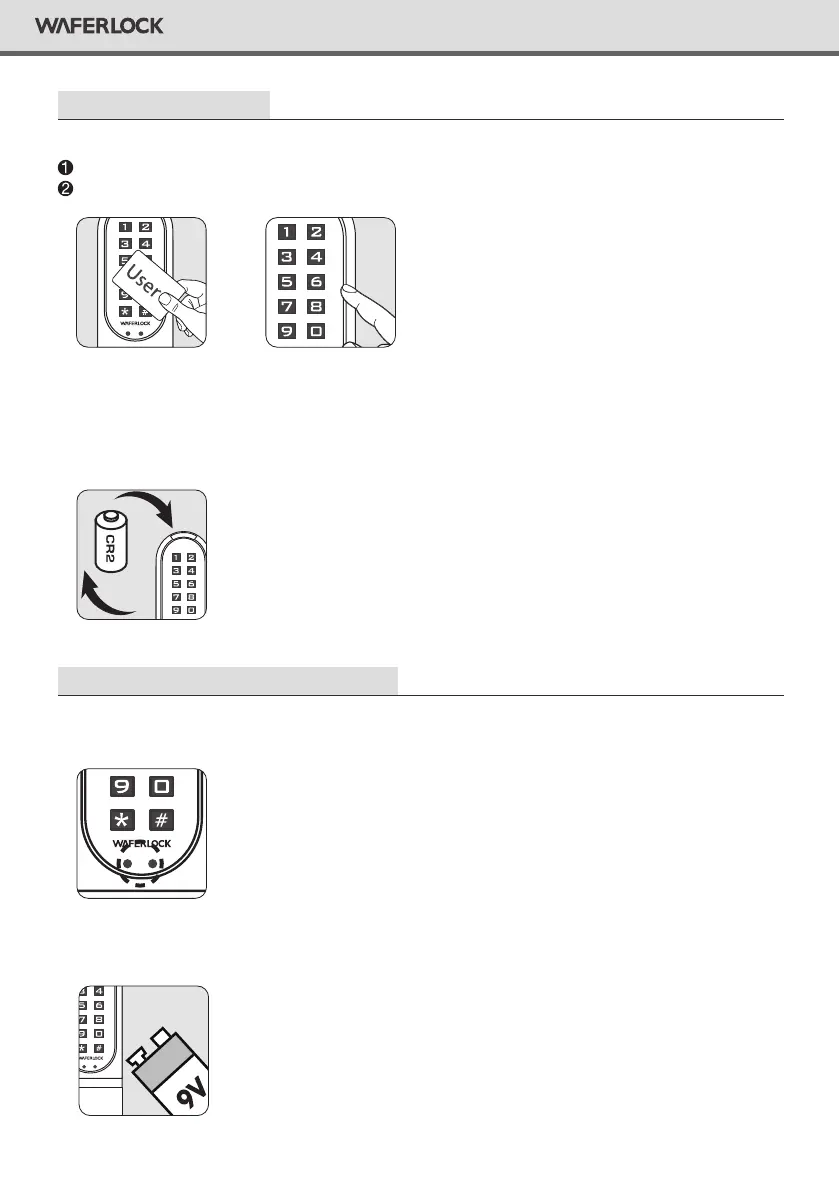
When using user cards to unlock, lock the door, or programming card to program.
When using pin codes to unlock or lock the door.
Step 2
If the lock battery is low, there is an acoustic warning for the user with 3 short beeps 5 times,
followed by orange light ashing. Please replace a new battery to keep lock operating well.
Emergency External Power Supply
Step 1
Backup 9V battery contact point is at the front panel.
OR
Step 2
Connect 9V battery with contact points.
13
WAFERLOCK CORPORATION


 To Next Page