20
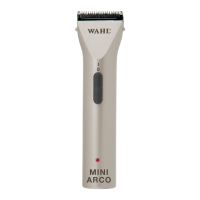
Model: ARCO RECHARGEABLE DOG CLIPPER - WM6854
Description of parts (Fig. 1)
A. Blade set
B. Cleaning lever
C. On/oswitch
D. Cutting-lengthadjustment
E. Battery charge indicator
F. Battery pack
G. Charging stand
H. Charging stand socket
I. Charging indicator
J. Interchangeable battery pack
K. Plug-in transformer
L. Appliance plug
M. Cleaning brush
N. Oil for blade set
* Attachment combs are optional accessories and can vary from model to model.
Chargingthebattery
This cordless hair clipper is supplied with two battery packs. While the appliance is in use, the second
battery pack can be recharged on the charging stand. This means that the clipper is always ready for use.
Before the appliance is used for the rst time, each battery pack should be charged for approx 90 minutes.
1. Connect the appliance plug (L) on the plug-in transformer to the charging stand socket (H) (Fig. 2a).
2. Connect the plug-in transformer to the mains socket (Fig. 2b).
3. Insert the battery pack into the recess of the charging stand (Fig. 4). The charging process starts.
During charging, the red charging indicator (I) is illuminated.
• It should take around 75 minutes for the appliance to charge to full capacity.
• The second battery can remain in the charging stand so that a charged battery pack is always
available.
4. Oncechargingiscomplete,thechargingindicator(I)onthechargingstand(G)willstartashing.
BatteryOperation
1. Switchontheapplianceusingtheon/oswitchandswitchoafteruse(Fig.5a/b).
• Whenyoupresstheon/oswitch,thebatterypowerindicator(E)willlightupbrieytoindicatethat
the appliance is ready for use.
• The appliance can be operated for up to 80 minutes when the battery is fully charged.
• Insucientmaintenanceofthebladesetcansignicantlyreducetheoperatinglife.
• If the battery power indicator (E) on the hand-held appliance lights up during operation, this means
there is only approx. 15% battery power remaining. The battery pack needs to be recharged.
You can now use the charged replacement battery pack.
Torechargethebattery:
1. Switchotheapplianceusingtheon/oswitch(Fig.5b).
2. Press the unlock buttons on the side and remove the battery pack (Fig. 3a).
3. Remove the charged battery pack (Fig. 4) and push it into the appliance until you hear it snap into
place (Fig. 3b).
4. Fittheatbatterypacktothechargingstand(Fig.4).SeeChargingthebattery
OPERATION
Setting the cutting length
Thecuttinglengthcanbeadjustedtobetween0.7mmand3mm(5possiblepositions)usingthecutting-
lengthadjustmentintegratedintothebladeset(Fig.6).
Cutting with attachment combs
The appliance can also be operated with attachment combs. In order to achieve the indicated cutting
length,thecuttinglengthadjustmentlevershouldbesettopositionI(Fig.6).


 To Next Page