Operating Guide
1.
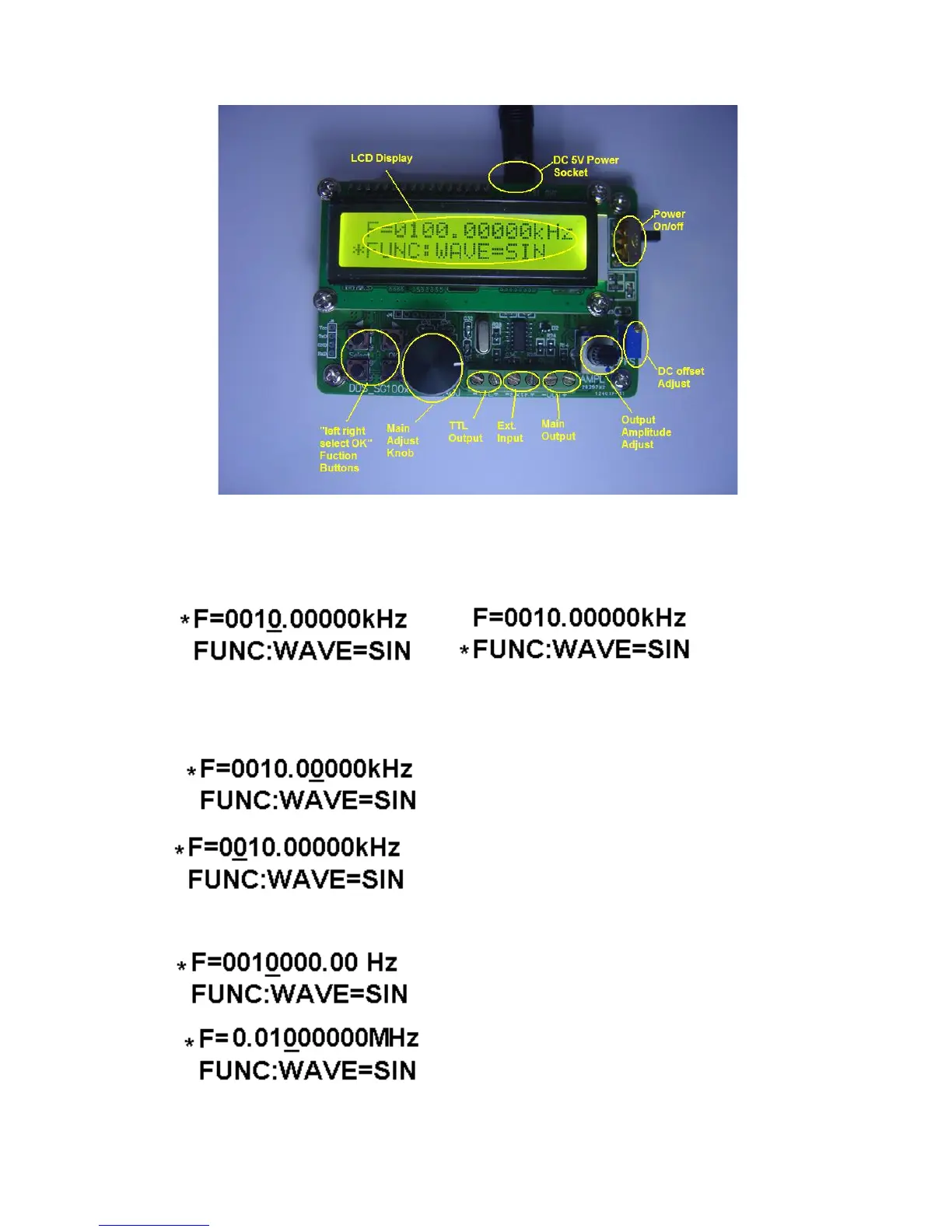
Pressing the “select” button which can switch from frequency adjusting
to function adjusting, and the detailed condition (frequency adjusting or
function adjusting) displayed after “*”.
2.
As frequency adjusting, pressing the button of “left” and “right” can adjust
position, and the “OK” button can switch units(Hz,kHz and MHz) and then
adjust the code switch and the corresponding value of frequency appear.
step frequency:0.01kHz
step frequency:100kHz etc.
The frequency unit is ‘Hz’
The frequency unit is ‘MHz’



 To Next Page