8.
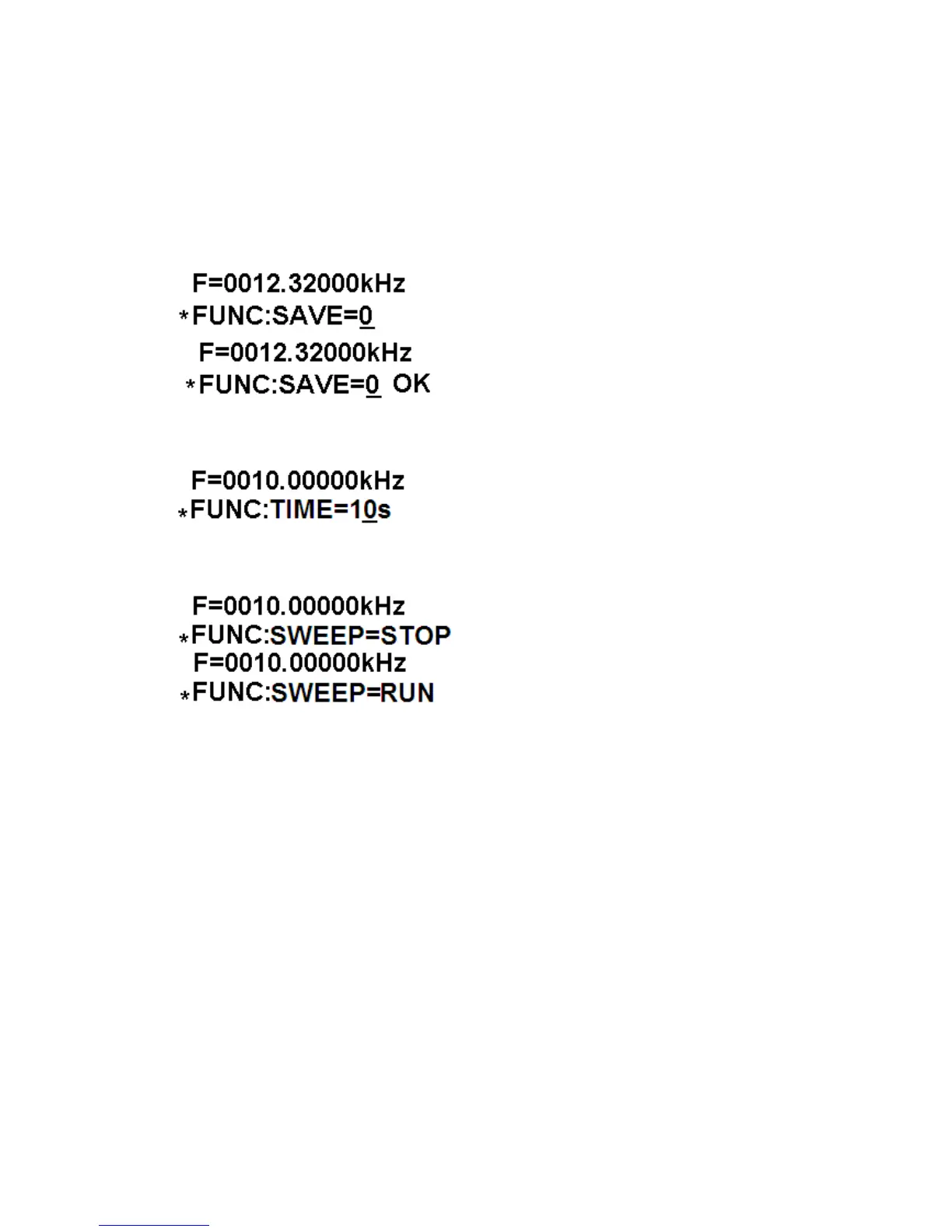
SAVE can save the value of the current frequency, wave and duty, and there
are 10 storage position from M0 to M9, which adjusted by code switch,
as setting finished, then press “OK” button, when “OK” appeared on the
screen, storage is over. If the current value is saved to “M0”, and the changed
value will be called in next time, to UDB100xS series, the start frequency of
sweep function is defined at M1, the end frequency is defined at M2. If the
sweep function need to be run, the start and end frequency must to be set
correctly, and fM2>fM1.
(set posion)
(Save to “0 position” is OK)
9.
LOAD is function of calling in the parameters of memory, operation is
similar to SAVE.
10.
TIME is the function of set sweep time from 1 second to 99 seconds.
11.
SWEEP is the function of sweep, the default setting is stop, it can be run as
pressing the button of OK,the sweep time and frequency range (fM1 to fM2)
need to be set in advance.
12.
TTL output the synchronized TTL wave of the same frequency
13.
The two right potentiometers adjust output amplitude and DC offset
respectively.
Appendix
complete set of instrument and auxiliary
DDS function generator / counter----------------1
DC 5V Power Supply------------------------------1
User’s manual---------------------------------------1



 To Previous Page
 Loading...