EasyManua.ls Logo

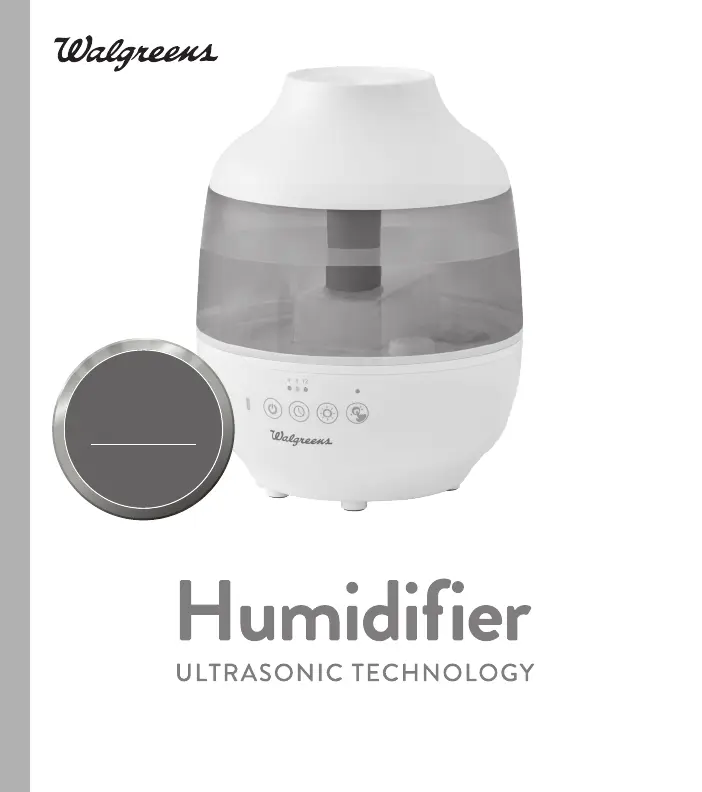
Walgreens 345553 - User Manual

Walgreens 345553
28 pages
Print Icon
To Next Page IconTo Next Page
Loading...
INSTRUCTION MANUAL AND WARRANTY INFORMATION
2-YEAR LIMITED WARRANTY
www.homedics.com/register
Your valuable input regarding this
product will help us create the
products you will want in the future.
PLEASE TAKE A
MOMENT NOW
REGISTER YOUR PRODUCT AT:
UHE-WGC2
ITEM 345553
L-01702, Rev 2
MEDIUM-SIZED ROOM

Questions and Answers

  • J
    Jason PorterAug 10, 2025
    What to do if my Walgreens 345553 has no power and no mist?
    • J
      Jessica PayneAug 10, 2025
      If your Walgreens Humidifier isn't powering on or producing mist, ensure it's properly plugged in and the power button is on. Check your circuits and fuses, or try a different outlet. Also, make sure the tank is filled with water. Finally, follow the Cleaning the Transducer/ Ultrasonic Membrane instructions in the Cleaning and Care section.
  • F
    fredpattersonAug 16, 2025
    Why is there white dust coming from my Walgreens 345553 Humidifier?
    • A
      anthonynelsonAug 16, 2025
      If you notice a white dust accumulating from your Walgreens Humidifier, it's likely due to hard water. Switch to using distilled water to resolve this issue.
  • A
    Alexandra MclaughlinAug 21, 2025
    What to do if the red light illuminates above the clean button on my Walgreens 345553 Humidifier?
    • A
      Angela McdowellAug 21, 2025
      If the red light is illuminated above the clean button on your Walgreens Humidifier, follow the Cleaning the Transducer/ Ultrasonic Membrane instruction in the Cleaning and care Section. Also, press and hold the clean button until the red LED turns off.
  • A
    Angel HartAug 28, 2025
    How to fix excessive noise from Walgreens Humidifier?
    • L
      lisa61Aug 28, 2025
      To reduce excessive noise from your Walgreens Humidifier, ensure that the unit is placed on a flat, even surface. Also, check the water level and refill the tank if the water is low.
  • B
    Brittney PerezSep 3, 2025
    How to get rid of peculiar odor from Walgreens Humidifier?
    • V
      valeriewilliamsSep 3, 2025
      If your Walgreens Humidifier is emitting a peculiar odor, remove the tank cap and let the tank air out in a cool, dry place for 12 hours. Also, empty the old water, clean the tank, and refill it with clean water. Don't forget to empty any remaining old water and clean the water reservoir.

Summary

Important Safety Instructions

Danger - Electric Shock Precautions

Instructions to reduce the risk of electric shock, including placement and unplugging.

Warning - Personal Safety

Safety warnings to reduce the risk of burns, fire, electric shock, or injury to persons.

General Precautions and Cautions

Safe Operation Guidelines

Key cautions for operating the humidifier, including avoiding water contact and keeping away from children.

Unique Features and Specifications

How to Fill the Humidifier

Important Filling Precautions

Covers essential steps and warnings for safely filling the humidifier tank, including water type and additives.

How to Use the Humidifier

Power, Mist Output, and Indicators

Controls for turning the unit on/off, adjusting mist output, and understanding indicator lights.

Adding Essential Oils

Adding Oil to Aroma Pad

Instructions for adding essential oil drops to the aroma pad, not directly into the tray.

Cleaning and Care

Cleaning the Transducer;Ultrasonic Membrane

Steps to clean the membrane using vinegar solution when the clean reminder is on.

Troubleshooting Common Issues

No Power or Mist

Addresses issues like unit not plugged in, not turned on, or low water level.

2-Year Limited Warranty

Warranty Service and Exclusions

Details HoMedics' warranty policy, coverage, exclusions, and service contact information.

Walgreens 345553 Specifications

General IconGeneral
Model345553
Run TimeUp to 24 hours
Adjustable Mist OutputYes
Auto Shut-offYes
TypeUltrasonic
Tank Capacity1.5 liters
Filter TypeNo Filter Required
Power SourceAC power

Related product manuals