EasyManua.ls Logo

Walgreens GS 435 - User Manual

Walgreens GS 435
28 pages
Print Icon
To Next Page IconTo Next Page
Loading...
GS 435
ENGLISH
Bluetooth
®
Glass Scale
Instructions for use ....................................................................................2
ESPANOL
Báscula de vidrio con Bluetooth
®
Manual de instrucciones ..........................................................................10
FRANÇAIS
Pèse-personne en verre avec Bluetooth
®
Mode d‘emploi .........................................................................................18
Questions or comments?
Call toll free 1-800-536-0366 or contact info@beurer.com
¿Preguntas o comentarios? Llame gratis al
1-800-536-0366 o póngase en contacto info@beurer.com
Questions ou commentaires? Appeler gratuitement
1-800-536-0366 ou communiquez avec info@beurer.com
READ THIS MANUAL COMPLETELY AND CAREFULLY BEFORE USING THIS PRODUCT
Keep this manual in a safe location for future reference
LEA TODO ESTE MANUAL CON ATENCIÓN ANTES DE USAR ESTE PRODUCTO
Conserve este manual en un lugar seguro para consultarlo en el futuro
LISEZ CE MODE D’EMPLOI COMPLÈTEMENT ET ATTENTIVEMENT AVANT
D’UTILISER CE PRODUIT
Conservez ce manuel en lieu sûr pour y faire référence ultérieurement
Manufactured for/Manufacturado por/
Fabriqué pour :
Walgreens Co.,
200 Wilmot Rd.,
Deerfield IL, USA

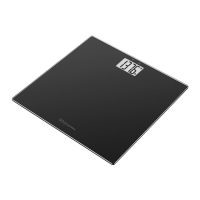
Questions and Answers

  • A
    Andrea LewisAug 4, 2025
    Why is my Walgreens GS 435 displaying an incorrect weight?
    • B
      Brittany ChambersAug 4, 2025
      Several factors can cause your Walgreens Scales to display an incorrect weight. Make sure the scale is placed on a flat, stable surface. Also, remain as still as possible while being weighed. If the scale's zero setting is off, wait for the scale to switch off automatically, then reactivate it, wait for '0.0 lb' to appear, and try again.
  • S
    Susan WilsonAug 15, 2025
    What does it mean when 'APP' is flashing on my Walgreens Scales?
    • J
      James Hooper PhDAug 15, 2025
      When 'APP' is flashing on your Walgreens Scales, this indicates that the scale needs to be connected to the app. Connect the scale with the app.
  • T
    Timothy YoderAug 21, 2025
    Why does my Walgreens GS 435 only display weight?
    • P
      Pam SmithAug 22, 2025
      If your Walgreens Scales are only displaying the weight, it could be due to an unknown measurement because it is outside the user assignment limit, or a unique assignment is not possible. To resolve this, press the ‘Up’ button and wait three seconds to choose a user manually, then repeat the measurement. If no user exists, use the app.
  • J
    joneslauraAug 28, 2025
    What to do if my Walgreens GS 435 displays 'OLd'?
    • L
      Lisa MillerAug 28, 2025
      If your Walgreens Scales displays 'OLd', it means the maximum load-bearing capacity of 400 lb (181.4 kg) has been exceeded. The load must not exceed 400 lb (181.4 kg).
  • A
    ashley25Nov 9, 2025
    What to do if there is no Bluetooth connection on my Walgreens Scales?
    • J
      Jeremy BassNov 9, 2025
      If there is no Bluetooth connection on your Walgreens Scales, consider these potential solutions: * Ensure your device is within approximately 32.8 ft (10 m) of the scale, keeping in mind that walls and ceilings can reduce the range. * Keep the scale away from devices that emit radio waves, such as WIFI routers, microwaves, and induction hobs. * Briefly step on the scale to turn it on and open the app. * Close and reopen the app completely. * Turn Bluetooth off and then back on. * Restart your smartphone. * Ensure the scale is not connected in your operating system's Bluetooth settings. * Try removing and reinserting the batteries in the scale. * If the user memory is full, open the app and switch on the scale to automatically transfer the data. This may take up to one minute. * ...

Summary

Safety and Warnings

Understanding Safety Symbols

Explains hazard alert symbols and warning messages for personal injury.

General Safety Precautions

Covers safe usage, environmental limits, and battery handling for preventing injury.

Product Setup and Features

Introduction and Package Contents

Introduces the Bluetooth® scale and lists included items for setup.

Parts, Controls, and Battery Installation

Identifies scale components and guides battery installation for operation.

HealthCoach App Integration

Details initial setup for automatic user recognition via the HealthCoach app.

Operation and Measurement

Taking Accurate Measurements

Provides instructions and tips for taking precise weight and BMI measurements.

Understanding BMI and User Data

Explains Body Mass Index categories and how user data is saved.

Maintenance, Troubleshooting, and Specifications

Care, Cleaning, and Disposal

Guides on scale cleaning, battery replacement, and proper disposal methods.

Troubleshooting Common Issues

Lists common display errors, their causes, and recommended remedies.

Technical and Warranty Information

Covers FCC compliance, technical specs, and the product's limited lifetime warranty.

Walgreens GS 435 Specifications

General IconGeneral
BrandWalgreens
ModelGS 435
CategoryScales
LanguageEnglish