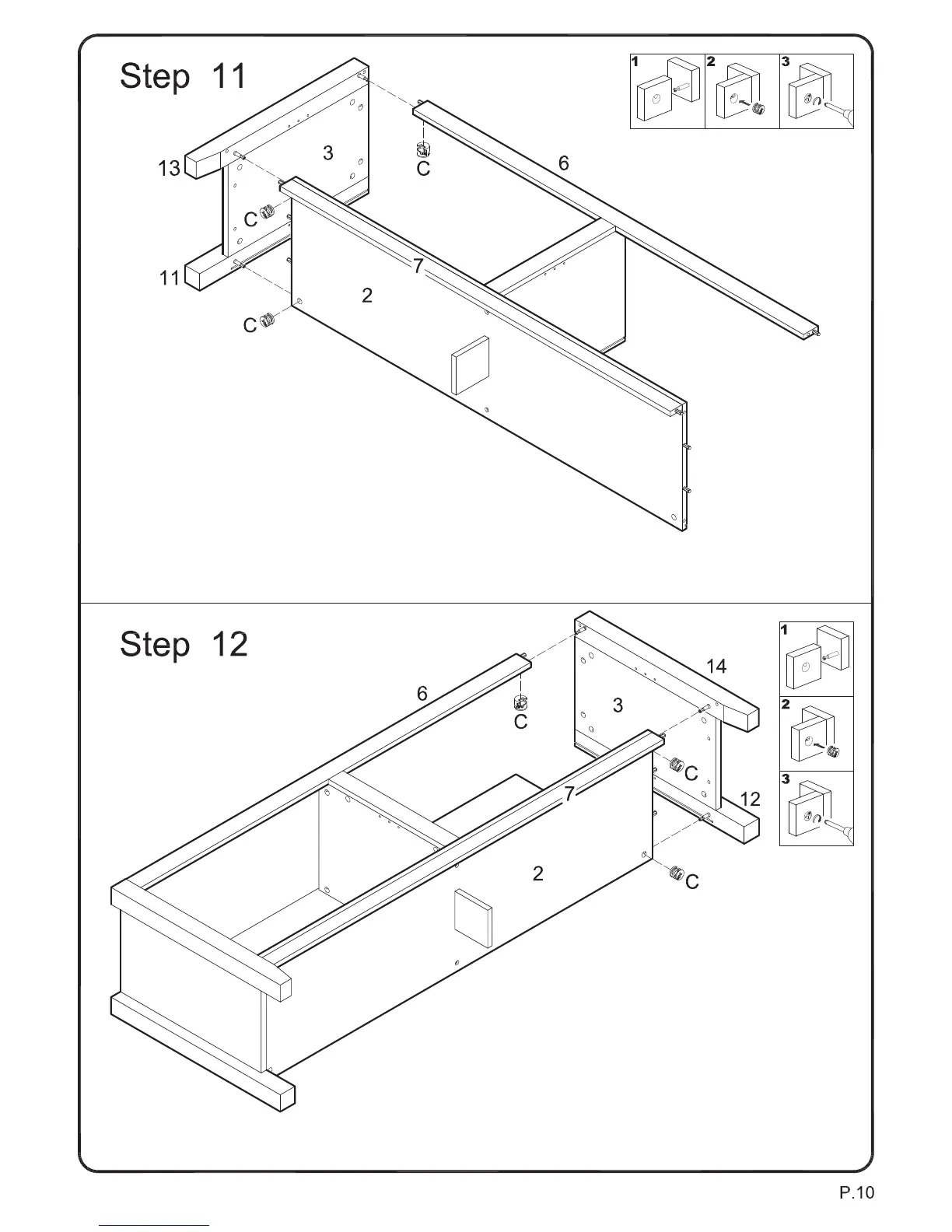
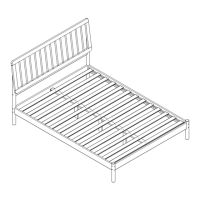
Attach panel (3) with legs (11,13) to the assembly from the previous step using cam bolts and dowels as
guides. Insert cam locks (C) into panel (2) and slat (6) and tighten with a screwdriver.
Attach second panel (3) with legs (12,14) to the assembly from the previous step using cam bolts and
dowels as guides. Insert cam locks (C) into panel (2) and slat (6) and tighten with a screwdriver.



 To Next Page