English - 23 -
Internet Portal(OEM)
HINT: A Broadband internet connection is required
for high quality viewing. You must set the Country
and Language data correctly in the First Time
Installation for proper operation of the internet
portal.
Ensure the TV is connected to a Wired/Wireless(if
available) network. After the connection is
established, you can view portal options.
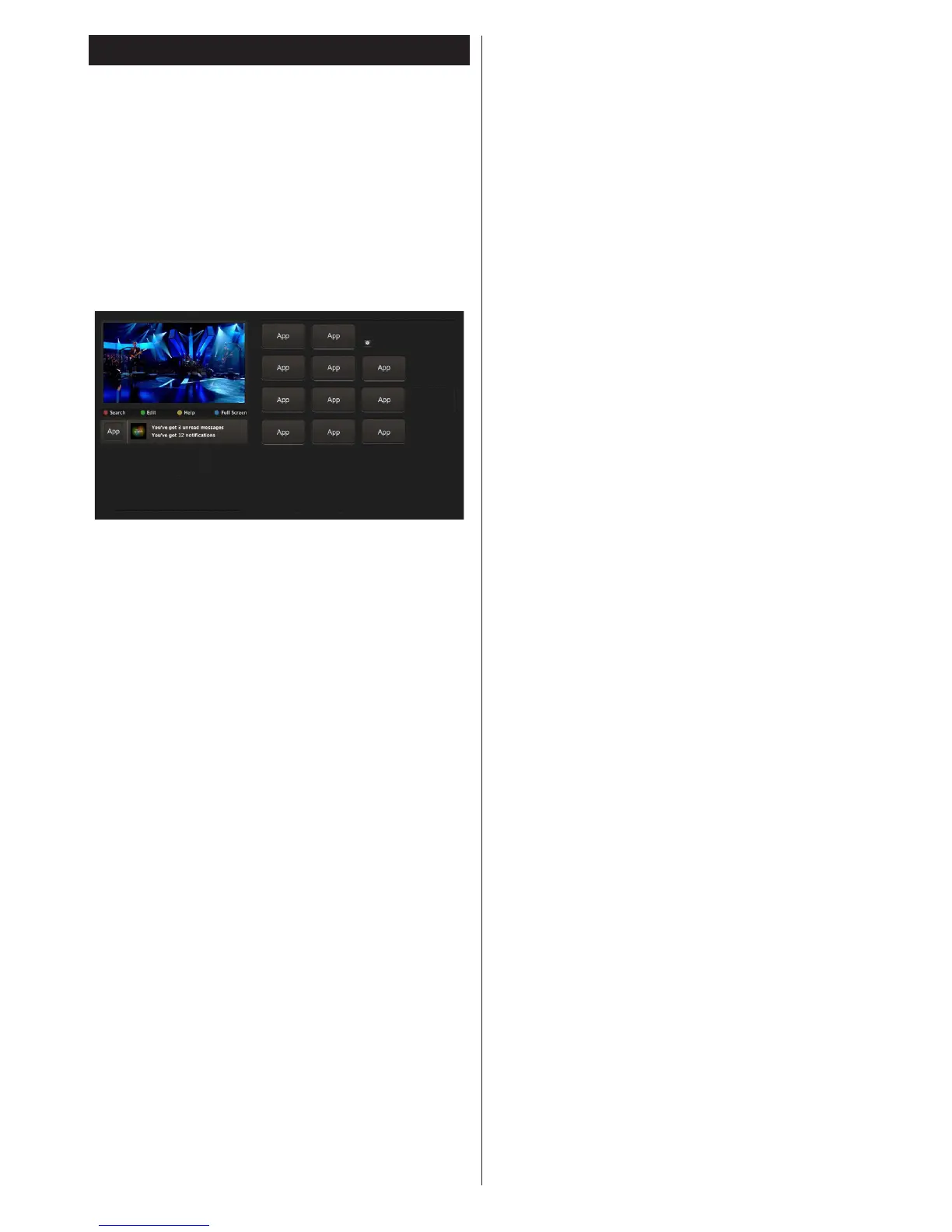
Press Internet button on your remote control and
the portal application options will be displayed in
a manner similar to the template below.
Note on PIP Window
Current source content will be displayed on the PIP
window, if you switch to portal mode while on any
source.
If you switch to portal mode while watching TV
channels, current programme will be displayed on
the PIP window. You can change channels using
Programme +/- buttons.
Use the Left or Right, Up or Down buttons to navigate
between the items on Portal screen. Press the OK
button to conrm your selection. Press the Return/
Back button to go to the previous screen.
Press the Exit button to quit the Internet portal mode.
Note: Possible application dependent problems may
be caused by the content service provider.
Some applications might become disabled due to
changes made in the Parental Settings.



 To Next Page