
 Need help?
Do you have a question about the Walker WPS3221FHDBK and is the answer not in the manual?
General safety warnings and precautions for using the TV.
Explains symbols used on the product for safety.
Critical safety warnings regarding batteries and TV placement.
Safety instructions for wall mounting the TV.
Lists the main features of the TV.
How to use the TV as a digital picture frame.
How to use the physical control button on the TV.
How to operate the TV using the remote control.
Navigating and using the main TV menu.
Accessing and navigating the TV settings menu.
How to connect the TV to the power source.
Connecting aerial or satellite cables.
Instructions for inserting batteries into the remote.
Editing source options and viewing licensing/disposal information.
Technical specifications of the TV.
Specifications for the wireless LAN transmitter.
Description of the remote control buttons and their functions.
Details on various connectors and cables.
Instructions for turning the TV on and off.
Guide for initial TV setup and configuration.
How to select broadcast types for scanning.
Playing media files from a USB device.
Instructions for recording and timeshift features.
How to playback recorded content and configure settings.
Managing satellite channel tables via USB.
How to format a USB storage device.
Accessing and playing media files from USB.
Streaming content to mobile and controlling CEC devices.
Accessing the digital user manual.
Adjusting mode, contrast, brightness, sharpness, colour.
Adjusting energy saving and backlight level.
Comprehensive settings for image quality including colour, contrast, and noise reduction.
Settings for sound output, AVL, equalizer, and surround sound.
Digital out, headphone, balance, and sound modes.
Selecting network type and connecting to networks.
Testing internet speed and connecting via WPS.
Automatic and manual channel scanning.
Guide for initial TV setup and configuration.
Setting up parental controls.
TV accessibility options and firmware upgrade.
Sharing files from mobile devices.
Using Google Assistant for TV control.
Managing channels and configuring parental settings.
Browsing and using the EPG.
Troubleshooting power issues.
Troubleshooting picture and sound issues.
Troubleshooting remote control and no signal errors.
Adjusting VGA image and checking signal compatibility.
Lists supported file formats for media playback.
Connecting to a wired network.
Connecting to a wireless network.
Network settings, speed test, and WPS connection.
Connecting TV to mobile via WLAN.
Configuring wireless network settings.
Troubleshooting network connectivity and internet/AV sharing issues.
Setting up and using AV sharing.
Accessing and managing TV applications.
Using the built-in internet browser.
Using the Smart Center mobile application.
Viewing channels and broadcast schedules.
Configuring application settings.
Editing custom channel lists.
Using Google Assistant for TV control.
Information on DVB receiver suitability.
Specifications for VESA wall mount.
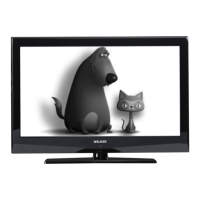
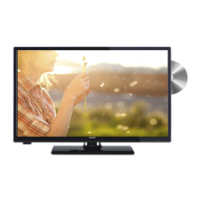
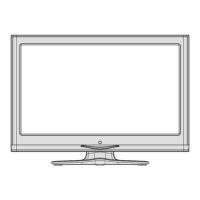
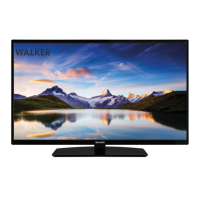
This document describes the WALKER WPS3221FHDBK Colour Television with Remote Control, a digital terrestrial/cable/satellite TV designed for household and general use.
The WALKER WPS3221FHDBK is a remote-controlled colour television with a fully integrated digital terrestrial/cable/satellite TV (DVB-T-T2/C/S2) tuner. It features HDMI inputs for connecting external devices, a USB input for media playback and recording, and an OSD (On-Screen Display) menu system for easy navigation. The TV supports High Dynamic Range (HDR) and Hybrid Log-Gamma (HLG) for enhanced picture quality, offering greater luminosity, more realistic colours, and improved detail in both dark shadows and bright highlights. It also includes internet connectivity via Ethernet (LAN) and built-in 802.11 a/b/g/n WLAN support, enabling access to applications, an internet browser, HbbTV services, and audio/video sharing. The TV is also compatible with Google Assistant for voice control and features Freeview Play for catch-up TV services.
Picture Settings: The TV offers various picture modes (Cinema, Game, Sports, Dynamic, Natural) and allows adjustment of Contrast, Brightness, Sharpness, and Colour. It includes an Energy Saving feature with options like Custom, Minimum, Medium, Maximum, Auto, and Screen Off, which adjust backlight levels and overall energy consumption. Advanced settings include White Point, Blue Stretch, Micro Dimming, Noise Reduction, Film Mode, Skin Tone, Colour Shift, Colour Tuner, Gamut Mapping, and HDMI Full Range.
Sound Settings: Sound modes include Smart, Movie, Music, News, and Off. Surround Sound can be toggled On/Off. Sound Output options include TV, S/PDIF, HDMI ARC, Headphone Only, and Lineout. Automatic Volume Limiting (AVL) helps maintain a fixed output level. Advanced settings offer an Equalizer, Dynamic Bass, Sound Mode, Digital Out, Headphone volume control, and Balance.
Network and Connectivity: The TV supports both wired (Ethernet) and wireless (WLAN) connections. Users can scan for wireless networks, connect via WPS, perform internet speed tests, and configure advanced IP and DNS settings. The Networked Standby Mode allows the TV to be woken up by a network message. Wireless Display enables streaming video and sound content from mobile devices.
Channel Management: The TV allows users to sort, filter, and create favourite lists of channels. It supports automatic and manual channel scanning for DVB-T2/C/S2 and analogue channels. The Satellite Channel Table feature allows downloading or uploading satellite channel data via USB.
Recording and Timeshift: Users can record programmes to a connected USB disk and utilize timeshift recording by pressing the Pause button. Recordings can be managed, played back, edited, and deleted from the TV>Recordings menu. Settings for recording include Start early, End late, Max Timeshift, and Auto discard options.
Electronic Programme Guide (EPG): The EPG provides event schedules for installed channels, with Timeline Schedule and Now/Next layouts. Users can navigate through events, view detailed information, set timers for future events, and initiate instant recordings.
Smart Features:
Teletext Services: Access traditional teletext and digital teletext information, with colour-coded sections for easy navigation.
Software Upgrade: The TV can automatically find and update its firmware via broadcast signal or the internet. Users can also manually check for new software upgrades.
Troubleshooting & Tips: The manual provides guidance for common issues such as TV not turning on, poor picture, no picture, no sound, remote control not operating, image not centered in VGA source, USB recording unavailable, and slow USB disk speed. It also addresses connectivity issues like wireless network not available, slow connection, disruption during playback, and internet connection problems.
Parental Settings: Configure parental controls with options for Menu Lock, Maturity Lock, Child Lock, and setting/changing PINs to restrict viewing of certain programmes, channels, and menus.
Disposal Information: The product and its batteries should not be disposed of as general household waste. They should be handed over to applicable collection points for recycling in accordance with national legislation and EU Directives (2012/19/EU and 2013/56/EU). Business users should contact their supplier for disposal terms.
Safety Information: The manual includes important safety warnings regarding electric shock, battery ingestion, TV falling hazards, ventilation, power cord handling, and proper placement of the TV. It also specifies that the device is intended for use at altitudes less than 2000 meters in dry locations with moderate or tropical climates.



 To Next Page
 General