17
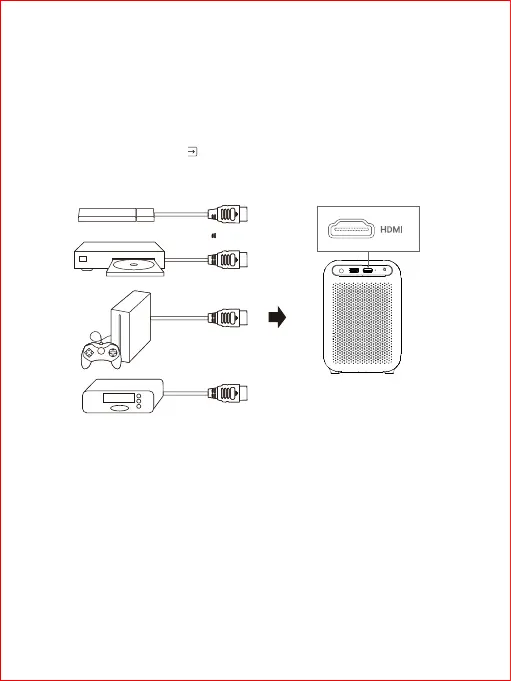
The projector supports a variety of HDMI playback devices, such as TV box, TV sticker, DVD,
STB, games console and so on.
① Connect the projector to HDMI playback device with HDMI cable [not provided].
② On the homepage, choose[ Inputs]>[HDMI], then press OK key.
2.Connect to HDMI device
How to push content to the projector.
① Ensure the phone and projector under the same Wi-Fi.
② Open video play software of the phone, find the TV push icon, which is on either of the four
corners of the video UI.
3. Phone projection



 To Next Page