Using Method
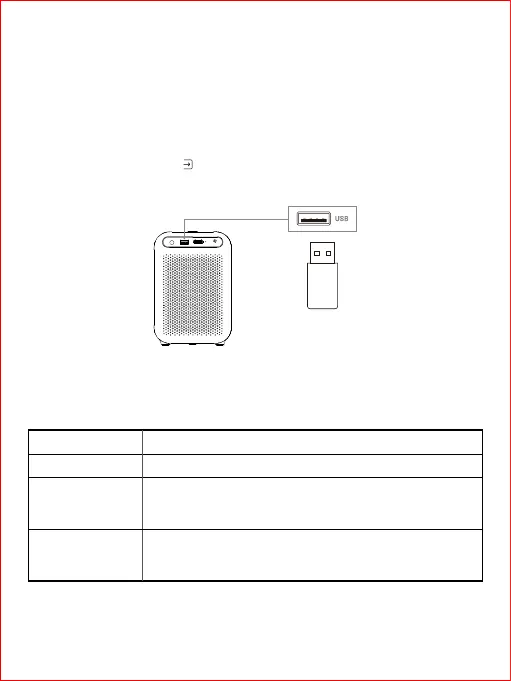
You can connect USB storage device to this projector to enjoy local music, videos and pictures.
① On the homepage, choose[ Inputs]>[USB], then press the OK key
② Choose the file required, then press OK key.
1.Connect to USB storage device
Formats supported by U Disk
16
File style
Picture
Video
Audio
File formats supported
JPG/PNG/BMP
HEVC/H.265, MPEG1/2, MPEG4, DivX3.11, DivX 4.12,
DivX 5.x,DivX 6, XviD, Sorenson H.263, H.263, H.264,
AVS, AVS+, AVS2, WMV3, VC1, Motion JPEG, RV30/RV40
MPEG1/2 Layer1, MPEG1/2 Layer2, MPEG1/2/2.5 Layer3,
AAC-LC,HEAAC, VORBIS, DTS, DTS Master Audio, LPCM,
IMA-ADPCM, MS-ADPCM, G711A/mu-law, FLAC, OPUS
Note: Operation are subject to actual condition due to aperiodical update of the product
system.



 To Next Page