10
Maintenance
Before cleaning, make sure the projector is not plugged into the power source.
Do not use pesticides or other volatile chemicals on the projector or lens. Do not let rubber
or vinyl products contact the projector for prolonged periods of time, since that could
damage the coating and make it peel off.
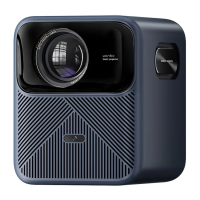
Cleaning the Projector
Wipe the projector with a soft, dry, cotton cloth. If it’s heavily dirtied, wipe it with
soft cloth that has been dampened with neutral detergent, then dry it with a clean
and dry cloth immediately after that. Pay more attention if you decide to use
chemical fibre cloth.
Don’t use thinner, benzene, or any other solvents to avoid quality reduction or
coating peeling off, etc.
A brush adapter can be inserted onto the vacuum cleaner to remove dirt inside the
vents. Please don’t use vacuum cleaner with no connector, or clean vents directly.
Don’t scrape the projector with nails or any other hard objects so as to avoid
scratches.
Cleaning the Lens
Clean lens with the same method as you’d clean the camera lens – use professional
blow dryer or cleaning paper for glasses, ensure lens are not scratched.
Cleaning the Vents
Dust in the inlet or outlet will prevent ventilation and increase the internal
temperature, which will cause defects.
Disconnect the power cable immediately after turning off the projector.
Clean the exterior with an electric vacuum cleaner but install brush head adapter
on the vacuum cleaner first. Don’t use vacuum cleaner with no connector or brush.



 To Next Page