EasyManua.ls Logo

Wansview B4 - Advanced Features; 7;24 Monitoring; Two-Way Audio; Motion Detection

Wansview B4
8 pages
Print Icon
To Next Page IconTo Next Page
To Previous Page IconTo Previous Page
Loading...
@
Pair
succeeds
®
The
camera
is
online
9
Live
Video
Tips:
1.
This
Battery
camera
only
works
with
2.4GHz
Wi-Fi,
5GHz
Wi-Fi
is
not
supported!
2.
Please
put the
camera
near
to
the
router
during
setting
up
the
camera,
after
connection
succeeds,
you
can
place
the
camera
in
another
place.
Note:Put
the
camera
close
to
the
router(3
feet)
during
setting
up
the
camera.
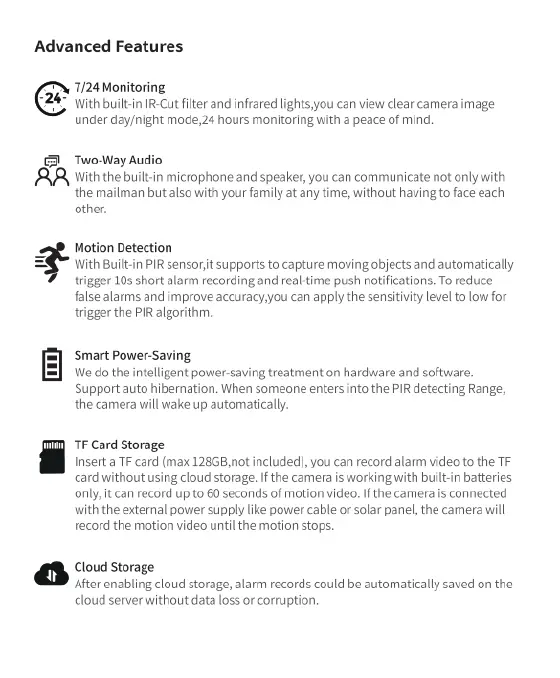
Advanced
Features
7/24
Monitoring
24"
ith
built-in
IR-Cut
filter
and
infrared
lights,you
can
view
clear
camera
image
under day/night
mode,
24
hours
monitoring
vith
a
peace
of
mind.
&
Two-Way
Au
AR,
with
the
built-in
microphone
and
speaker,
you
can
communicate
not
only with
the
mailman
but
also
with
your
family
at
any
time,
without
having
to
face
each
other.
Motion
Detection
?’W\thflmlt
PIR
sensort
supports
to
capture
moving
objects
and
automatically
trigger
10s
short
alarm
recording
and
real-time
push
notifications.
To
reduce
false
alarms
and
improve
accuracyyou
can
apply
the
sensitivity
level
to
low
for
trigger
the
PIR
algorithm.
Smart
Power-Saving
We
do
the
intelligent
power-saving
treatment
on
hardware
and
software.
Support
auto
hibernation.
When
someone
enters
into
the
PIR
detecting
Range,
the
camera
will
wake
up
automatically.
TF
Card
Storage
Inserta
TF
card
(max
128GB,not
included),
you
can
record
alarm
video
to
the
TF
card
without
using
cloud
storage.
If
the
camera
is
working
with
built-in
batteries
only,
it
can
record
p
to
60
seconds
of
motion
video.
If
the
camera
s
connected
with
the
external
power
supply
like
power
cable
or
solar
panel,
the
camera
will
record
the
mation
video
until
the
motion
stops.
Cloud
Storage
After
enabling
cloud
storage,
alarm
records
could
be
automatically
saved
on
the
cloud
server
without
data
loss or
corruption.
FAQ
The
camera
can
not
connect
to
Wi
1.
Please
press
the
reset
button
on
the
camera
for 10
seconds
until
e
red
light
flashes
quickly
and the
camera
plays
the
prompt
sound
of
"DIDI",
It
means
the
camera
has
been
reset
successfuly.
2.
Then
press
the
reset
button
again
for
5
until
the
camera
willflash
red
and
blue
alternately
and
play
a
sound
of'Di",
now
the
camera
is
entering
the
pairing
mode,
you
can
reconnect
the
camera
once
again.
(Note:
After
resetting,
Please switch
your
phone
network
to
2.4Ghz
Wifi
to
configure
the
camera.)
Reset
button
Share
the
camera
to
another
account.
1.
The
invited
member
should
download
the
Wansview
Cloud
app,
and
register
a
new
account
first
2.
The
main
account
should
open
the
Wansview
cloud
app,
tap
"Settings-invite
family
members"-press
<
«
~-choose
Country
and then enter
the
invited
member's
account
T
e
|
[f
T
——
]
e
T
E—
<
=
i
>
om0
6
|
|
#
e
3.
The
invited
member
needs
to
open
the
Wansview
cloud
app
and
then
click
"Receive".If
he/she
doesn't receive
the
invitation,
please
close
the
app and
then
open
it
again.
Manufacturer:
Shenzhen
Smarteye
Digital
Electronics
Co., Ltd
Address:
206,
Block
1,
Shangrong
Industrial
Zone,
No.2
Baolong
Road
5,
Baolong
District,
Longgang,
Shenzhen,
China
After-service:
service@wansview.com
service3@wansview.com
&K
(EFEe
&
X
Made
in
China

Related product manuals