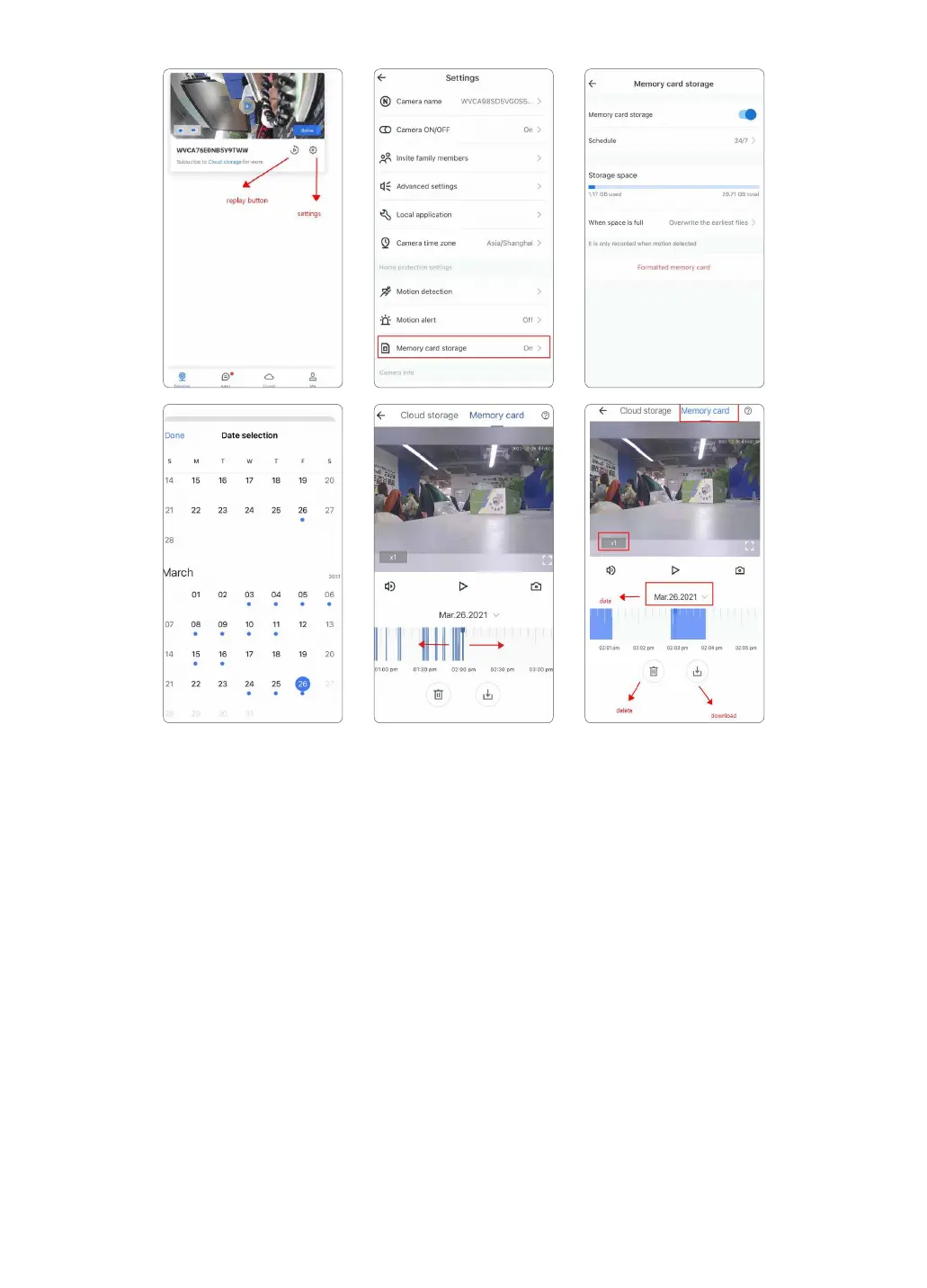
Note: After formatting successfully, firstly please turn off the camera, then please insert the SD
Card into the camera, and power on the camera and check if the SD card can be recognized or
not.
6.2 Cloud Services
Free Cloud Plan provides you with 30 days of free cloud service if you are the new Wansview user.
Warm note:
.
Cloud storage is different from local storage. SD card storage and Cloud storage work inde-
pendently without each others interference. In other words, if you enable both SD card record-
ing and Cloud recording, the video footage will record to the Micro SD card and upload to
cloud at the same time.
. Cloud service is not compulsory. Camera still can work properly even though the user do not
subscribe the Cloud plan or cancel the Cloud service while using.
. Please cancel the cloud service before the free-trail expires if you have no attention to contin-
ue using the Cloud and paying its service. Otherwise the Cloud subscription will be automatically
renewed according to the chosen plan period.
. If you accidentally miss the cancellation time and get charged, please feel free to contact us
via Email. We will refund the fees.
. Only records the alarm video until the motion ends.
20



 To Next Page