Wansview Cloud APP User Manual
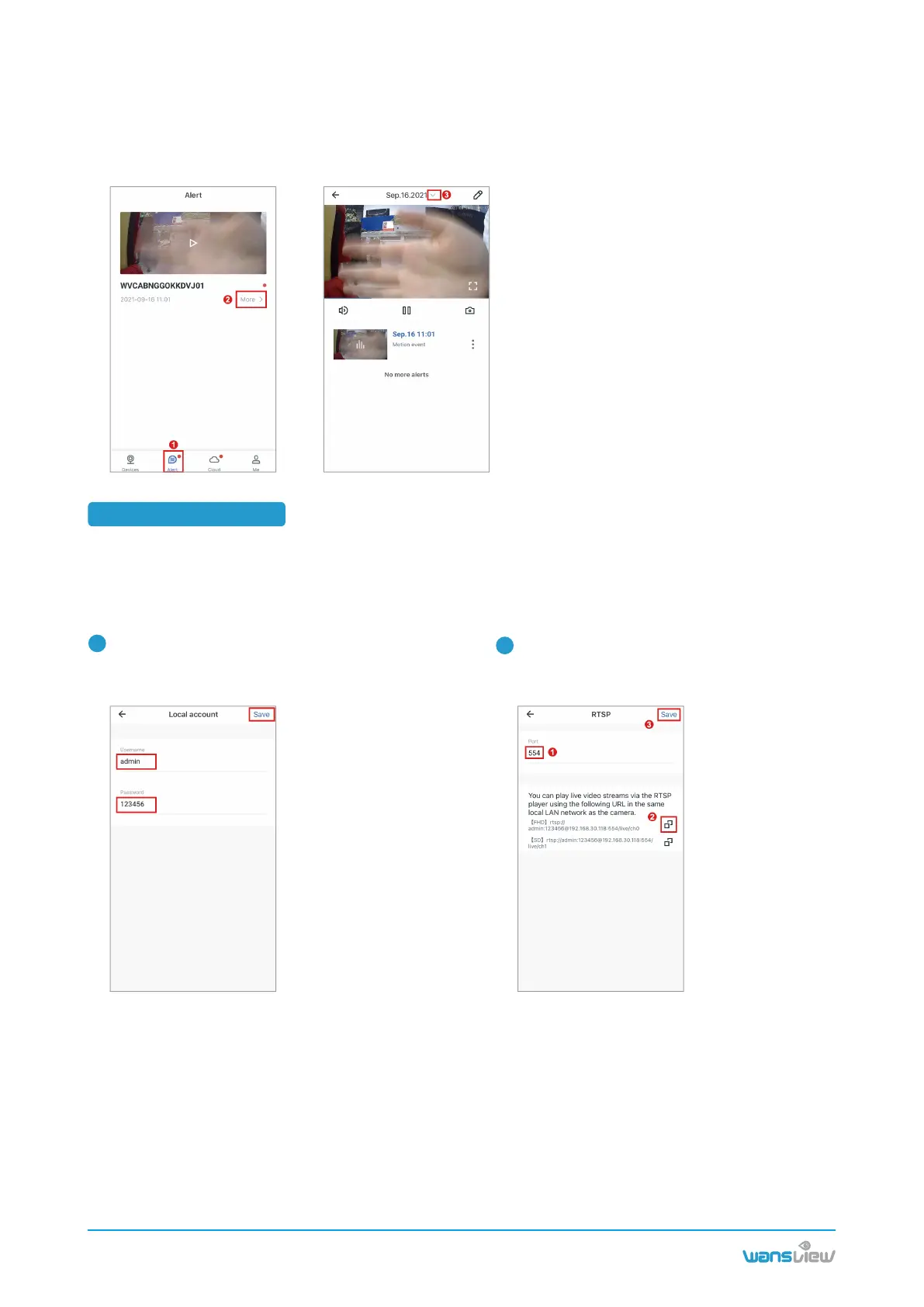
Launch Wansview Cloud APP, go to settings--
【Local Application】--【Local Account】
Go to RTSP page to set a specific port
--Edit the username and password you want.
number you want (range of 554-1554),
Choose one of the live-stream URL to copy.
1
2
Warm tips : User can check the short videos for the past two days for free, these alert videos are supported
to save to your phone and delete. If Cloud service is subscribed, you can check the recent 7 days from
Cloud page to replay the videos.
5.4 RTSP Setting
Wansview cameras that support RTSP protocol could work with the third-party software, like iSpy,
Blueiris,IP Cam Viewer. They can be used for live viewing and recording of Wansview cameras.
To connect an IP camera via RTSP, you may follow the below steps to configure the【 Local Application】
under settings page and add camera to iSpy.
You may follow the below steps to replay your alert video:
www.wansview.com
13



 To Next Page