Wansview Cloud APP User Manual
1
2
3
4
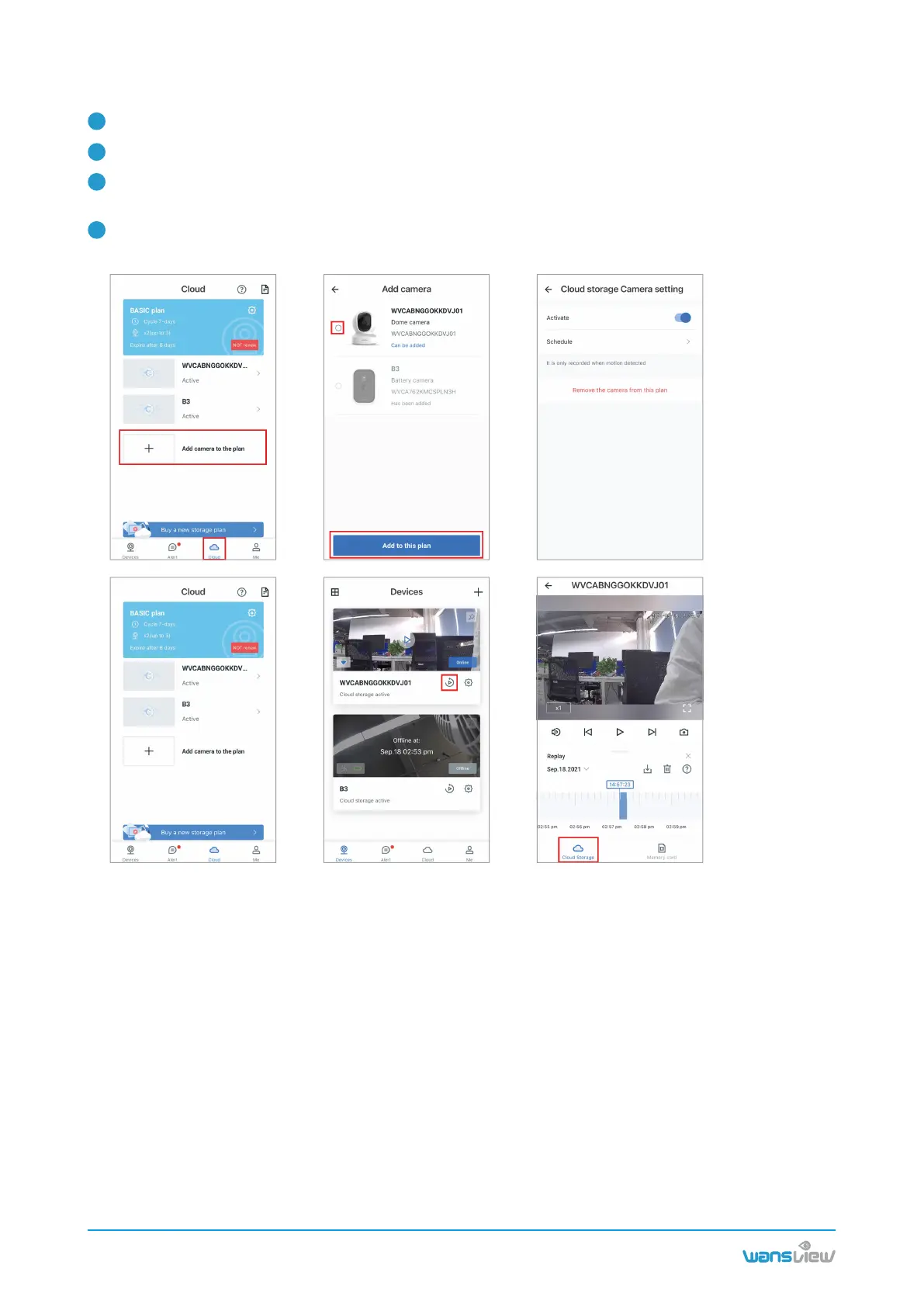
6.2.2 Add the camera to Cloud plan
www.wansview.com
21
Enter the Cloud page, then tap + Add Camera to Plan.
Select the camera, tap Add to this plan, enable it, and then set the schedule.
Once added, the camera will appear in the cloud screen. Tap the camera screen to view the recording.
Tap the camera name to change the settings.
You can delete or download recordings. Once downloaded, you can view them in Local Video on the
"Me"screen.



 To Next Page