Wansview Cloud APP User Manual
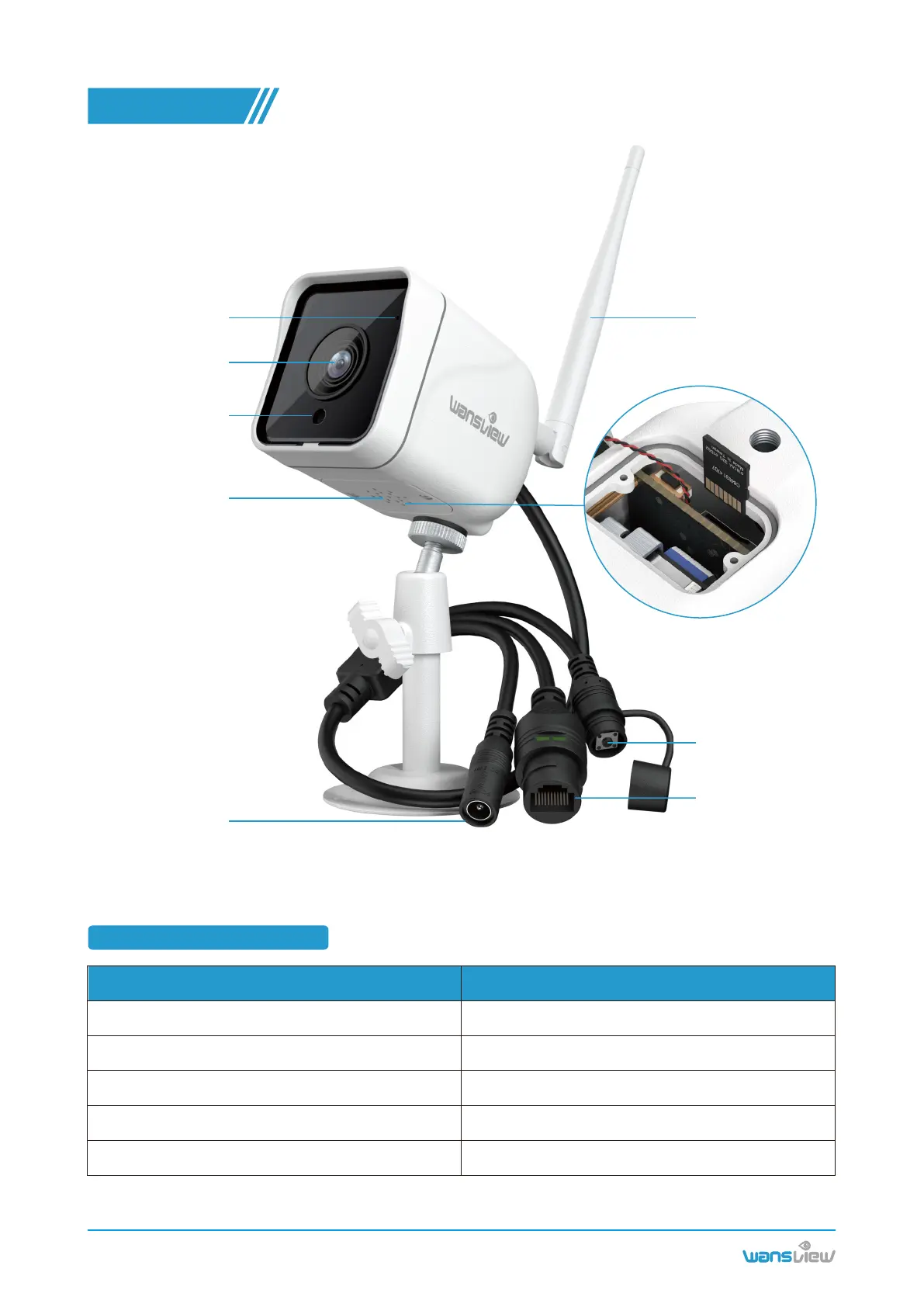
Microphone
Camera Lens
Photoresistor
Speaker
TF card slot
Antenna
Reset button
RJ45 interface
Power port
Warm note: Please make sure your router is connected to Internet.
www.wansview.com
01
1.1 Indicator lights status
Camera StatusLight Status
Camera Introduction
CHAPTER 1
Yellow light on
Yellow and green lights are flashing alternately
Green light is flashing
Green light is solid
Yellow light is flashing quickly
Camera is powered on
Waiting for connect now
Camera is connecting to WIFI
Connect WIFI and Pair successfully
Reset camera to factory setting



 To Next Page