Operation
[B2000171_1] - EN / 20.12.11 Page 6 of 12 Subject to change without notice.
3 Operation
NOTE
Only operate the product if it is in technically per-
fect condition.
3.1 Operating the black-out blind drive
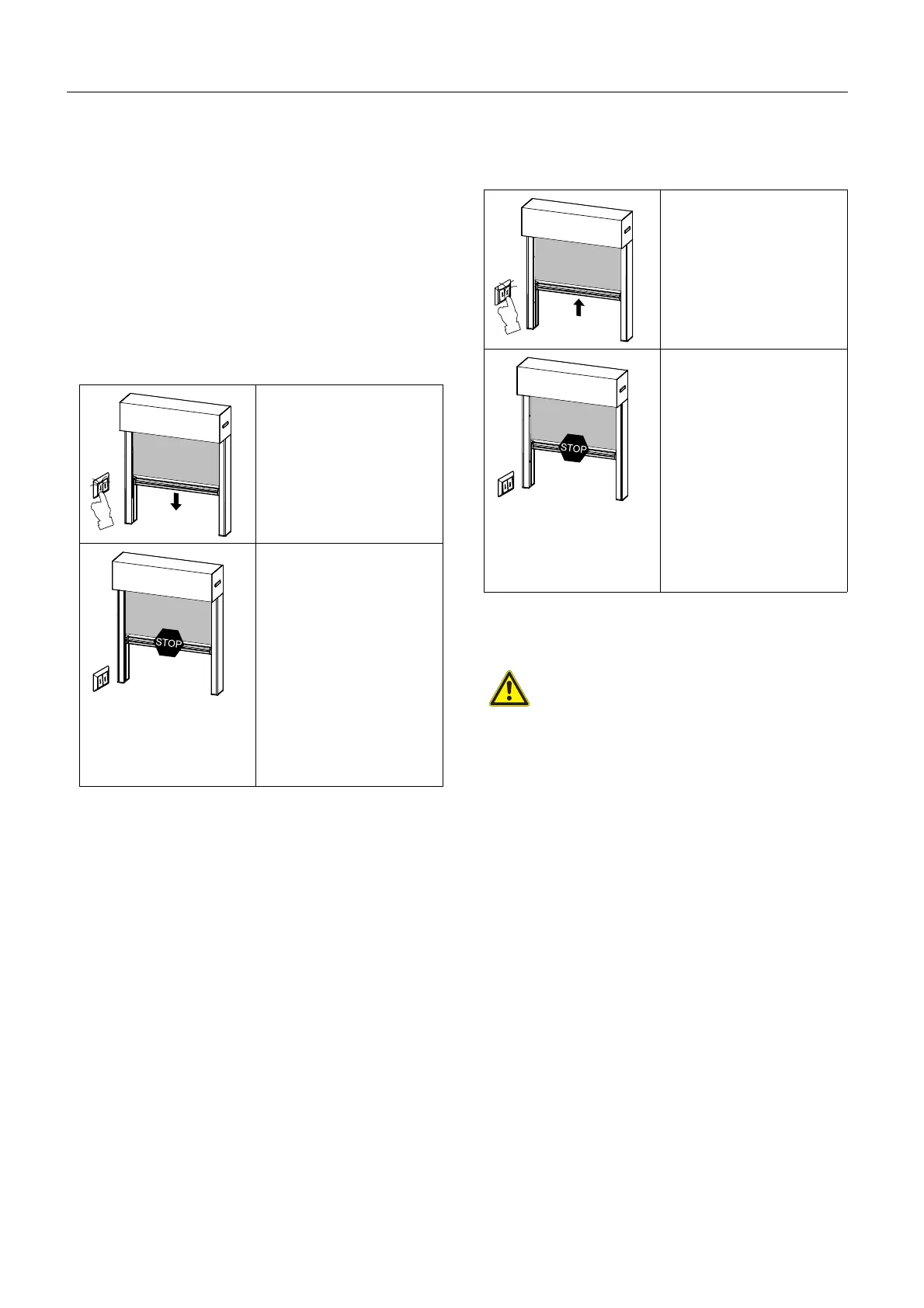
Lowering using the sunblind push button/venetian
blind switch
Press the "DOWN"
button and hold if nec-
essary.
or
Turn the toggle switch
to the right and hold if
necessary.
Stop the black-out blind in
any intermediate position:
Release the "DOWN"
button or press the
"Stop" button.
or
Release the toggle
switch or turn it back.
The drive switches off
automatically in the lower
limit position.
Raising using the sunblind push button/venetian
blind switch
Press the "UP" button
and hold if necessary.
or
Turn the toggle switch
to the left and hold if
necessary.
Stop the black-out blind in
any intermediate position:
Release the "UP" but-
ton or press the
"Stop" button.
or
Release the toggle
switch or turn it back.
The drive switches off
automatically in the upper
limit position.
3.2 Operation using the central control unit
CAUTION
Product damage from failure of the external
control unit! The control unit is not functional
under extreme conditions (e.g. power failure or
malfunctions).
Set the external control unit to manual if
you are going to be away.
NOTE
Adjust the central control unit in such a way
that continuous operation of the motor is
avoided. The motors used in these products
are not intended for continuous operation. The
integrated thermal protection will switch the
motor off after approx. 4 minutes. The product
will be ready for use again after approx. 10 to
15 minutes.
Instructions on how to operate this feature are
contained in a separate manual.



 To Next Page