Page 3
103969A0
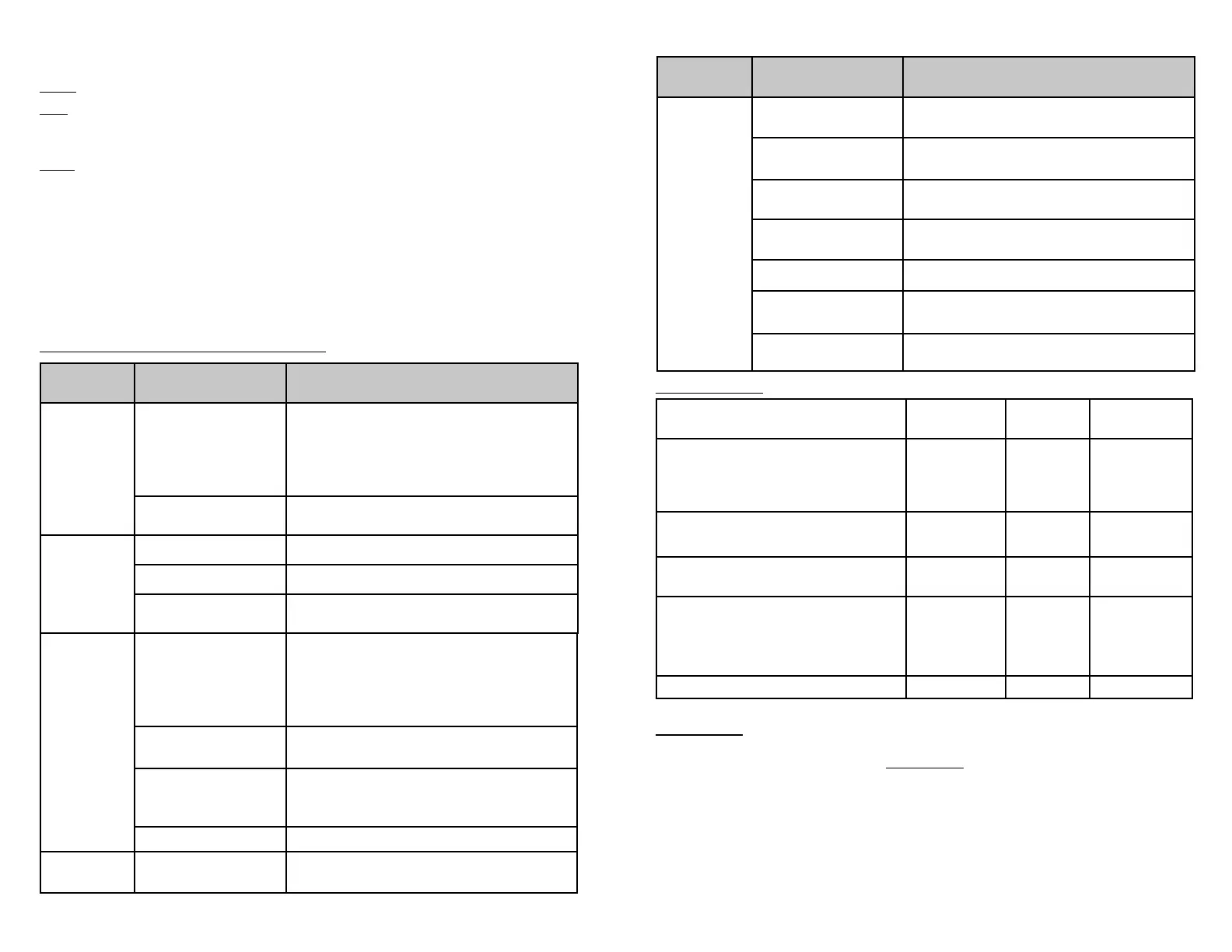
Trouble Shooting/Error Conditions
Problem Possible cause Corrective action
Winch is not
operating
No power to HUB Receiver
• Turn vehicle on.
• Con rm all wiring connections (contactor, control pack,
ground wire) are correct and secure.
• Con rm vehicle battery connections are correct and
secure.
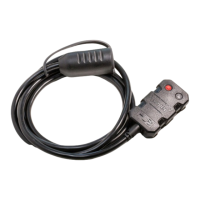
• Con rm winch remote plug is connected (if applicable).
No connection between HUB
App and HUB Receiver
• Verify HUB Receiver’s LED is green. Refer to Quick Start Guide.
Winch only
operates in
one direction
Winch overheated (AXON only)
• Stop winching and let winch cool.
Winch overload (AXON only)
• Release/lighten load.
Improper wiring (Universal
only)
• Con rm wiring is correct and secure. See Step 3 Wiring
HUB Receiver. Refer to Quick Start Guide.
Intermittent
operation
Poor signal
• Get closer.
• Relocate receiver away from any obstructions (e.g.,
batteries, engines).
• Maintain line of sight to vehicle with receiver.
• Avoid sources of radio interference (e.g.,power lines, other
radios).
Low battery voltage
• Be sure to allow vehicle to charge before using.
• Check battery connections.
Receiver connected to
winch with solenoid
control pack
• The WARN HUB receiver is not designed for continuous
use with some legacy solenoid control packs.
HUB overheating
• Move HUB to a cooler location on vehicle.
LED indicator
is not green
Receiver is not paired
• See Pair/Connect section in Quick Start Guide.
LED Light Key
Yellow: Receiver has power but not paired/connected.
Blue:
Slow ashing: Receiver is in pairing mode.
Fast ashing: Receiver has been reset.
Green: Receiver is on and paired/connected.
Take time to fully read the Basic Guide to Winching Techniques found online at:
www.warn.com
For further information or any questions contact:
WARN INDUSTRIES, INC.
12900 S.E. Capps Road, Clackamas
OR USA 97015-8903, 1-503-722-1200,
Customer Service: 1-800-543-9276
Dealer Locator Service: 1-800-910-1122
or visit www.warn.com.
Check
Before rst
operation
After each
use
Every 90 days
Take time to fully read the Instructions and/
or Operations Guide, and/or Basic Guide to
Winching Techniques, in order to understand
your winch and its operations
X
Check zip ties and make sure they are tight.
Replace if damaged.
XX
Verify wiring to all components is correct and be
certain that all connections are tight.
XX
Verify there is no exposed/bare wiring, terminals
or cable insulation damage (cha ng/cutting).
Cover any exposures with terminal boots.
Repair or replace damaged electrical cable.
XX
Unplug winch remote plug (Truck/SUV only) X
Page 4
103969A0
Problem Possible cause Corrective action
Receiver will
not pair or
connect
Smart device is out of
range
• Move closer to the receiver.
Interference with an other
device
• Disconnect from other bluetooth devices.
Bluetooth turned o on
smart device
• Follow device owner’s manual to turn on Bluetooth.
Disrupted pairing
• Reset receiver. See Tips and Features on page 2.
• Repair/connection.
App is not open
• Open app.
Someone else is
connected
• Disconnect any other smart devices from receiver.
Power is o
• Turn vehicle power on.
• Plug HUB receiver into winch remote socket.
Maintenance
Contact us


 To Next Page
 Loading...