Page 9For technical questions, please call 1-888-866-5797.Item 58523
SAFETYOPERATIONMAINTENANCE SETUP
General Operating Instructions
1. Make sure Trigger is in off-position,
then attach Battery Pack.
2. Be sure Battery Pack is securely seated into
Driver Handle so it does not fall off during use.
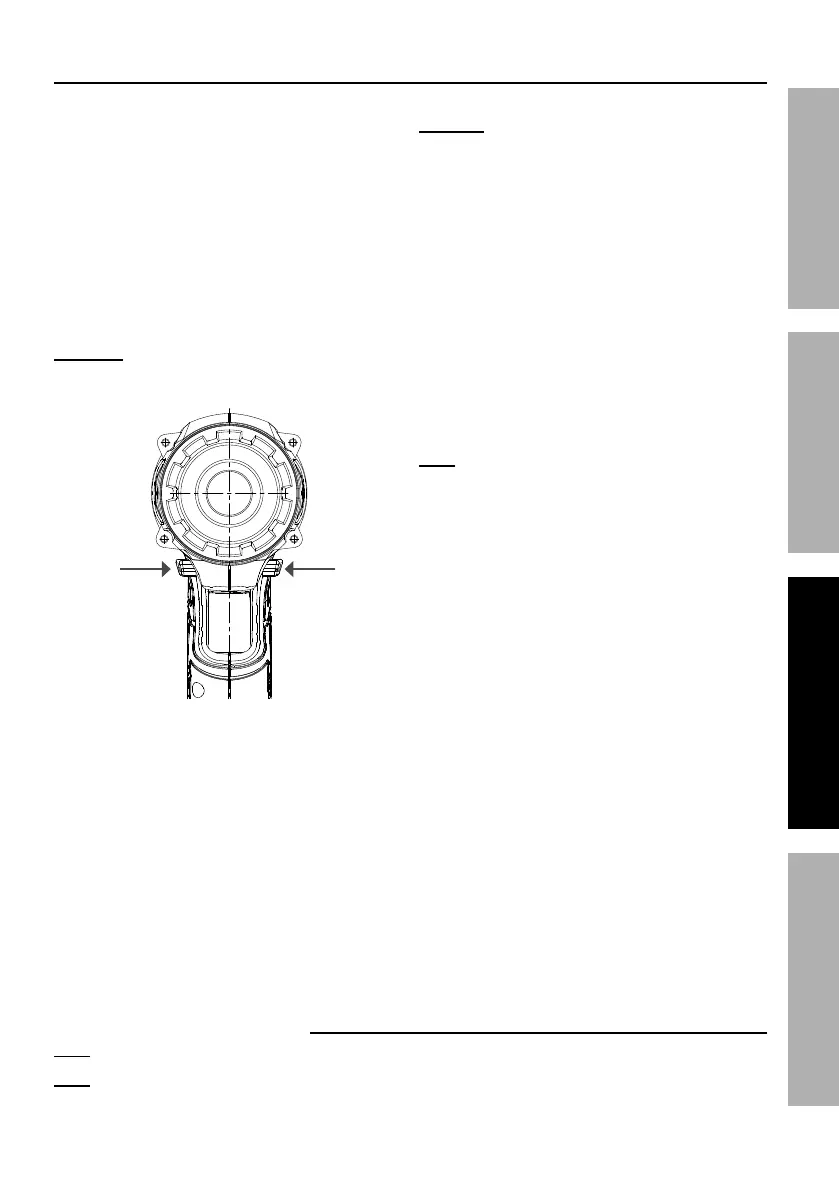
3. Set Direction Switch.
Forward: Push Switch in on right side
(arrow pointing forward) for clockwise rotation.
Reverse: Push Switch in on left side
(arrow pointing backward) for counter-clockwise
rotation. Use “reverse” setting only to remove
screws or to release jammed drill bit.
Trigger Lock: Push Switch to the
center to lock the Trigger.
CAUTION! Set Direction Switch to center
Trigger Lock position during set up, when
changing bits or when tool is idle.
Push
for
Forward
Push
for
Reverse
Push to Center to Push to Center to
LOCK TRIGGERLOCK TRIGGER
4. Install bit and select direction of rotation.
Warning!: Do not change direction of rotation
while Chuck is rotating. Wait until Chuck has come
to a complete stop before changing direction.
5. Press Trigger to start tool. Work Lights
will turn on when Trigger is pressed and
turn off after Trigger is released.
6. When inserting or removing a screw or bolt,
use slight pressure to keep screw driver bit in
head of screw or bolt. Will cause screw or bolt
to thread into or unthread from material.
7. When drilling a hole, let Impact Driver do the
work, using only enough pressure to follow
the Driver as it cuts hole in material.
8. The tool has variable speed.
To increase speed, apply more pressure to Trigger.
To decrease speed, lessen pressure on Trigger.
Note: The amount of actual torque will vary
depending on cleanness and condition of threads
and other factors. If tightening critical components,
chase threads before assembling components and
check actual torque applied to the fastener with
a mechanical torque wrench (not supplied).
9. When finished using Impact Driver, release Trigger
and center Direction Switch to lock Trigger.
10. To prevent accidents, turn off tool and remove
its Battery Pack after use. Clean, then store
the tool indoors out of children’s reach.
Record Product’s Serial Number Here:
Note: If product has no serial number, record month and year of purchase instead.
Note: Some parts are listed and shown for illustration purposes only, and are not
available individually as replacement parts. Reference UPC 193175440983.


 To Next Page
 Loading...