Your saw is equipped with positive stops that will
quickly and accurately position the saw blade at
90°and 45°to the table. To check and adjust the
positive stops:
WARNING: Disconnect the machine from the
power source.
Adjusting 90°and 45°positive stops
1. Raise the saw blade to its highest position.
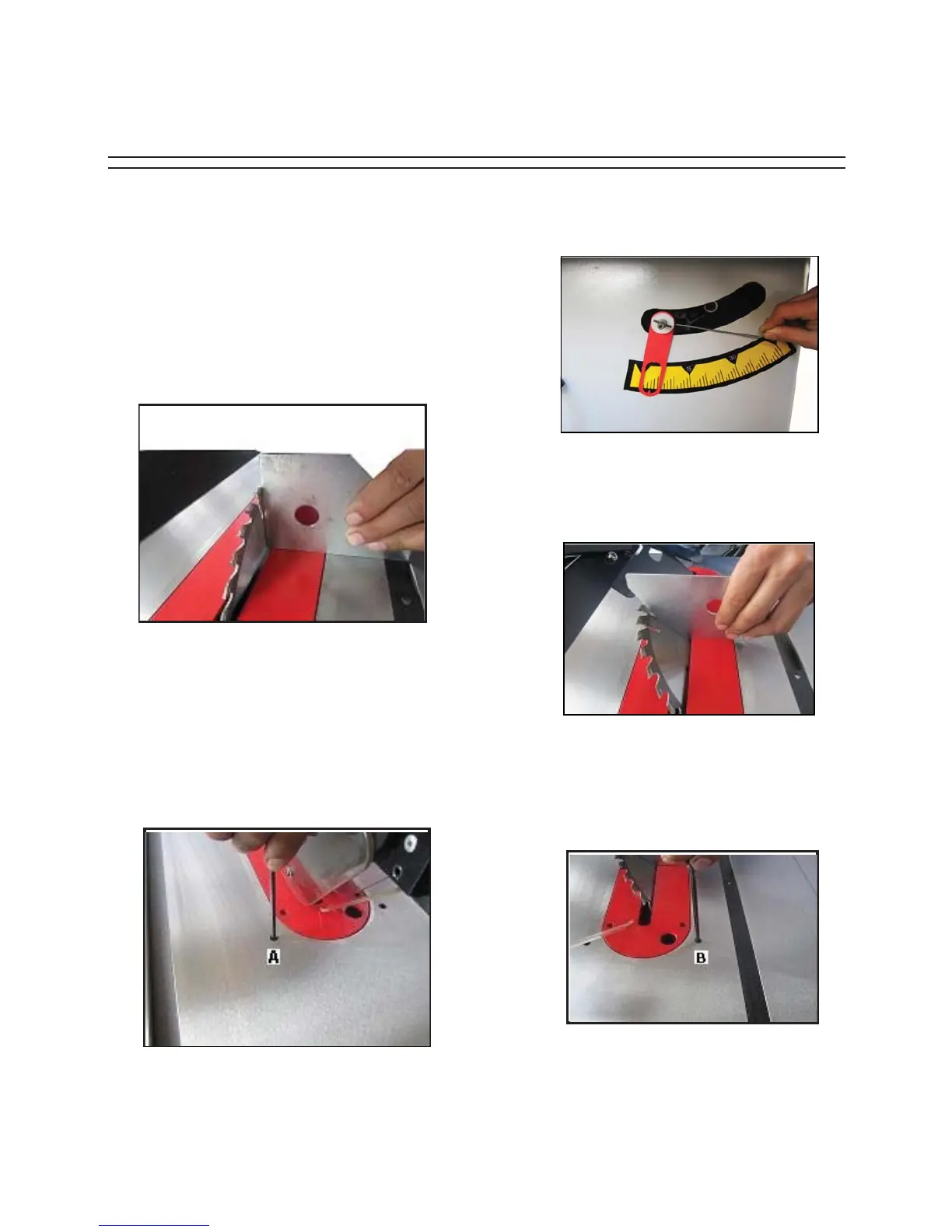
2. Set the blade at 90°to the table by turning the
blade tilting handwheel
Figure 26.
counter-clockwise as
3. Use a square shown in
Figure
26
to see if the
4. If not, turn the handwheel
one turn clockwise.
Figure 27.
with a 4mm hex wrench. Turn the handwheel
until the blade is at 90° to the table. Tighten the
set screw A until it bottoms.
5. Loosen the screws,
adjust
the indicator to point to
shown in
6. Turn the handwheel clockwise as far as it will go
and use a combination square to see if the blade
is at 45°to the table as shown in
7. If not ,turn the handwheel
one turn counter clock-
Figure 30.
Turn the handwheel until the blade is 45° to the
table. Tighten the set screw B until it bottoms.
Figure 26.
Figure 27.
Figure 28.
'%
Figure 30.
it will go as shown in
blade is at 90° to the table surface.
Loosen the set screw F shown in
Set Screw Adjustment 90°
the 0°mark on the scale, and tighten the screws as
Figure 28.
wise. Loosen the set screw B shown in
Tilt Saw Blade to 90°
Indicator Adjustment 0°
Figure 29.
Figure 29. Tilt Saw Blade to 45°
Set screw Adjustment 45°


 To Next Page