EasyManua.ls Logo

WARRIOR W0700R - User Manual

WARRIOR W0700R
27 pages
Print Icon
To Next Page IconTo Next Page
Loading...
INSTRUCTION MANUAL
Heavy-Duty
Cabinet Table Saw
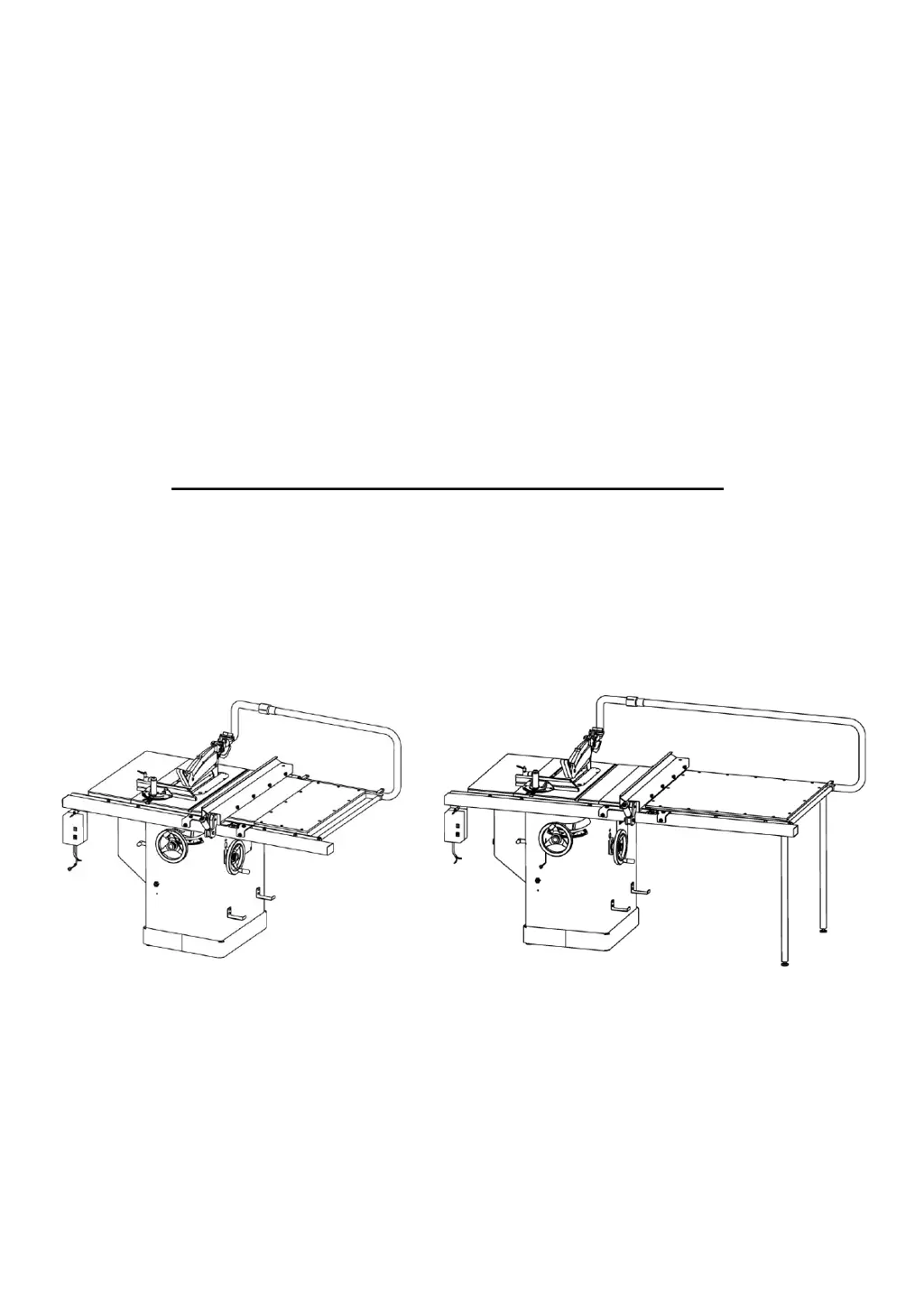
30" Rip Capacity Model 50" Rip Capacity Model

Questions and Answers

  • F
    flynnpattyAug 3, 2025
    How to adjust my WARRIOR W0700R to make accurate 45 and 90 rip cuts?
    • J
      Jacqueline SmithAug 3, 2025
      If your WARRIOR Saw does not make accurate 45 and 90 rip cuts, it could be because the positive stop(s) are not adjusted properly, so check the blade with a square and adjust the positive stop. Another reason could be that the tilt angle pointer is not set properly, so check the blade with a square and adjust the pointer to zero.
  • H
    Holly StanleyAug 7, 2025
    Why does the overload kick out frequently on my WARRIOR W0700R?
    • M
      Malik CarterAug 7, 2025
      If the overload kicks out frequently on your WARRIOR Saw, it could be due to several reasons. First, the extension cord might be too long or the gauge size too small, in which case you should replace it with an adequate size cord. Second, you might be feeding the stock too fast, so try feeding it more slowly. Third, the blade might be in poor condition (dull, warped, or gummed), so clean or replace the blade. Fourth, the blade might be binding due to a misaligned rip fence, so check and adjust the rip fence. Fifth, the blade might be binding due to warped wood, so select another piece of wood. Finally, it could be due to low house current, in which case you should contact your electrical company.
  • A
    alexisburnsAug 11, 2025
    What to do if my WARRIOR W0700R Saw will not start?
    • D
      Dr. Christopher OwensAug 11, 2025
      If your WARRIOR Saw will not start, there are a few potential causes. First, make sure the saw is plugged in. Second, check if a fuse has blown or a circuit breaker has tripped; if so, replace the fuse or reset the circuit breaker. Third, the cord may be damaged, in which case you should have it replaced by a certified electrician.
  • W
    Willie KellyAug 16, 2025
    Why does my WARRIOR W0700R make unsatisfactory cuts?
    • H
      heather12Aug 16, 2025
      If your WARRIOR Saw makes unsatisfactory cuts, it could be due to several reasons. It might be a dull blade, in that case replace the blade. The blade may be mounted backwards, so turn the blade around. There might be gum or pitch on the blade, so remove the blade and clean it with turpentine and steel wool. You might be using an incorrect blade for the work being done, so change the blade. Also, there might be gum or pitch on the table causing erratic feed, so clean the table with turpentine and steel wool.
  • S
    Sean GarrettAug 20, 2025
    Why doesn't the blade of my WARRIOR W0700R Saw come up to speed?
    • W
      William NguyenAug 20, 2025
      If your WARRIOR Saw blade does not come up to speed, it could be due to a few reasons. The extension cord might be too light or too long, so replace it with an adequate size extension cord. There might be low house current, so contact your electric company. The motor might not be wired for the correct voltage, so refer to the motor and/or nameplate.
  • K
    Kathleen YoungAug 25, 2025
    What to do if material pinches the blade when ripping with my WARRIOR W0700R Saw?
    • W
      William FisherAug 25, 2025
      If the material pinches the blade when ripping with your WARRIOR Saw, it could be because the rip fence is not aligned with the blade, so check and adjust the rip fence. Alternatively, it could be due to warped wood, so select another piece of wood.
  • K
    Kara KingAug 28, 2025
    What causes material to bind on the splitter of my WARRIOR W0700R?
    • D
      diana83Aug 28, 2025
      If the material binds on the splitter of your WARRIOR Saw, it is because the splitter is not aligned correctly with the blade, so check and align the splitter with the blade.

Summary

Machine Description

1.1 Technical Parameters

Detailed specifications and measurements for the heavy-duty table saw.

1.2 Feature Identification

Identifies key components and parts of the table saw with visual references.

1.3 Intended Use

Outlines the specific applications and materials suitable for the table saw.

Safety Regulations

2.1 General Safety Instructions

Provides essential safety guidelines for operating and maintaining the machine.

2.2 Table Saw Safety Instructions

Specific safety rules and precautions for using table saws.

2.3 Residual Risks

Identifies potential hazards and risks that remain even with safety precautions.

2.4 Safety Equipment

Details necessary safety equipment and accessories for safe operation.

Installation of the Machine

3.1 Transportation of Machines

Guidance on safe handling, moving, and storing the machine.

3.2 Unpacking

Instructions for removing the machine from its packaging and initial inspection.

3.4 Installation Procedures

Detailed steps for assembling and setting up the table saw.

Adjustment

4.1 Adjusting the Rip Fence

Ensuring the rip fence is parallel and perpendicular to the blade.

4.2 Aligning the Table T-slot Parallel with the Blade

Procedure to make the table T-slot parallel to the saw blade.

4.3 Adjusting the 45° and 90° Positive Stops

Setting the blade tilt mechanism's positive stops for specific angles.

4.4 Aligning the Riving Knife with Blade

Correctly aligning the riving knife with the saw blade to prevent kickback.

4.5 Calibrating the Saw Blade Angle DRO

Steps to calibrate the digital readout for blade angle.

Operations

5.1 Electrical Operation

How to start, stop, and safely operate the machine's electrical controls.

5.2 Blade Elevation and Tilting Adjustment

Adjusting the saw blade's height and tilt angle.

Maintenance

Trouble Shooting

Table Diagram and Part List

Trunnion Diagram

Trunnion Part List

Cabinet Diagram and Part List

Miter Guage With Stop Device

High-Low Fence Diagram and Part List

T-Glide Fence Diagram and Part List

WARRIOR W0700R Specifications

General IconGeneral
BrandWARRIOR
ModelW0700R
CategorySaw
LanguageEnglish

Related product manuals