The Wasp WWS250i Scanner is an extended distance barcode scanner designed for efficient and accurate data collection. It utilizes Charged Coupled Device (CCD) technology, which involves photographing and digitizing barcodes, then electronically sampling them with built-in photodetectors. This process measures each bar and space using adjacent photodetectors that contrast black marks and white spaces. CCD readers are generally considered user-friendly and cost-effective for typical business applications.
Function Description:
The WWS250i is primarily used for scanning barcodes to increase productivity, accuracy, and efficiency in various workplaces. It supports a wide range of 1D and 2D barcode symbologies, making it versatile for different applications such as shipping and receiving, manufacturing, retail, healthcare, transportation, document processing, and libraries. To activate the scanner, the user points the scanning aperture towards the barcode, pulls the trigger, and aims the red LED beam across the barcode. The device can operate in both online (connected) and offline (memory) modes, allowing for flexible data collection.
Important Technical Specifications:
- Light Source: White LED with CCT 5000k
- Scan Rate: 30 frames/sec
- Resolution: 5mil/0.127mm (Code39, PCS=90%)
- Scan Angle: Horizontal: 37.8°, Vertical: 28.8°
- Print Contrast: 45%
- Depth of Field (D.O.F. at 800 lux):
- 5 Mil Code39: 50 ~ 120mm
- 20 Mil Code39: 75 ~ 355mm
- 13 Mil UPC-A: 65 ~ 225mm
- 6.7 Mil PDF417: 60 ~ 115mm
- 10 Mil DataMatrix: 60 ~ 90mm
- 20 Mil QR Code: 50 ~ 215mm
- Dimensions: 1.67in W x 4.02 L x 0.85 H (W42.5×L102xH21.5 mm)
- Weight: 2.47oz. (70g)
- Cable: 5ft./1.5M (Micro USB cable)
- Operation Voltage: 3.7 VDC ± 5%
- Working Current: < 330mA
- Standby Current: < 45mA
- Battery: 3.7 V, 1000mAh, Lithium battery
- Number of Scans (per full charge): > 7600 scans (1 scan/5 secs, Bluetooth connected)
- Radio: Bluetooth 2.1 + EDR (Class2)
- Range: 30ft./10m (line of sight)
- Interface/Profile: BT (SPP), BT (HID), USB (HID), USB (VCP)
- Operating Temperature: -14°F-104°F (-10~40°C)
- Storage Temperature: -4°F-149°F (-20~65°C)
- Humidity: 0%~95% RH (Non-condensing)
- Drop Durability: 5ft./1.5M
- Sealing: IP55
- 1D Symbologies: Codabar, Code 11, Code 32(PARAF), Code 128, Code 2 of 5, Code 39, Code 93, EAN/JAN-13, EAN/JAN 8, EAN-UCC Emulation, IATA Code 2 of 5, Interleaved 2 of 5, Matrix 2 of 5, MSI, GS1 DataBar, TCIF Linked Code 39, UPC-A, UPC E, UPC-A/EAN-13 with Extended coupon Code, Coupon GS1, GS1codebar
- 2D Symbologies: Aztec Code, Codablock A, Codablock F, Data Matrix, EAN-UCC Composite Codes, MaxiCode, MicroPDF417, PDF417, QR Code, Micro QR Code, Chinese Sensible (Han Xin) code
- EMC: FCC - Part15B, Part15C, CE - EN 301489-1-1, EN 300328, EN 60950-1
- Safety: IEC62471
Usage Features:
- Quick Start: The scanner requires an initial 4-hour charge before first use. Bluetooth setup involves installing software (if not already present) and then connecting the scanner to a Bluetooth device, typically appearing as a "Wasp Barcode Bluetooth Keyboard."
- Bluetooth Connectivity: The scanner connects to most Bluetooth devices that support Human Interface Device (HID) connections, functioning like a keyboard. It also supports Serial Port Protocol (SPP) for software capable of capturing data from a comport, though HID is the default and recommended setting.
- Customizable Device Name: Users can customize the Bluetooth device name (Scanner ID) for easier identification. This involves scanning specific barcodes for default, setting the ID, entering alphanumeric characters (up to 16) from the ASCII table, and then scanning a desired BT mode in Interface Settings to complete the configuration.
- Reading Modes:
- Trigger Mode: Requires a manual trigger pull for each scan.
- Continuous Mode: Scans continuously without needing repeated trigger pulls.
- Auto-Sensing Mode: Automatically detects and scans barcodes when presented.
- Memory Mode: The scanner can collect barcode data offline, storing it in the format:
<Date>, <Time>, <Barcode Data>, <CR>. Stored data can be retrieved by connecting the scanner via cable and accessing the "MiniScan" removable storage device, where data is saved in a "BARCODE.txt" file. Individual records can be deleted by scanning a specific barcode or pressing the Delete Button, while all stored data can be cleared by deleting the "BARCODE.txt" file.
- Date and Time Setting: In memory mode, users can set the date (Year-Month-Day) and time (Hr:Min:Sec) for stored barcode data. The default data format is
<Date>, <Time>, <Barcode Data>, which can be customized.
- Preamble/Postamble/Terminator/Code ID: Users can add prefixes or suffixes (up to 8 characters) to barcode values, specify end-of-text messages (terminators like CR, LF, TAB, SPACE), and enable a Code ID to send a specific value when a particular barcode symbology is scanned (e.g., "M" for Code 39).
- Symbology Enable/Disable: Users can enable or disable specific barcode symbologies (e.g., Code 39, Code 128, UPC-A, EAN-13, QR Code, Data Matrix) to optimize scanning performance for their specific needs.
- Minimum/Maximum Length: For many symbologies, the minimum and maximum lengths of scannable barcodes can be configured.
- Check Digit Configuration: Options are available to calculate, send, or not calculate check digits for various symbologies.
- Keyboard Language: The scanner supports multiple keyboard languages (e.g., English USA, UK, German, French, Japanese, Spanish, Italian, Swedish, Danish, Dutch, Norwegian, Belgian, Czech, Hungarian, Slovak, Brazilian, Swiss) to ensure correct character output.
- Caps Lock Control: Options to set Caps Lock to Auto, Off (lower case), or On (upper case) for PC XT/AT systems, addressing potential issues with scanning performance or character output.
- Interblock/Intercharacter Delay: These settings control the time interval between adjacent scans (interblock delay) and between transmitting characters (intercharacter delay). Adjusting these can help maintain data integrity if the host device's processing speed is slower than the scanner's.
Maintenance Features:
- Factory Default Reset: A dedicated barcode allows users to reset the scanner to its default settings, which can be useful for troubleshooting or reconfiguring the device.
- Firmware Version Check: A specific barcode can be scanned to verify the current firmware version.
- Battery Management: The manual emphasizes fully charging the scanner for at least 3 hours before use to prevent time and date settings from resetting due to low battery.
- Troubleshooting: The manual provides guidance on what to do if the scanner exhibits abnormal behavior (smoke, odors, damage) and advises contacting the dealer. It also includes a FAQ section for common issues like changing terminators or enabling full ASCII.
- Care and Handling: Important warnings and cautions are provided to ensure the longevity and safe operation of the scanner, including avoiding extreme temperatures, humidity, oily or smoky environments, covering the scanner, inserting foreign materials, using it with wet hands, or using harsh cleaning agents. It also warns against scratching or modifying the interface cable and staring at the light source.

 Need help?
 General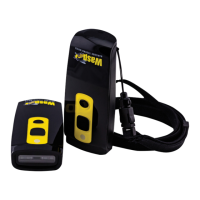

 To Next Page