E. Warning and Nocaon
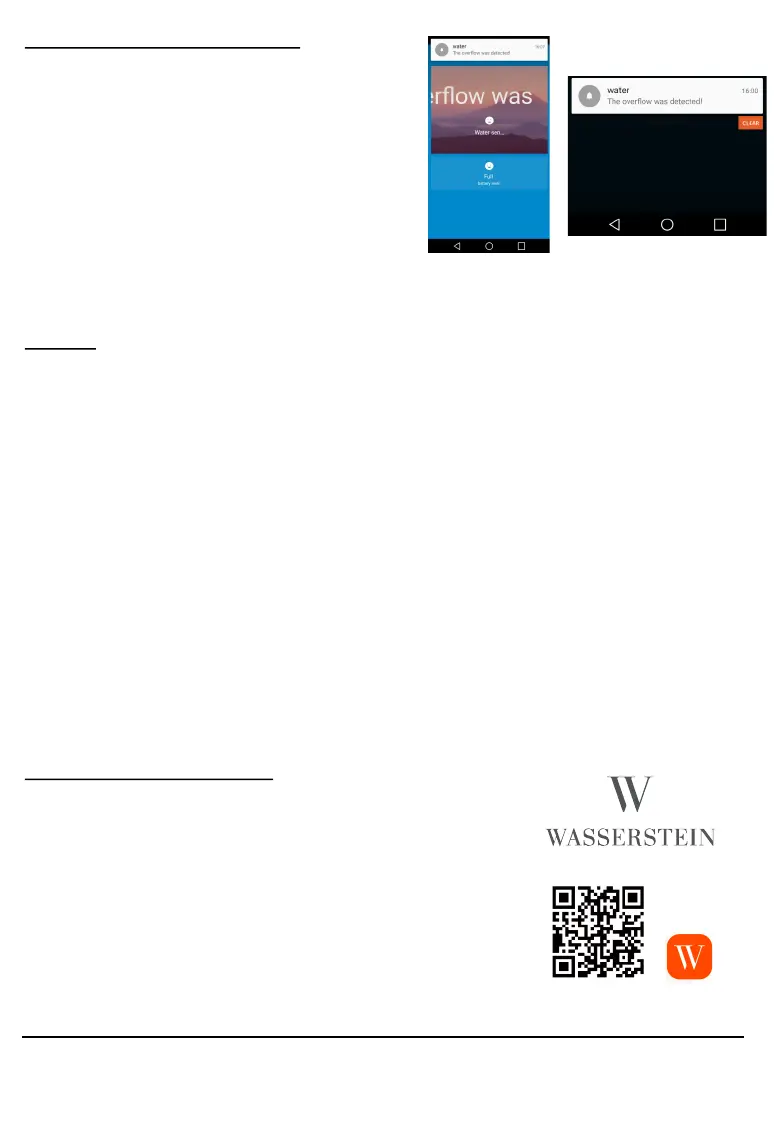
1. If there is a water leakage, a no-
caon on your phone will be dis-
played.
2. The water sensor will also emit a
beeping sound and the red light
indicator will turn on.
3. Monitor the baery level directly
from the app, to ensure the water
sensor will never run out of power.
F. Q&A
1. Problems connecng the device with our App.
Try reseng your device by following the instrucons in Secon C. If
problem persists, please try connecng the device using AP mode:
• Press the power buon inside your water sensor for 5-10 seconds, to
ensure that your indicator light is ashing quickly.
• Press the power buon for another 5-10 seconds unl the light ash-
es slowly now.
• Press “Add Device” in the Wstein App.
• Click “AP Mode” in the top right hand corner.
• Select your home’s Wi-Fi network & enter your Wi-Fi Password.
• Go to your Wi-Fi seng and connect to “SmartLife_XXXX” .
• Go back to the App and nish the nal connecon.
2. If there are no nocaon with water leakage
• Go to Prole > Sengs > make sure push nocaon is turned on.
• Go to your mobile seng, make sure nocaon is allowed for
Wstein App
G. General Specicaons
Wireless coverage : 45m
Baery specicaon : CR2-3V x 1
Standby current : 13μA
Working current : 65mA
Working temperature : 0°C ~ 40°C
Operang humidity: : 20% ~ 85%
Wi-Fi standard : IEEE801.11b/g/n
Wireless type : Wi-Fi 2.4 GHz
For more informaon:
www.wasserstein-home.com
Please contact us at:
contact@wasserstein-home.com


 To Next Page
 Loading...