WatchGuard Video ‐ Proprietary
WGD00080‐005Re
C Page 3 o
5
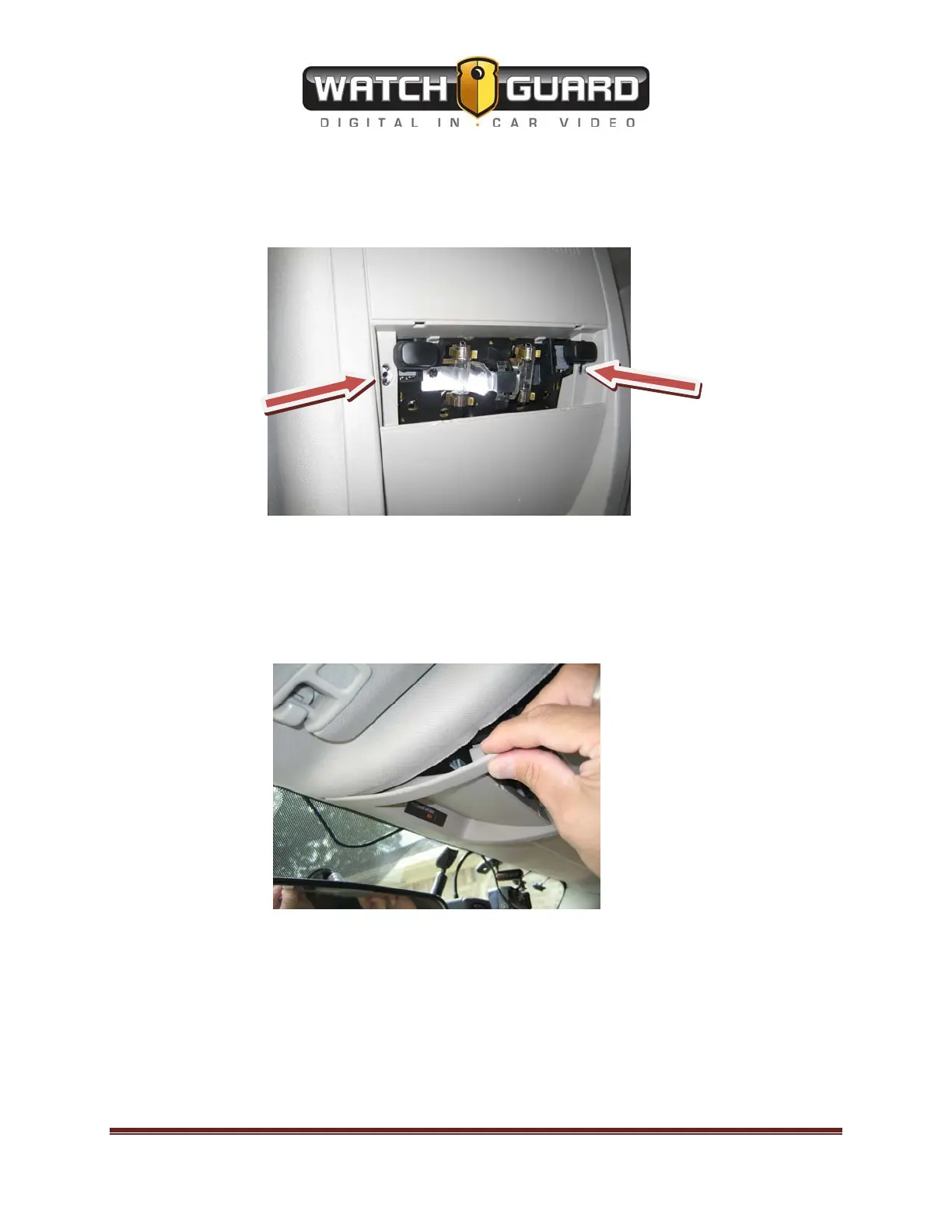
After the light cover is removed, locate and remove the (2) Torx 15 screw holding up the
Overhead Console to the ceiling of the vehicle. See picture below:
Once the screws are removed, the Overhead console will stay in place until slight pressure is
applied to pull the console down. Place one or two fingers on the corner of the console to pull it
down.
Once the console is pulled down, disconnect the cable to the power the overhead lights. Next
set aside the console with the plastic light cover, because it will be put back in place after the
installation is complete.
There will be another small factory bracket attached. Remove that small bracket with the Torx
15 screw driver and keep the screws, because they will be used to mount the bracket to the roof
of the vehicle.


 To Next Page
 Loading...