WatchGuard Video ‐ Proprietary
WGD00080‐005Re
C Page 5 o
5
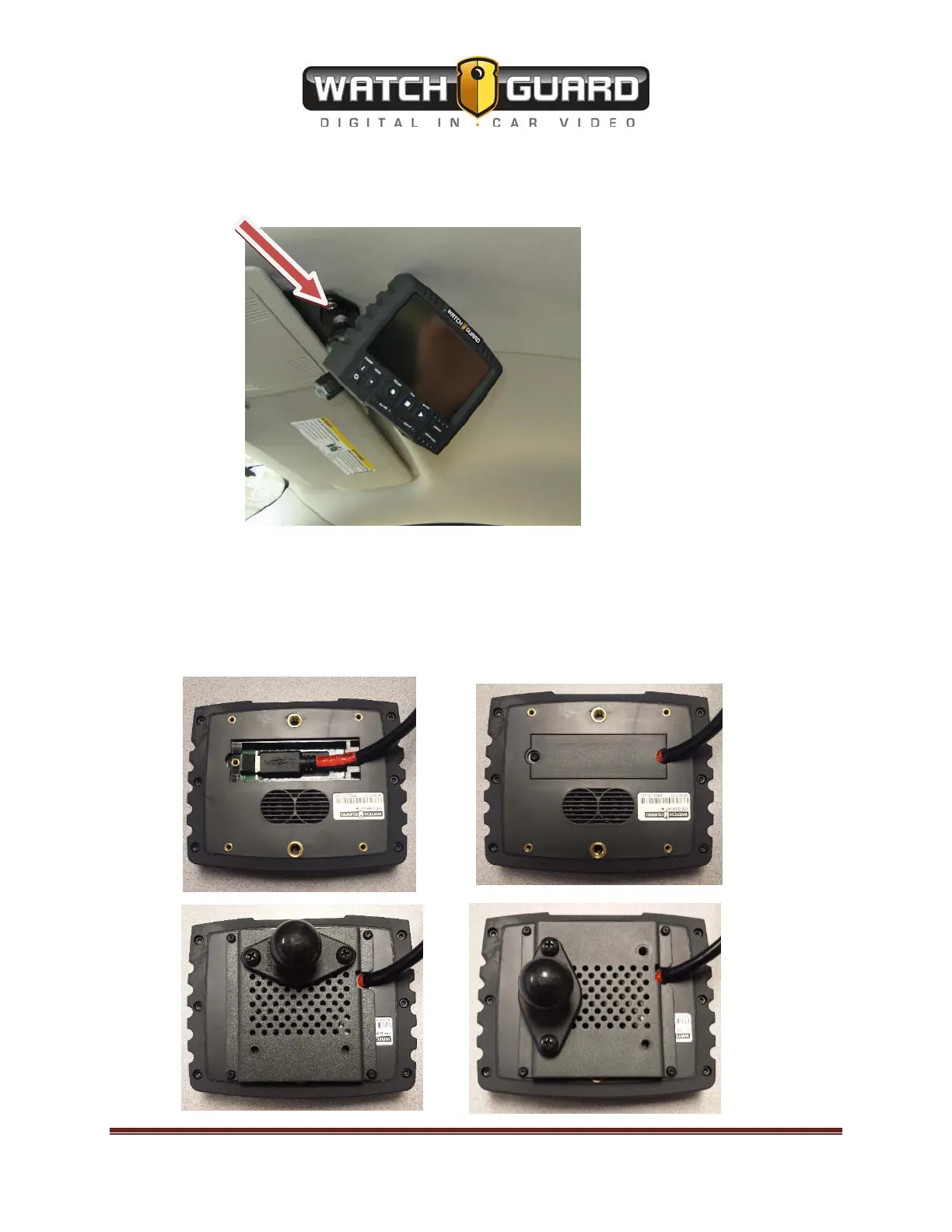
Next put factory plastic light cover back on to cover the screws and light fixtures. After the
overhead console is put back together attach the RAM ball mount (not included with bracket)
with the (2) – 10x3/4” Allen (5/32”) screws to the section of the bracket protruding from the
overhead console.
The final step is to connect the mini HDMI cable to the back of the display unit.
1.
Remove the buttonhead screw and cover with 1/16th Allen wrench.
2.
Attach the mini HDMI cable
3.
Put the cover back on
4.
Attach RAM mount bracket using (4) Buttonhead #4 - 40x.250”.
5.
Attach RAM ball bracket to RAM mount bracket using (2) - 10X32 1/2” screws.
6.
Attach the Display to the RAM coupler, orient to suit and tighten the coupler to hold.



 To Previous Page